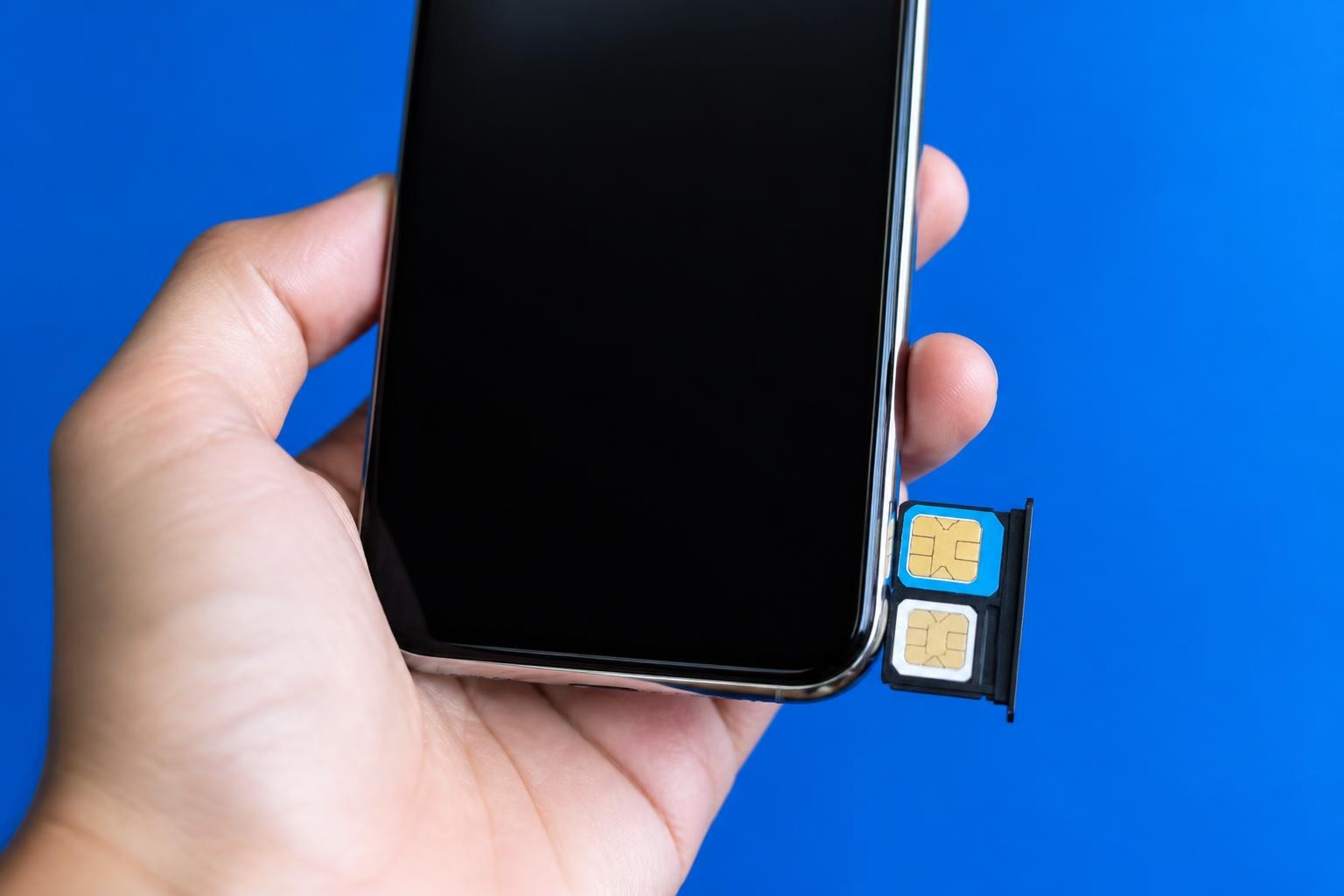
Remember when having two mobile numbers meant juggling two separate phones in your pocket? Those days are long gone. Today's smartphones come with dual sim capability built right in, letting you manage both your work and personal life, travel abroad without swapping cards, or take advantage of different carrier deals-all from a single device. But how exactly does this technology work, and is it right for you?
What Exactly Is Dual SIM Technology?
At its core, a dual SIM phone is exactly what it sounds like: a device that can accommodate two SIM cards simultaneously. Rather than carrying two mobiles or constantly swapping SIM cards when you need to switch between numbers, you get the convenience of managing everything from one handset.
The technology has been around for years, but it's become increasingly sophisticated. Early dual sim phones were clunky compromises, but modern implementations are seamless and powerful.
How Does Dual SIM Actually Work?
Think of your phone as having two separate radio receivers. Each SIM connects to a mobile network independently, allowing you to receive calls and texts on both numbers without interference. You can typically designate which SIM handles calls, which manages data, and which receives texts-all customizable in your phone's settings.
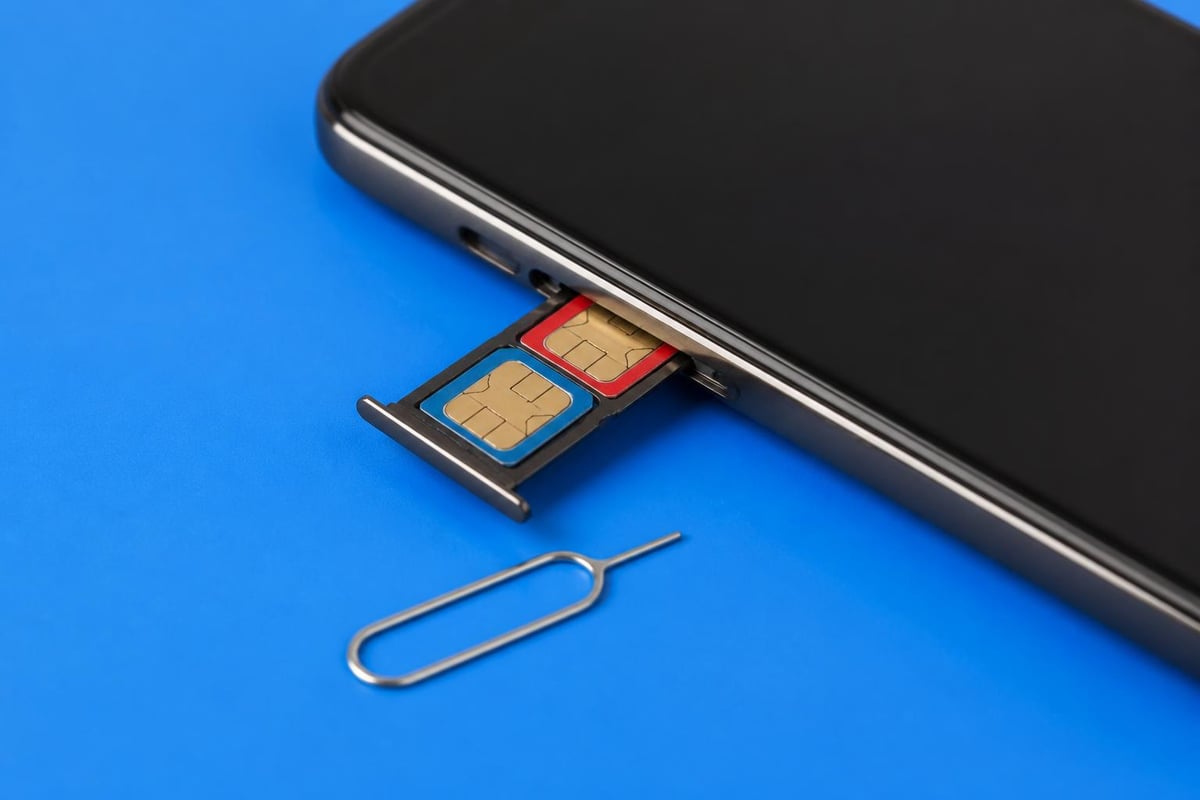
Most modern smartphones use one of two main configurations:
- Dual SIM Dual Standby (DSDS): Both SIMs remain active until you're actually on a call. Once you're speaking on one line, the other becomes temporarily unavailable.
- Dual SIM Dual Active (DSDA): Both lines stay fully active simultaneously. You can be on a call on one number whilst the other rings through. This is less common but incredibly useful for business users.
The practical difference? DSDS works brilliantly for most people and conserves battery. DSDA offers maximum flexibility but drains power faster.
The Real-World Benefits of Going Dual SIM
Why has dual sim technology become so popular? The advantages extend far beyond the obvious convenience of two numbers on one phone.
Separating Work and Personal Life
This is probably the biggest draw for most users. You get complete separation between your professional and personal contacts without needing two devices. Set your work number to silent after 6 PM, and you've achieved instant work-life balance. No more accidentally answering client calls during family dinner.
Massive Savings When Travelling
Here's where dual sim really shines. Instead of paying extortionate roaming charges, you can pop in a local SIM card whilst keeping your home number active for important calls. Modern eSIM solutions have taken this even further-you can now activate affordable data plans instantly without even touching a physical SIM card.
For example, if you're travelling across multiple countries, you might use an Europe eSIM for data whilst keeping your home number active for calls from family back home.
| Use Case | Primary SIM | Secondary SIM | Benefit |
|---|---|---|---|
| International travel | Home number | Local data SIM | Avoid roaming fees |
| Work/personal split | Personal number | Business line | Clear boundaries |
| Network coverage | Primary carrier | Backup carrier | Never lose signal |
| Cost optimization | Unlimited calls | Cheap data plan | Best of both worlds |
Leveraging Multiple Carrier Strengths
Network coverage varies dramatically depending on location. You might find one carrier offers brilliant service at home but terrible coverage at your office. With dual sim, you can maintain subscriptions to both carriers and automatically switch between them based on signal strength. As highlighted by various tech experts, this flexibility represents a genuine quality-of-life improvement.
Understanding Different Dual SIM Configurations
Not all dual sim implementations are created equal. Understanding the differences helps you make informed decisions when purchasing your next device.
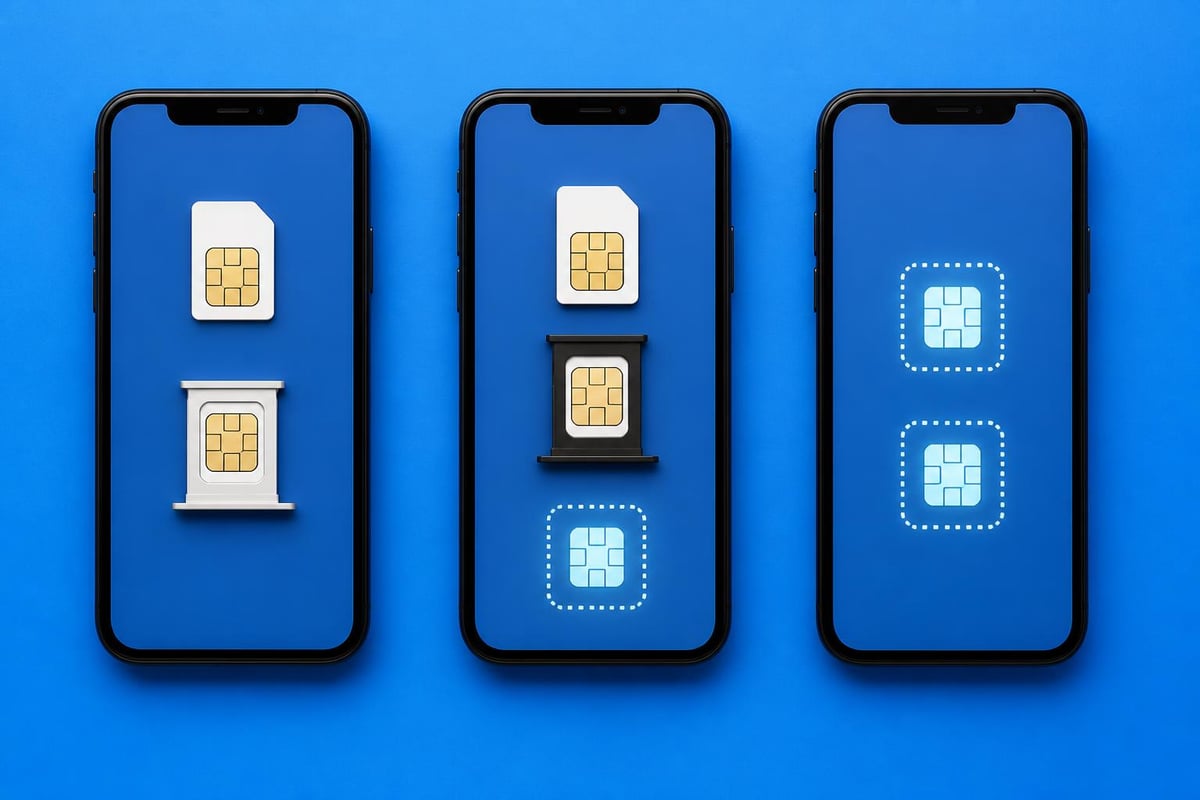
Physical SIM + Physical SIM
The traditional approach uses two physical SIM card slots. You'll find this configuration in many Android phones, particularly those targeted at international markets. The advantage? Universal compatibility with any carrier worldwide.
However, there are downsides:
- Takes up physical space in the device
- Requires physically swapping cards when changing carriers
- Can sometimes sacrifice the microSD card slot
Physical SIM + eSIM
This hybrid approach is increasingly common in modern smartphones, including recent iPhones. One slot accepts a traditional nano-SIM, whilst the second "slot" is actually an embedded eSIM chip. You can learn more about activating your iPhone eSIM through various providers.
The flexibility here is brilliant. Keep your primary number on a physical SIM whilst using an eSIM for travel or temporary numbers.
Dual eSIM
The future is here. Newer devices support multiple eSIM profiles, letting you switch between them entirely digitally. No physical cards whatsoever. This is where services offering instant eSIM activation really come into their own.
You can have five, ten, even twenty different eSIM profiles stored on your device and switch between them as needed. Heading to Japan? Activate your Japan profile. Back home? Switch back. The entire process takes seconds.
The Drawbacks You Should Consider
Let's be honest-dual sim isn't perfect for everyone. Understanding the potential disadvantages helps you make an informed choice.
Battery Life Concerns
Running two active network connections simultaneously demands more power. Your phone's radio needs to maintain connections to two separate networks, which inevitably impacts battery life. The difference isn't always dramatic, but heavy users might notice they're reaching for the charger more frequently.
Tips to minimize battery drain:
- Use DSDS mode rather than DSDA when possible
- Disable the secondary SIM when you don't need it
- Set one SIM to 3G/4G if 5G isn't essential for both
Increased Complexity
Managing two numbers means navigating additional settings and making decisions about which SIM handles what. Want to make a call? You'll need to specify which number to use. Sending a text? Same question. Most people adapt quickly, but it does add a layer of complexity to everyday tasks.
Potential Heating Issues
Two active radios generate more heat than one. During intensive use-particularly whilst streaming video or making video calls-your phone might run noticeably warmer. This is rarely a serious problem, but it's worth considering if you already find your phone gets hot during normal use.
Dual SIM and eSIM: A Perfect Partnership
The convergence of dual sim capability and eSIM technology has created something truly special for travellers and digital nomads. Traditional dual sim phones required you to physically obtain and insert a local SIM card in every new country. With eSIM, that entire process becomes digital.
According to industry guides, eSIM adoption is accelerating rapidly, with major carriers worldwide now supporting the technology. This makes dual sim functionality more practical than ever before.
Consider this scenario: You're travelling from the UK to Thailand to Australia over three weeks. With traditional SIMs, you'd need to research carriers, find shops, purchase cards, and physically swap them multiple times. With eSIM on a dual sim phone, you can check compatible devices, purchase plans online, and activate them instantly-all whilst keeping your home number active.
How to Make the Most of Dual SIM for Travel
Here's a practical framework for using dual sim whilst travelling:
- Keep your home number on your physical SIM (or primary eSIM profile)
- Use a secondary eSIM for data in your destination country
- Set the eSIM as your default data line in your phone settings
- Keep your home SIM active for calls and texts from family and colleagues
- Forward important calls to messaging apps like WhatsApp to avoid international call charges
This setup means you're never unreachable on your primary number, but you're using affordable local data rates instead of paying roaming fees. The savings can be substantial-often 80-90% compared to standard roaming charges.
Choosing the Right Dual SIM Setup for Your Needs
Not everyone needs the same dual sim configuration. Your ideal setup depends entirely on how you'll use it.
For Business Professionals
If you're primarily interested in separating work and personal communications, a straightforward DSDS phone with two physical SIM slots works brilliantly. You don't need cutting-edge eSIM technology-just reliable dual sim functionality.
Best configuration: Physical SIM + Physical SIM or Physical SIM + eSIM Priority features: Easy number switching, call routing options, separate ringtones
For Frequent Travellers
If you're crossing borders regularly, eSIM capability becomes essential. The ability to activate local plans instantly without hunting for SIM card shops is genuinely transformative. Many travellers now rely on comprehensive installation guides to set up their eSIMs before even boarding their flight.
Best configuration: Physical SIM + eSIM or Dual eSIM Priority features: Wide eSIM carrier support, good battery life, 5G compatibility
For Cost-Conscious Users
Some carriers offer exceptional voice plans but charge premium rates for data. Others provide cheap data but limited minutes. Dual sim lets you cherry-pick the best deals from multiple providers.
Best configuration: Any dual SIM type Priority features: Easy data switching, clear network indicators, reliable connectivity
| User Type | Recommended Config | Key Benefit | Watch Out For |
|---|---|---|---|
| Business professional | Physical + Physical | Simplicity | Battery drain |
| Frequent traveller | Physical + eSIM | Instant activation | Carrier compatibility |
| Digital nomad | Dual eSIM | Maximum flexibility | Learning curve |
| Budget optimizer | Any dual SIM | Cost savings | Complex management |

Setting Up and Managing Your Dual SIM
Got a dual sim phone? Here's how to make it work for you without the headache.
Initial Configuration
When you first insert your SIMs (or activate your eSIMs), your phone will prompt you to configure each line. You'll typically need to:
- Assign a label to each SIM (like "Personal" and "Work")
- Choose a default line for mobile data
- Select which SIM handles calls and texts
- Set up separate ringtones for each number
Take time getting this right initially. Poor configuration leads to missed calls and confusion about which number you're using.
Managing Day-to-Day Usage
Modern smartphones make dual sim management fairly intuitive. Most display clear indicators showing which SIM you're currently using. When making a call, you'll see options to choose your line. When someone calls you, the phone indicates which number they're ringing.
Pro tip: Use your phone's built-in contacts features to assign default SIMs to specific contacts. Your mum always calls your personal number? Set it so outgoing calls to her automatically use that line. Your boss rings your work number? Do the same for them.
Troubleshooting Common Issues
Even with perfect setup, you might encounter occasional hiccups:
Problem: Calls going to the wrong voicemail Solution: Each SIM has its own voicemail. Configure both through your carrier settings.
Problem: Confusion about which SIM is using data Solution: Most phones show a data icon next to the active SIM in the status bar.
Problem: One SIM not registering on network Solution: Try toggling airplane mode or restarting the device. If problems persist, contact your carrier-they may need to provision your account correctly.
The Future of Dual SIM Technology
Where's this all heading? The trend is clearly toward pure eSIM implementations. Apple's already released iPhone models without any physical SIM slot in certain markets. Android manufacturers are following suit.
This evolution brings exciting possibilities. Imagine having ten different carrier profiles stored on your device, automatically switching to whichever offers the strongest signal at your current location. Or seamlessly transitioning between networks as you cross international borders without any manual intervention.
IoT applications are also driving innovation in dual SIM and dual IMSI technology, ensuring devices maintain connectivity even when primary networks fail.
For consumers, this means ever-improving flexibility and lower costs. The barrier to switching carriers or adding temporary lines continues to drop, forcing carriers to compete more aggressively on price and service quality.
Making the Switch to Dual SIM
Ready to embrace dual sim technology? Here's how to make the transition smooth.
Check Your Current Device
Many newer smartphones already support dual sim-you might not even realize it. Check your phone's specifications or look in Settings under Mobile Data or Cellular. If you see options for multiple lines, you're already equipped.
Don't have dual sim capability? When shopping for your next phone, prioritize devices with eSIM support alongside traditional SIM slots. This hybrid approach offers maximum flexibility.
Choose Your Carrier Strategy
Decide whether you're using dual sim for work/personal separation or travel optimization. This determines your carrier choices. For travel, you'll want a reliable home carrier plus access to competitive eSIM providers for destinations you visit frequently. For work/personal, focus on finding two carriers with complementary strengths in your area.
Start Simple, Then Optimize
Don't try to implement the perfect dual sim setup immediately. Start with basic configuration-just get both numbers working. As you use the system daily, you'll discover which settings work best for your patterns. Adjust gradually based on real experience rather than trying to anticipate every scenario upfront.
The learning curve is gentler than you might expect. Within a week or two, managing two numbers becomes second nature.
Dual sim technology transforms how we stay connected, whether you're separating work from personal life, travelling internationally, or simply optimizing your mobile spending. The convergence of dual sim capability with modern eSIM technology makes managing multiple numbers easier than ever, eliminating the need for physical SIM cards whilst maintaining the flexibility of multiple lines. If you're ready to experience hassle-free connectivity across 200+ countries with instant activation and no roaming fees, explore how gosimless.app can simplify your mobile connectivity today.
gosimless Team
The gosimless editorial desk — testing eSIMs, carriers and travel connectivity so you don't have to. Updated continuously from the road.