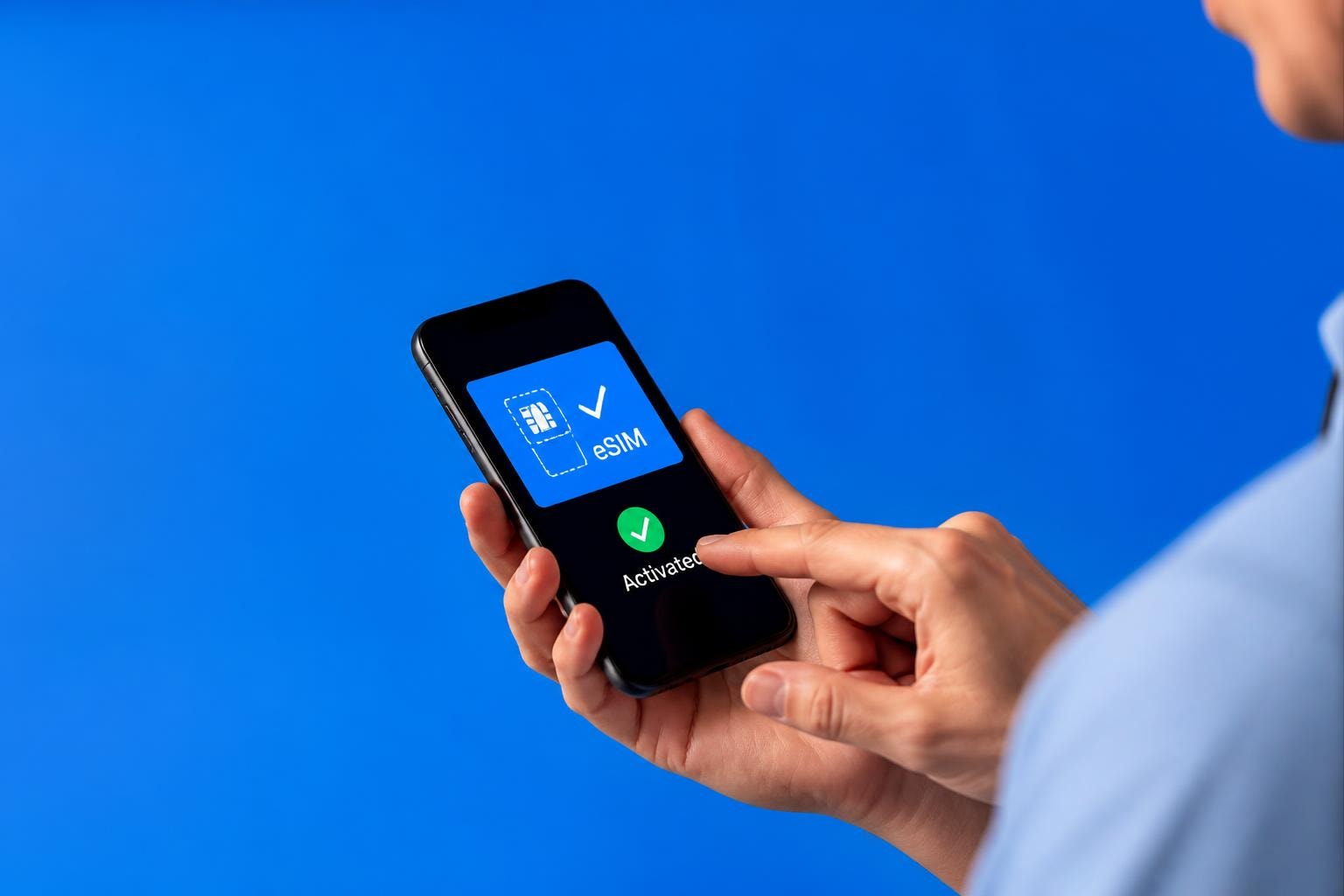
Thinking about making the switch to an Optus e sim? You're not alone. As we move through 2026, more Australians are ditching the fiddly plastic SIM cards and embracing the digital revolution. Whether you're upgrading your phone, switching providers, or just curious about what all the fuss is about, understanding how Optus handles eSIM technology can save you time, hassle, and potentially money. Let's dive into everything you need to know about getting connected the modern way.
What Exactly Is an Optus e sim?
Here's the thing: an eSIM isn't actually a physical card you can touch or lose down the back of your sofa. It's a digital SIM that's already embedded in your phone's hardware. Think of it as software rather than hardware. When you activate an Optus e sim, you're essentially downloading your mobile plan directly onto your device.
Pretty clever, right? Instead of waiting for a SIM card to arrive in the post or making a trip to an Optus store, you can get connected in minutes. The technology has been around for a few years now, but it's only recently that Australian carriers like Optus have fully embraced it. According to the Whirlpool community wiki, Optus has been steadily expanding its eSIM support across more devices and plan types.
The Technical Bits Made Simple
Your phone contains a chip called an eUICC (embedded Universal Integrated Circuit Card). This chip can store multiple carrier profiles, meaning you could theoretically have several phone numbers on one device. When you activate your Optus e sim, the carrier sends a profile to this chip, and voila - you're connected.
Which Devices Work with Optus e sim?
Not every phone supports eSIM technology, so before you get too excited, let's check if your device makes the cut. The good news is that most flagship phones released in the past few years are eSIM-compatible.
Compatible iPhone Models:
- iPhone 14, 14 Plus, 14 Pro, 14 Pro Max
- iPhone 13 series
- iPhone 12 series
- iPhone 11 series
- iPhone XS, XS Max, XR
- iPhone SE (2020 and 2022 models)
Compatible Android Devices:
- Samsung Galaxy S24, S23, S22 series
- Samsung Galaxy Z Fold and Z Flip series
- Google Pixel 5 and newer models
- Oppo Find X3 Pro and newer flagships
- Motorola Razr models
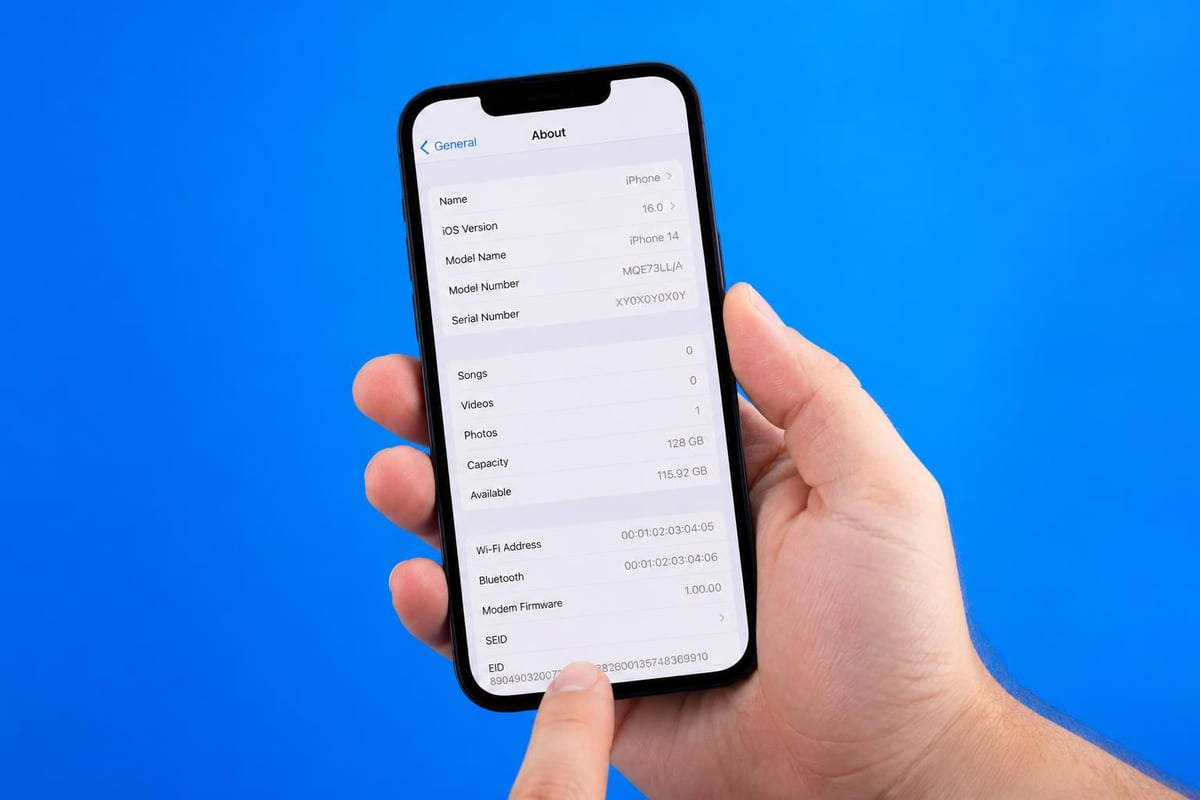
You'll want to verify your specific model before proceeding. The Optus device guide provides detailed information for various phones. Also worth noting: if you're checking compatible devices for travel purposes, you might find alternatives that work across multiple countries.
Dual SIM Capabilities
Here's where things get interesting. Many modern phones let you run two SIMs simultaneously. You could have a physical SIM for one number and an Optus e sim for another. Business owners love this feature - one number for work, another for personal calls, all on the same device.
How to Activate Your Optus e sim
Right, let's get down to the practical stuff. Activating an Optus e sim is surprisingly straightforward, though the exact process varies slightly depending on whether you're a new customer or existing one.
For New Optus Customers
- Choose your plan on the Optus website or app
- Select eSIM as your delivery method during checkout
- Complete the purchase and identity verification
- Receive your QR code via email (usually within minutes)
- Scan the QR code using your phone's camera
- Follow the on-screen prompts to install the profile
- Restart your device if prompted
The activation tutorial video walks through each step visually if you prefer watching rather than reading. I find it helpful to have both my phone and laptop handy during this process - you can display the QR code on your computer screen and scan it with your phone.
For Existing Optus Customers
Already with Optus and want to switch from physical SIM to eSIM? The process is even simpler:
- Contact Optus via the My Optus app or phone 133 937
- Request an eSIM replacement
- Verify your identity
- Receive your QR code
- Install following the same scanning process
| Activation Method | Time Required | Best For |
|---|---|---|
| QR Code Scan | 5-10 minutes | Most users - quick and simple |
| Manual Entry | 10-15 minutes | When QR code won't scan |
| In-Store Assistance | 30+ minutes | Those wanting hands-on help |
| App-Based Activation | 5-10 minutes | Tech-savvy existing customers |
What Plans Work with Optus e sim?
One of the most common questions I hear is: "Can I use my current plan with eSIM?" The short answer is yes, pretty much all Optus plans now support eSIM activation. Whether you're on a prepaid plan, postpaid monthly contract, or bring-your-own-device arrangement, you should be able to go digital.
The Optus mobile plans review breaks down the various options available in 2026. Pricing hasn't changed just because the delivery method is different - you're getting the same data allowances, call minutes, and network access.
Popular Optus Plan Types:
- Prepaid plans - from $30/month with varying data limits
- Choice Plus plans - unlimited data with speed caps after certain thresholds
- SIM-only plans - bring your own phone, typically better value
- Family plans - multiple services bundled together
Worth mentioning: if you're travelling internationally, you might want to explore options beyond traditional carrier plans. For instance, if you're heading down under as a visitor, checking out eSIM options for Australia could save you significant money compared to roaming charges.
The Advantages of Choosing Optus e sim
Let me share why I think eSIM technology is genuinely brilliant. Beyond the obvious "no physical card" benefit, there are some compelling reasons to make the switch.
Immediate activation tops my list. Remember waiting days for a SIM card to arrive? Those days are gone. Order your Optus e sim in the morning, and you could be connected by lunchtime.
Travel flexibility is massive. If you're jetting off overseas, you can add a local eSIM for that country while keeping your Optus number active. No more juggling multiple phones or constantly swapping SIM cards. The eSIM carriers guide shows how many providers now support this technology globally.
Security improvements shouldn't be overlooked either. Can't lose what's not physical, right? SIM swap fraud becomes much harder when there's no physical card to steal or clone.
Environmental Considerations
Here's something that doesn't get talked about enough: eSIMs are better for the environment. No plastic cards, no packaging, no delivery vehicles burning fuel to ship them around. It's a small thing individually, but multiply it by millions of customers and it adds up.
Potential Drawbacks to Consider
I'd be doing you a disservice if I pretended eSIM technology was perfect for everyone. There are some legitimate considerations before you commit.
Device switching can be slightly more involved. With a physical SIM, you just pop it out and into your new phone. With an Optus e sim, you need to request a new QR code from Optus or transfer the eSIM profile if your phone supports it. Not difficult, but an extra step.
Older devices simply won't work. If you're still rocking that trusty iPhone 7 or Galaxy S9, you'll need to stick with traditional SIMs for now.
Network coverage remains the same as physical SIMs, but it's worth checking. According to GetPrice's Optus plans comparison, Optus covers approximately 98.5% of the Australian population, but rural areas can still have gaps.
Troubleshooting Common Optus e sim Issues
Things don't always go smoothly, do they? Here are the most common hiccups and how to fix them.
QR Code Won't Scan
This happens more often than you'd think. Try these solutions:
- Increase screen brightness on the device displaying the QR code
- Clean your camera lens
- Try manual entry instead (the code should be in your activation email)
- Request a new QR code from Optus if the current one has expired
No Service After Activation
Frustrating, I know. Before panicking:
- Restart your phone completely (not just screen off/on)
- Check airplane mode isn't accidentally enabled
- Verify the eSIM is set as your primary line in settings
- Wait 10-15 minutes - sometimes networks take a moment to propagate
- Check for carrier updates in your phone settings
If you're still stuck, the video guide for Optus eSIM setup demonstrates the troubleshooting process visually.
Comparing Optus e sim to Alternatives
Is Optus your only option for eSIM in Australia? Definitely not. Telstra and Vodafone both offer eSIM services too, and then there are international providers that might suit travellers better.
| Provider | Coverage | International Roaming | Activation Speed | Best For |
|---|---|---|---|---|
| Optus eSIM | Excellent urban, good regional | Available but can be pricey | Minutes | Local Australian users |
| Telstra eSIM | Best overall network | Extensive but expensive | Minutes | Premium coverage needs |
| Vodafone eSIM | Good urban coverage | Competitive pricing | Minutes | Budget-conscious users |
| Travel eSIM Providers | N/A in Australia | Excellent global coverage | Instant | International travellers |
For frequent travellers, checking the installation guide for travel-specific eSIM services can reveal options you might not have considered.
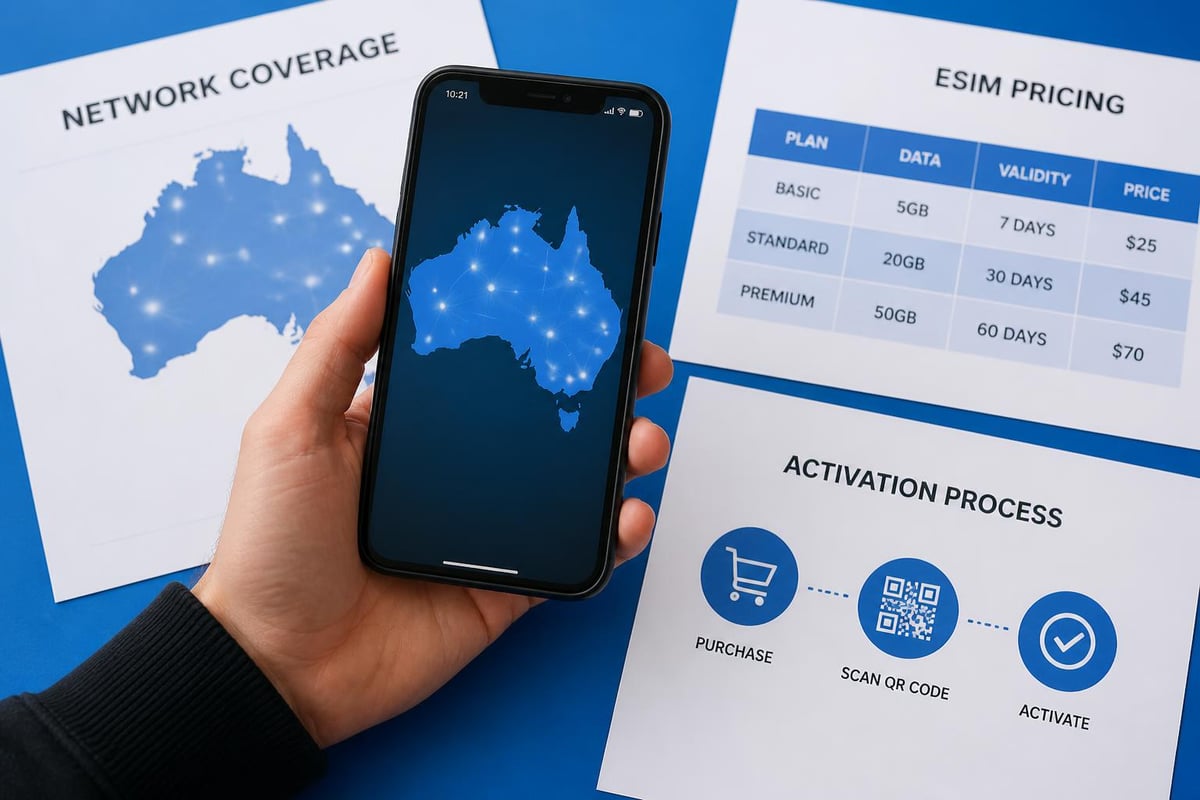
Managing Your Optus e sim Through the My Optus App
The My Optus app is your command centre for managing your eSIM. You can check data usage, pay bills, add international roaming packs, and even request a new eSIM if you're switching devices.
Key App Features:
- Real-time data tracking
- Bill payment and history
- Plan upgrades or changes
- International roaming add-ons
- Customer support chat
I particularly appreciate the data usage notifications. Set alerts at 50% and 80% of your allowance, and you'll never get caught by surprise overages again. The app works on both iOS and Android, and honestly, it's one of the better carrier apps I've used.
Is Optus e sim Right for You?
Let's bring this all together. An Optus e sim makes brilliant sense if you're buying a new phone that supports it, value quick activation, or want the flexibility of running multiple numbers on one device. It's also ideal if you travel occasionally within Australia and appreciate the convenience of instant connectivity.
However, if you frequently switch between devices, prefer the simplicity of physically moving a SIM card, or use older phones, a traditional SIM might still be your better option for now.
The technology is clearly the future. More devices support it each year, and carriers are improving their implementation constantly. The GetPrice eSIM guide for Australian travellers demonstrates how widespread adoption has become, even among visitors to the country.
For those frequently travelling internationally, exploring broader eSIM options that work across multiple countries without the hefty roaming fees might be worth investigating. The traditional carrier model works well for domestic use, but when you're crossing borders regularly, dedicated travel eSIM providers often offer better value and more flexibility. Whether you choose Optus for your Australian connectivity or supplement it with international eSIM solutions, understanding your options ensures you're always connected without breaking the bank.
Setting Up Multiple eSIM Profiles
One of the cleverest features of eSIM technology is the ability to maintain several profiles on one device. Your phone can typically store between five and ten eSIM profiles, though you can only use one or two simultaneously depending on your device.
Why would you want multiple profiles? Think about it: your primary Optus e sim for everyday Australian use, plus a data-only eSIM for when you travel overseas. Or perhaps a work number and personal number. The flexibility is genuinely game-changing.
To manage multiple eSIMs:
- Access your device's cellular settings
- Label each eSIM clearly (e.g., "Optus Personal", "Work", "Travel")
- Set default lines for calls, messages, and data
- Switch between profiles as needed without re-downloading
The My Optus app doesn't manage multiple carriers, but your phone's native settings handle this beautifully. I've found the iPhone's dual SIM settings particularly intuitive, though modern Android devices aren't far behind.
Future of eSIM Technology with Optus
Where's this all heading? If current trends continue, physical SIM cards will become increasingly rare. Apple's iPhone 14 models sold in the United States already ship without SIM card slots at all - they're eSIM only. Australia hasn't gone that far yet, but it's probably just a matter of time.
Optus is investing heavily in digital infrastructure. Expect to see even faster activation times, better integration with IoT devices (think smartwatches and tablets), and potentially embedded eSIM support in devices we haven't even imagined yet. Connected cars, smart home devices, and wearable tech are all increasingly using eSIM technology.
The FAQ section at travel eSIM providers often reveals emerging trends before traditional carriers fully implement them. It's worth keeping an eye on innovation happening in the travel eSIM space, as these features often trickle into mainstream carrier offerings.
Switching to an Optus e sim represents a straightforward upgrade to modern connectivity, offering instant activation and multi-device flexibility without the hassle of physical cards. Whether you stick with traditional carriers for local use or explore international options, understanding eSIM technology puts you in control of your connectivity. If you're planning to travel beyond Australia's borders, gosimless.app offers instant eSIM activation with affordable, flexible coverage across 200+ countries, secure payments, and absolutely no roaming fees - perfect for complementing your domestic Optus service when you're on the move.
gosimless Team
The gosimless editorial desk — testing eSIMs, carriers and travel connectivity so you don't have to. Updated continuously from the road.