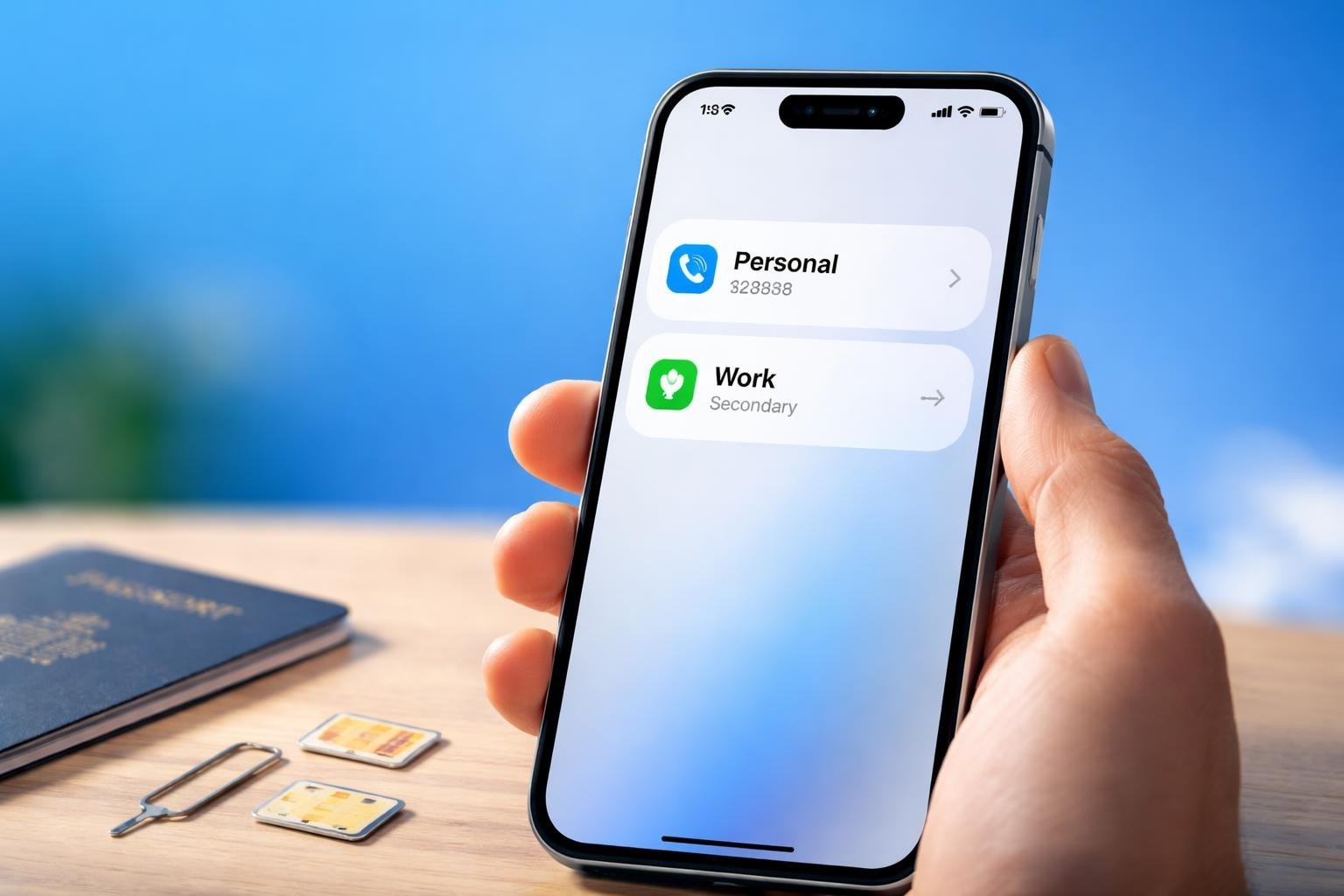
The way we stay connected has evolved dramatically, and your iPhone is more capable than ever before. If you've ever wished you could manage both your work number and personal line on one device, or avoid expensive roaming charges whilst travelling abroad, the iphone dual sim capability might be exactly what you need. This technology allows you to use two different phone numbers simultaneously on a single device, opening up possibilities that were once the exclusive domain of carrying multiple phones or swapping physical SIM cards constantly. Whether you're a frequent traveller, a business professional juggling multiple roles, or someone who simply wants better control over your mobile connectivity, understanding how iphone dual sim works will transform the way you use your device.
What Is iPhone Dual SIM and How Does It Work?
At its core, iphone dual sim functionality enables your device to operate with two separate mobile numbers at the same time. This means you can receive calls, messages, and use data from two different carriers without needing to switch SIM cards or carry a second phone.
The Physical and Digital Combination
Most modern iPhones achieve dual SIM capability through a combination of one physical nano-SIM card slot and one embedded SIM, known as an eSIM. The physical SIM works exactly as you'd expect, whilst the eSIM is a digital version that's built directly into your iPhone's hardware. This clever arrangement means you're not limited by physical space inside your device.
Key advantages of this setup include:
- No need to physically swap SIM cards when switching between numbers
- Instant activation of new plans without visiting a shop
- Ability to keep your primary number whilst adding temporary travel plans
- Reduced risk of losing tiny physical SIM cards
According to Apple's official Dual SIM guide, you can designate which line you want to use for cellular data, and you can switch between them in your settings whenever needed.
How Both Lines Operate Simultaneously
When you've got iphone dual sim configured, both numbers remain active. You'll see which line is receiving an incoming call, and you can choose which number to use when making outbound calls or sending messages. The system is intelligent enough to remember your preferences, so if you always call certain contacts from your work line, your iPhone will automatically suggest that number.
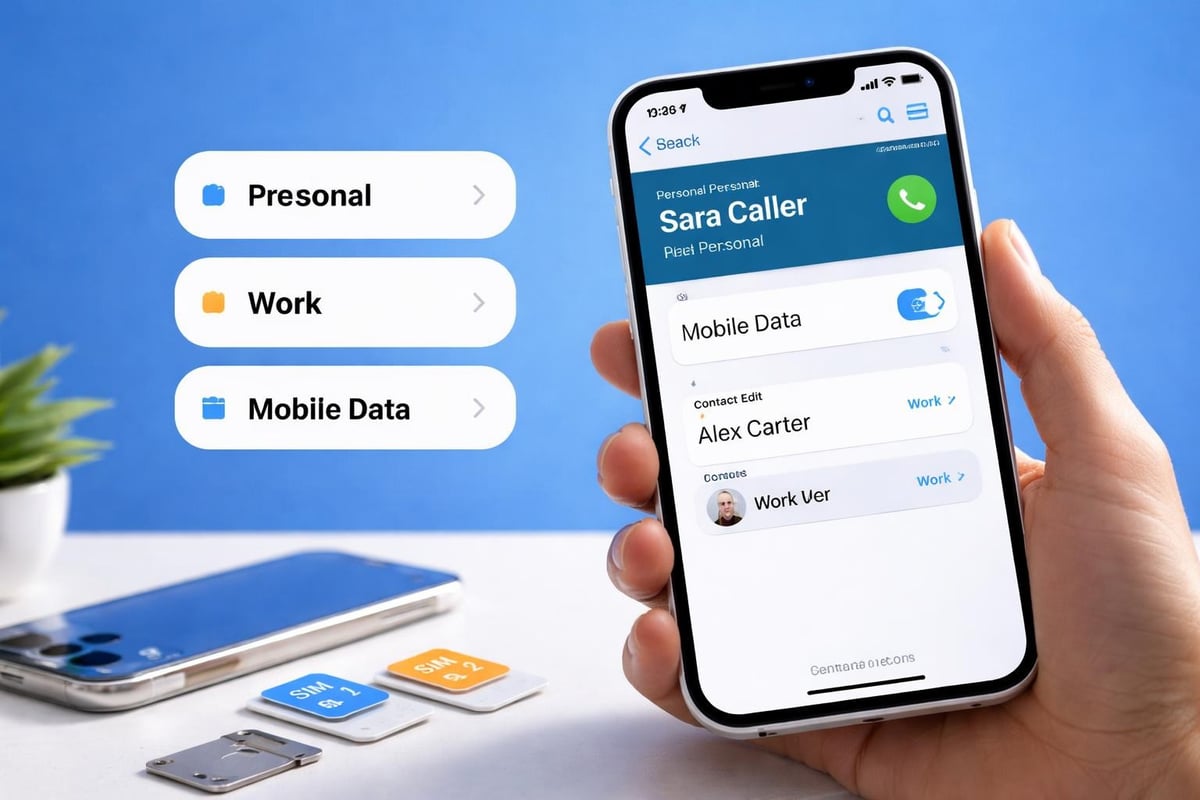
| Feature | Primary Line | Secondary Line |
|---|---|---|
| Voice calls | Always available | Available when not on primary call |
| Data connection | User selectable | Can be switched in settings |
| iMessage/FaceTime | Both can be registered | Independent configurations |
| Default for new contacts | User selectable | Alternative option available |
Which iPhone Models Support Dual SIM?
Not every iPhone can take advantage of dual SIM functionality, so it's essential to know whether your device makes the cut. Apple introduced this feature with the iPhone XS, XS Max, and XR in 2018, and it's been standard in most models since then.
Complete Compatibility List
Several iPhone models now support dual SIM capabilities, with slight variations depending on your region. Here's the comprehensive breakdown:
iPhones with Dual SIM Support:
- iPhone XS and XS Max
- iPhone XR
- iPhone 11, 11 Pro, and 11 Pro Max
- iPhone SE (2nd generation and later)
- iPhone 12 mini, 12, 12 Pro, and 12 Pro Max
- iPhone 13 mini, 13, 13 Pro, and 13 Pro Max
- iPhone 14, 14 Plus, 14 Pro, and 14 Pro Max
- iPhone 15, 15 Plus, 15 Pro, and 15 Pro Max
- iPhone 16 series (all models)
It's worth noting that mainland China, Hong Kong, and Macao versions of certain iPhone models (XS Max, XR, and later) actually support two physical nano-SIM cards instead of the nano-SIM plus eSIM combination used elsewhere.
Regional Variations Matter
The iphone dual sim implementation varies by geography. In most countries, you'll use one physical SIM and one eSIM. However, if you purchase your device in specific Asian markets, you might receive a model with dual physical SIM slots. This distinction affects how you'll set up and manage your two lines, so always verify your specific model's capabilities before purchasing international plans. You can check your device's compatibility through the compatible devices section before activating any eSIM.
Setting Up Your iPhone Dual SIM
Getting your iphone dual sim configuration up and running is remarkably straightforward, though the exact process varies slightly depending on whether you're adding a physical SIM or an eSIM to your existing setup.
Adding a Physical SIM Card
If you're starting with a physical nano-SIM:
- Power off your iPhone completely
- Locate the SIM tray on the side of your device
- Insert the SIM ejector tool (or a paperclip) into the small hole
- Gently pull out the tray and place your nano-SIM in the appropriate slot
- Reinsert the tray and power on your device
- Follow any on-screen carrier activation prompts
Activating an eSIM
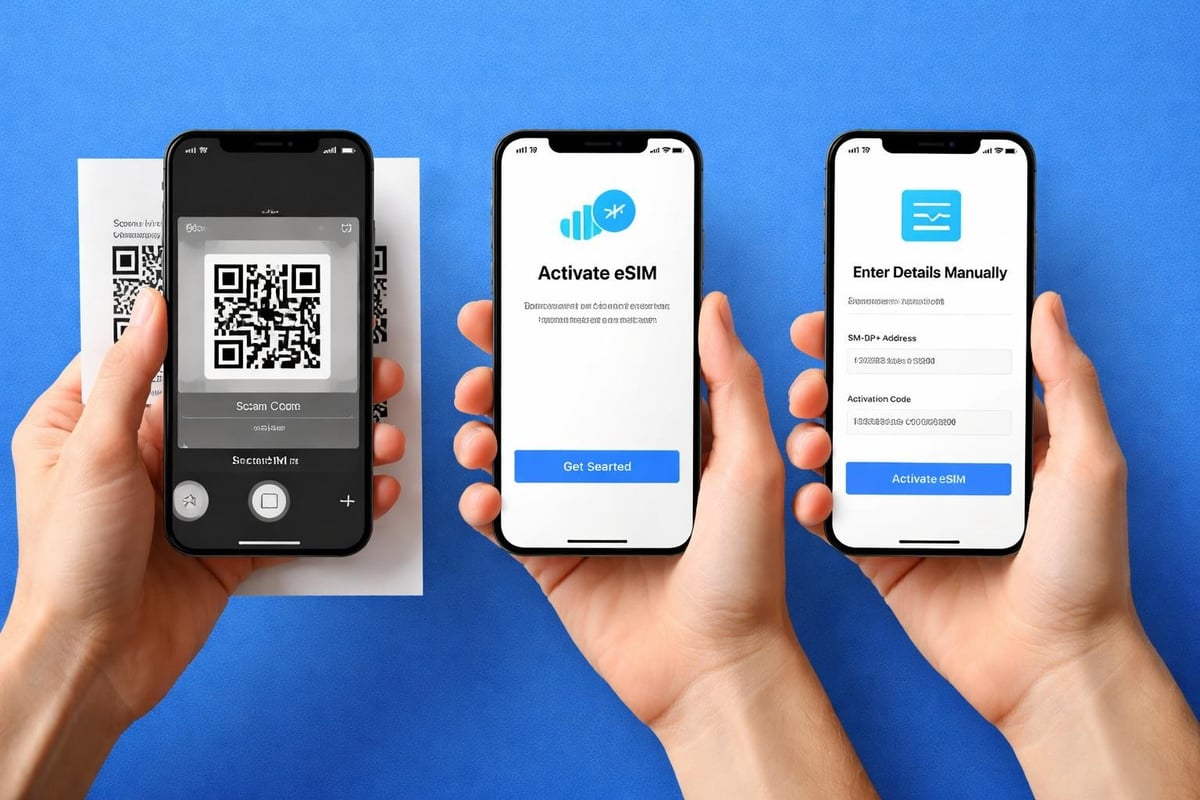
The eSIM activation process is even simpler and doesn't require any physical components. Setting up an eSIM typically happens through one of three methods: scanning a QR code provided by your carrier, using a carrier app, or entering details manually.
eSIM Activation Methods:
- QR Code Scanning: Most carriers provide a QR code. Navigate to Settings > Cellular > Add Cellular Plan, then scan the code with your camera.
- Carrier App: Some providers offer dedicated apps that handle eSIM activation automatically.
- Manual Entry: Input the SM-DP+ address and activation code provided by your carrier.
For travellers seeking flexibility, services offering instant activation can have your eSIM ready in seconds. When you need reliable connectivity abroad, an Australia eSIM or similar regional plan can be activated immediately without waiting for physical delivery or visiting local shops.
The installation guide provides step-by-step instructions for various scenarios, ensuring you can get connected quickly regardless of your technical expertise.
Managing Two Phone Numbers Effectively
Once your iphone dual sim setup is complete, the real benefits emerge through intelligent management of your two lines. Your iPhone provides granular control over which number handles different functions.
Designating Your Default Line
You'll need to choose a default line for cellular data, which determines which connection your iPhone uses for internet access when you're not on Wi-Fi. This setting is crucial because it affects everything from app updates to streaming services.
Navigate to Settings > Cellular (or Mobile Data), and you'll see both your plans listed. Tap "Cellular Data" to select which line should handle your data connection. You can change this setting whenever you like, making it perfect for switching to a local data plan when travelling whilst keeping your primary number active for calls.
Label Your Plans for Clarity
Benefits of dual SIM functionality include the ability to clearly distinguish between your lines. During setup, iOS prompts you to label each plan. Common labels include:
- Primary and Secondary
- Business and Personal
- Work and Travel
- Custom labels of your choosing
These labels appear throughout your iPhone's interface, making it immediately obvious which line you're using for calls, messages, and data.
| Setting Category | Customisation Options | Impact |
|---|---|---|
| Cellular Data | Choose primary or secondary line | Determines which plan provides internet |
| Default Voice Line | Select preferred calling number | Auto-selected for outgoing calls |
| iMessage & FaceTime | Register one or both numbers | Controls which number appears to recipients |
| Contacts | Assign preferred line per contact | Automatically uses correct number |
Smart Contact Management
Here's where iphone dual sim becomes genuinely powerful. You can assign a preferred line to specific contacts, and your iPhone will automatically use that line when calling or texting them. This means your work contacts always reach your business number, whilst friends and family connect through your personal line, all without manual selection each time.
Practical Use Cases for iPhone Dual SIM
Understanding the technical aspects is one thing, but recognising how iphone dual sim solves real-world problems reveals its true value. Let's explore scenarios where dual connectivity transforms your mobile experience.
Separating Work and Personal Life
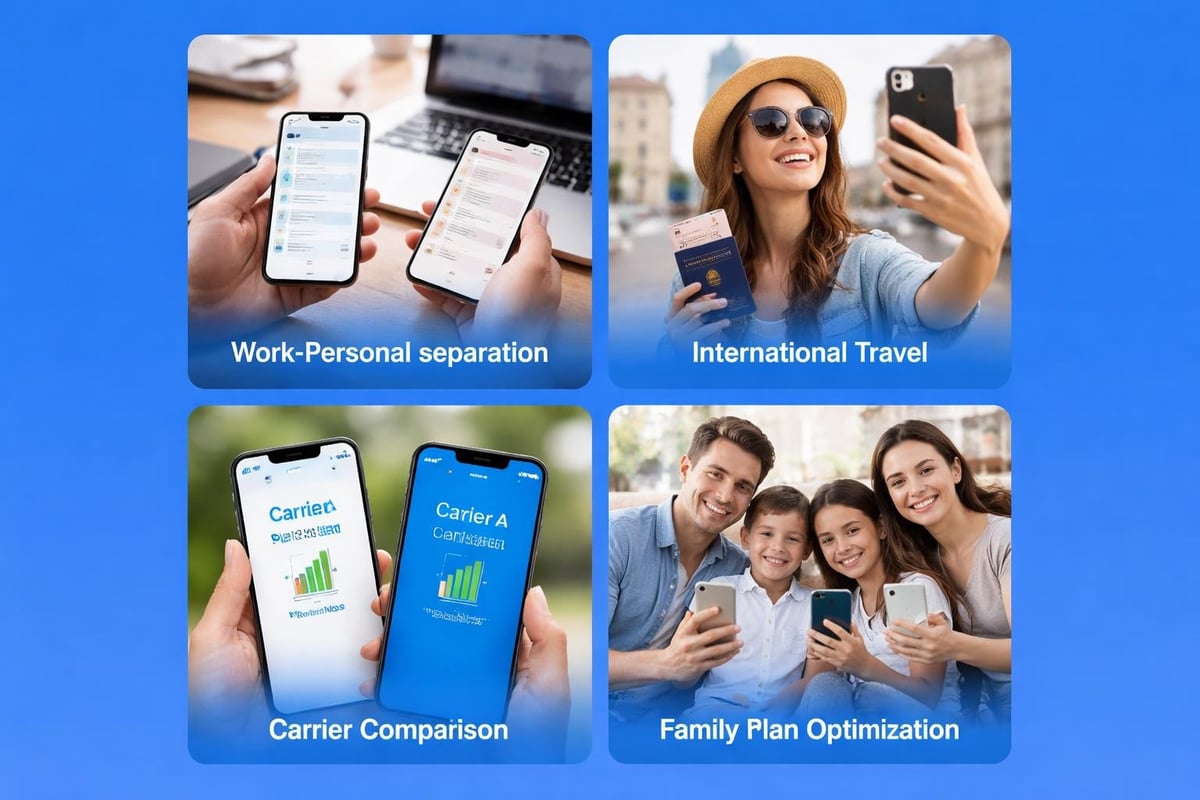
The most common use case involves maintaining professional boundaries. With dual SIM capability, you can keep your work number active during business hours whilst having a completely separate personal number for after-hours communication. This separation means you can silence your work line during evenings and weekends without missing important personal calls.
Professional advantages include:
- Clear distinction between business and personal contacts
- Ability to hand back work numbers when changing jobs without losing device
- Professional appearance with dedicated business line
- Easy expense tracking by keeping work calls separate
International Travel Without Roaming Fees
For frequent travellers, iphone dual sim functionality eliminates one of mobile connectivity's biggest pain points: exorbitant roaming charges. You can keep your home number active for important calls whilst adding a local eSIM for affordable data in your destination country.
Imagine landing in Tokyo and having instant internet access without hunting for Wi-Fi or paying £10 per megabyte. Your home number remains reachable for emergencies, but all your data traffic routes through an affordable local plan. When you return home, you can deactivate the travel eSIM without any hassle.
Several practical reasons exist for adopting dual SIM technology, with travel flexibility ranking among the most compelling. Modern eSIM services eliminate the need to purchase physical SIM cards at airports or navigate language barriers at foreign mobile shops.
Testing Carrier Networks
Thinking about switching mobile providers but worried about coverage? With iphone dual sim, you can trial a new carrier without abandoning your existing service. Add the new provider as an eSIM, test their network quality in your regular locations, and make an informed decision before fully committing.
Troubleshooting Common iPhone Dual SIM Issues
Even with Apple's typically seamless user experience, you might occasionally encounter hiccups when using iphone dual sim functionality. Understanding common problems and their solutions saves frustration.
Both Lines Not Showing Active
If one of your lines appears inactive or shows "No Service," several factors might be responsible:
- Carrier Settings: Ensure you've installed the latest carrier settings update by going to Settings > General > About
- Airplane Mode Toggle: Sometimes toggling Airplane Mode on and off refreshes both connections
- eSIM Reactivation: Remove and re-add the problematic eSIM profile
- Physical SIM Seating: For nano-SIM issues, remove and carefully reinsert the card
Data Connection Problems
When your cellular data isn't working despite showing signal bars, check which line is designated for data. Remember that iOS only allows one line to handle data at a time, so verify your selection in Settings > Cellular > Cellular Data.
Quick diagnostic steps:
- Confirm the correct line is selected for cellular data
- Verify your data plan has remaining allowance
- Check if data roaming is enabled if travelling
- Restart your iPhone to refresh network connections
Calls Going to Wrong Number
If incoming calls are reaching the unexpected line, review your call routing settings. You can specify which line handles calls to unknown numbers and ensure favourited contacts have the correct line assigned in their contact details.
Advanced Features and Tips
Beyond basic dual SIM usage, your iPhone offers sophisticated features that enhance the experience considerably. These advanced capabilities turn iphone dual sim from a simple convenience into a powerful productivity tool.
Dual SIM Message Filtering
iOS 17 introduced message filtering specifically designed for dual SIM users. This feature automatically categorises messages based on which line received them, reducing clutter and improving organisation. You can filter messages by "All Messages," "Known Senders," and specific line names.
To enable this feature:
- Open Settings and navigate to Messages
- Tap "Filter Unknown Senders"
- Select your filtering preferences for each line
- Review filtered messages in dedicated tabs within the Messages app
Using Two Physical SIMs
For users with Chinese-market iPhones that support dual physical SIMs, Apple provides specific guidance on installation and management. The process involves inserting two nano-SIM cards into the specially designed dual tray and following similar setup procedures to eSIM activation.
Network Priority and LTE Switching
Understanding how dual SIM works involves recognising that your iPhone can only connect to LTE or 5G on one line at a time. When you're using data or making a call on one line, the second line drops to 3G or even 2G speeds. For most users, this limitation rarely causes issues, but it's worth understanding if you frequently use both lines simultaneously.
Battery Life Considerations
Running two active connections does consume more power than a single SIM. To optimise battery life whilst using iphone dual sim:
- Disable the secondary line when you don't need it active
- Set Wi-Fi calling for one or both lines to reduce cellular radio usage
- Use Low Data Mode on your secondary line if it's only needed for calls
- Monitor battery usage in Settings to identify which line consumes more power
Future of iPhone Dual SIM Technology
Apple continues evolving its dual SIM implementation, with rumours suggesting future models might eliminate physical SIM slots entirely in favour of dual or even multiple eSIMs. This shift would align with the industry's broader movement towards fully digital connectivity solutions.
The eSIM-Only Future
The iPhone 14 series launched in the United States without any physical SIM slot, relying entirely on eSIM technology. This approach offers several advantages: improved water resistance, more internal space for components, and enhanced security since eSIMs cannot be physically removed from stolen devices.
For international travellers and business users, this evolution means even greater flexibility. You could potentially manage multiple eSIM profiles simultaneously, switching between them based on your location or specific needs without any physical limitations.
Integration with Global Connectivity Services
As eSIM adoption accelerates, services providing instant activation across numerous countries become increasingly valuable. The ability to purchase and activate connectivity for specific destinations in seconds, without physical cards or lengthy activation processes, represents the future of mobile connectivity. Exploring the available eSIM plans demonstrates how modern technology eliminates traditional barriers to staying connected globally.
Privacy and Security Considerations
Using iphone dual sim introduces additional considerations around privacy and security that single-SIM users don't face. Understanding these factors helps you maintain control over your personal information.
Separating Digital Identities
When you register both lines with iMessage and FaceTime, recipients can potentially associate both numbers with your identity. If you're using dual SIM specifically to maintain separate digital personas, carefully consider which services you connect to each number.
Privacy protection strategies:
- Register only your primary number with iMessage and FaceTime
- Use different Apple IDs for truly separate identities (requires advanced setup)
- Disable contact syncing for business numbers if maintaining strict separation
- Review which apps have access to cellular data on each line
SIM Lock and Carrier Restrictions
Some carriers lock their SIM cards to specific devices, which can affect iphone dual sim functionality. Before purchasing eSIM plans from different providers, verify that your iPhone is unlocked or that your carrier permits dual SIM usage. Most modern iPhones sold directly from Apple are unlocked, but devices purchased through carrier subsidies may have restrictions.
Managing two phone numbers on your iphone dual sim setup transforms how you balance work, personal life, and travel connectivity. Whether you're separating professional calls, avoiding roaming fees, or testing new carriers, the flexibility of dual connectivity puts you in control. If you're ready to experience seamless global connectivity without the hassle of physical SIM cards or expensive roaming charges, gosimless.app offers instant eSIM activation across 200+ countries with affordable data plans, secure payments, and simple setup that gets you connected in seconds.
gosimless Team
The gosimless editorial desk — testing eSIMs, carriers and travel connectivity so you don't have to. Updated continuously from the road.