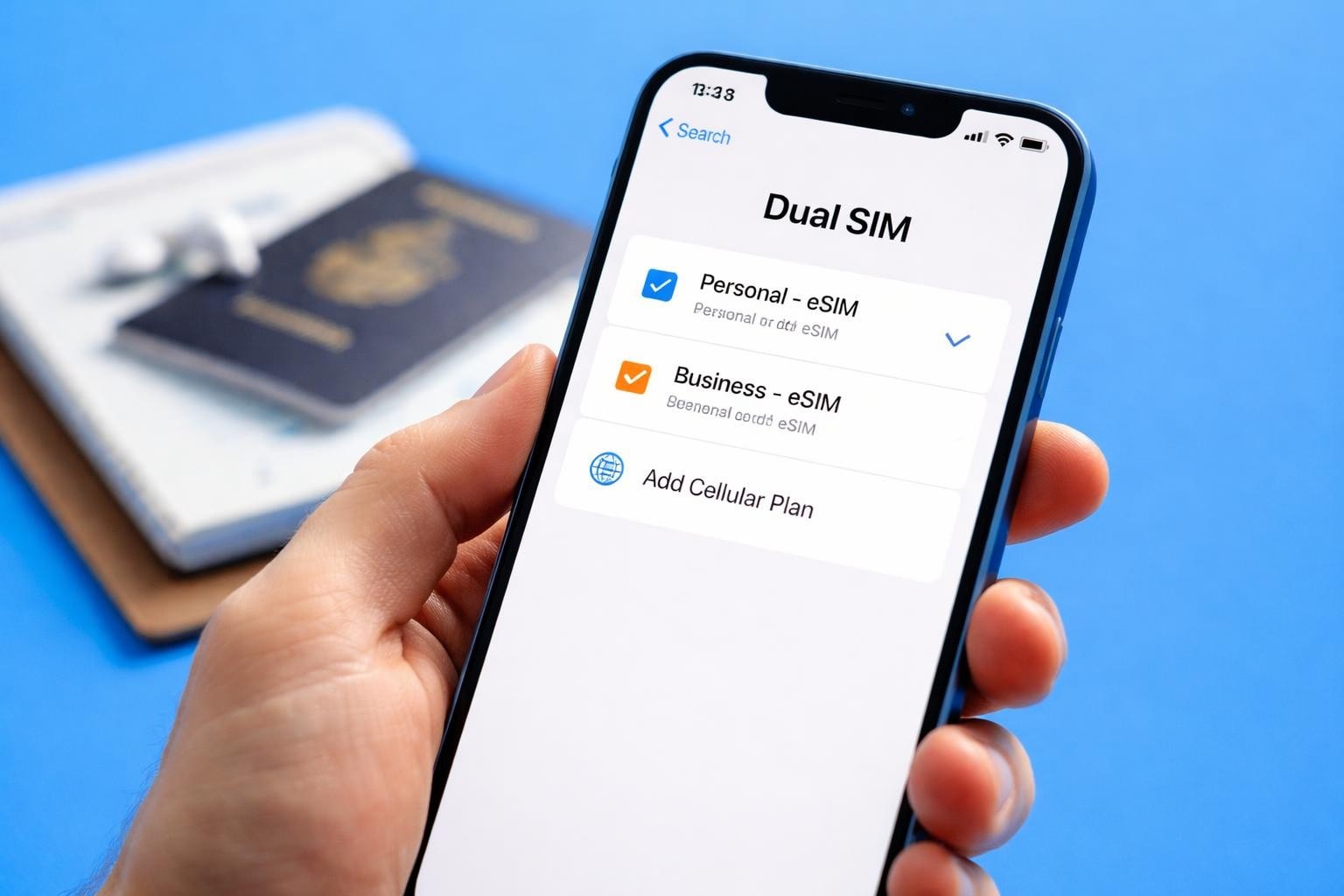
The iPhone 13 revolutionised mobile connectivity when it launched, and one of its most powerful features remains its eSIM capability. If you're wondering how to make the most of your iPhone 13 eSIM functionality in 2026, you've come to the right place. This technology transforms how you manage mobile plans, especially when travelling internationally or juggling multiple phone numbers. Whether you're a frequent traveller, digital nomad, or simply looking to streamline your mobile connectivity, understanding eSIM technology will unlock new possibilities for your device.
What Makes iPhone 13 eSIM Technology Special
The iPhone 13 series brought enhanced eSIM capabilities that changed the game for mobile users worldwide. Unlike traditional physical SIM cards that require swapping and careful handling, the iPhone 13 eSIM exists as embedded software within your device.
This digital SIM technology offers remarkable flexibility. You can store multiple eSIM profiles simultaneously and switch between them without touching any physical components. The iPhone 13 supports dual SIM functionality, meaning you can maintain two active numbers at once.
Key advantages of iPhone 13 eSIM include:
- Instant activation without visiting a carrier shop
- No physical card to lose or damage
- Seamless switching between mobile plans
- Perfect for international travel
- Reduced device vulnerability (no SIM tray opening)
The technology integrates directly into your device's hardware, making it more secure and reliable than traditional options. When you activate an eSIM on your iPhone, the process happens entirely through software, eliminating the need for physical intervention.
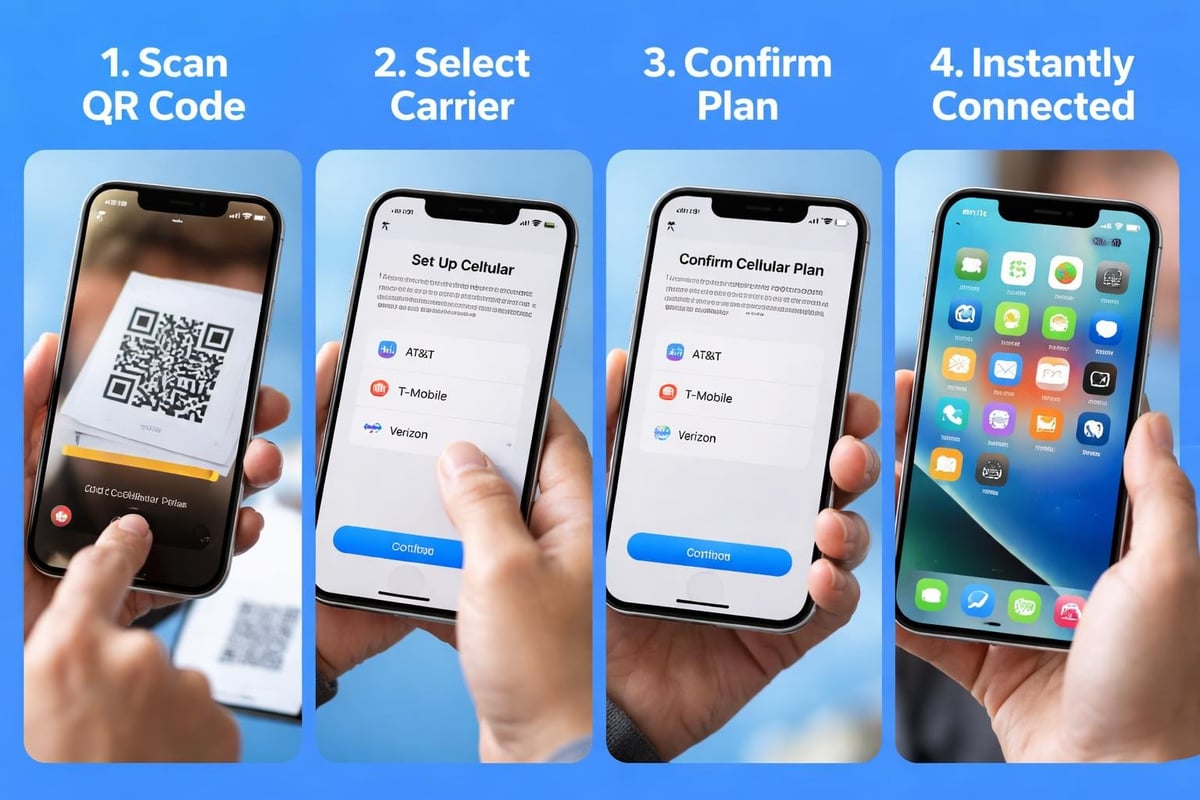
Setting Up Your iPhone 13 eSIM
Getting started with your iPhone 13 eSIM requires just a few straightforward steps. The process varies slightly depending on your carrier and region, but the fundamentals remain consistent across all scenarios.
Activation Methods
| Method | Best For | Time Required |
|---|---|---|
| QR Code Scan | Quick setup with new carriers | 2-5 minutes |
| Carrier App | Existing customer upgrades | 3-7 minutes |
| Manual Entry | When QR codes aren't available | 5-10 minutes |
First, ensure your iPhone 13 is running the latest iOS version. Navigate to Settings, then tap on Mobile Data or Cellular. Select "Add Mobile Plan" to begin the process.
If you're using a QR code (the most common method), simply point your iPhone camera at the code provided by your carrier. The device automatically recognises the code and begins configuration. For services like gosimless.app, you'll receive your QR code instantly via email after purchase.
Step-by-Step Activation
- Prepare your device - Connect to Wi-Fi for stable internet during setup
- Access settings - Open Settings > Mobile Data/Cellular
- Add your plan - Tap "Add Mobile Plan" or "Add eSIM"
- Scan QR code - Position the code within the camera frame
- Label your plan - Choose descriptive names like "Travel" or "Business"
- Configure preferences - Set default line for calls, messages, and data
The entire process typically completes within minutes. Your iPhone 13 will display both your physical SIM and eSIM in the settings menu, allowing you to manage them independently.
Dual SIM Capabilities Explained
One of the most compelling features of the iPhone 13 eSIM setup is its dual SIM functionality. This capability transforms how you manage personal and professional communications, or maintain connectivity whilst travelling.
Your iPhone 13 can operate with one physical nano-SIM and one eSIM simultaneously. Both lines remain active, allowing incoming calls and messages on either number. You control which line handles outgoing calls, messages, and cellular data.
Practical dual SIM scenarios:
- Maintain separate personal and work numbers on one device
- Keep your home number whilst using local data abroad
- Test different carriers without switching SIM cards
- Backup connectivity if one network experiences issues
The iPhone intelligently manages both connections. When someone calls your secondary number whilst you're on a call using your primary line, you'll receive call waiting notifications. You can customise which contacts use which line, ensuring business calls always go through your work number.
Data usage tracking works independently for each line, helping you monitor consumption accurately. This proves invaluable when one plan offers unlimited data whilst the other has caps.
Managing Your Lines
Access comprehensive dual SIM controls through Settings > Mobile Data. Here you'll find options to set your default line for voice calls, iMessage, FaceTime, and Apple ID verification.
The "Mobile Data Switching" feature allows your iPhone to automatically switch to your secondary line if your primary plan runs out of data. You can enable or disable this functionality based on your preferences and plan limitations.
International Travel With iPhone 13 eSIM
Travelling internationally becomes remarkably simpler when you leverage your iPhone 13 eSIM capabilities. Gone are the days of hunting for local SIM cards at airports or paying extortionate roaming charges.
Before departing, you can purchase and install an international eSIM plan from providers offering coverage in your destination. For instance, if you're heading to Europe, you can activate a data plan instantly without waiting until arrival.
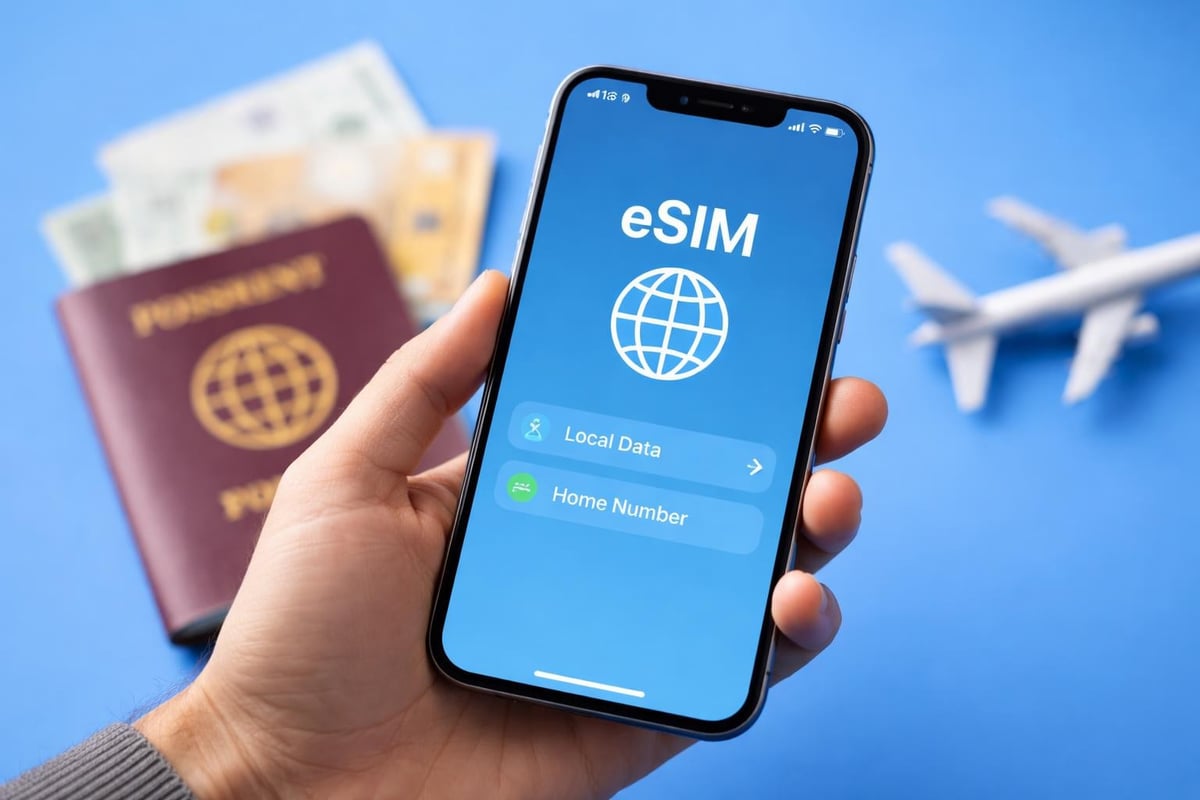
The beauty of this approach lies in maintaining your primary number for important calls whilst using affordable local data rates. Your home contacts can still reach you on your regular number, whilst you enjoy cost-effective internet access through your travel eSIM.
Setting Up Travel eSIMs
Most travellers configure their travel eSIM a day or two before departure. This ensures everything works correctly before leaving familiar territory. The setup process mirrors standard activation but requires careful attention to data preferences.
When configuring for travel, set your home SIM as the default for calls and messages, but designate your travel eSIM for cellular data. This configuration prevents expensive roaming data charges whilst keeping you reachable.
Many eSIM providers now offer regional and global plans. Regional plans work across multiple countries (like all of Europe or Southeast Asia), whilst global plans provide coverage across 100+ destinations. Check your device compatibility before purchasing to ensure seamless activation.
Troubleshooting Common iPhone 13 eSIM Issues
Even with straightforward technology, occasional hiccups occur. Understanding common problems and their solutions saves frustration and downtime.
Activation Failures
If your eSIM won't activate, several factors might be responsible. Poor Wi-Fi connectivity during setup causes most failures. Ensure you're connected to stable internet before beginning activation.
Common solutions for activation problems:
- Restart your iPhone and attempt activation again
- Verify the QR code hasn't expired (some codes have time limits)
- Check carrier restrictions in your region
- Ensure your device isn't carrier-locked
- Update to the latest iOS version
Some users report issues when trying to scan QR codes in low light conditions. Move to a well-lit area and steady your hand for clear scanning.
Connectivity Problems
When your eSIM shows "No Service" despite successful activation, the issue often relates to network settings rather than the eSIM itself. Navigate to Settings > General > Transfer or Reset iPhone > Reset > Reset Network Settings. This action clears potentially corrupted network configurations without affecting your eSIM profiles.
| Issue | Likely Cause | Quick Fix |
|---|---|---|
| No Service | Network settings | Reset network settings |
| Can't make calls | Line not set as default | Check default line in settings |
| No data | Wrong data line selected | Verify mobile data settings |
| QR code won't scan | Camera permissions | Enable camera access in settings |
If you're experiencing persistent issues, Apple's official eSIM management guide provides detailed troubleshooting steps specific to various scenarios.
Managing Multiple eSIM Profiles
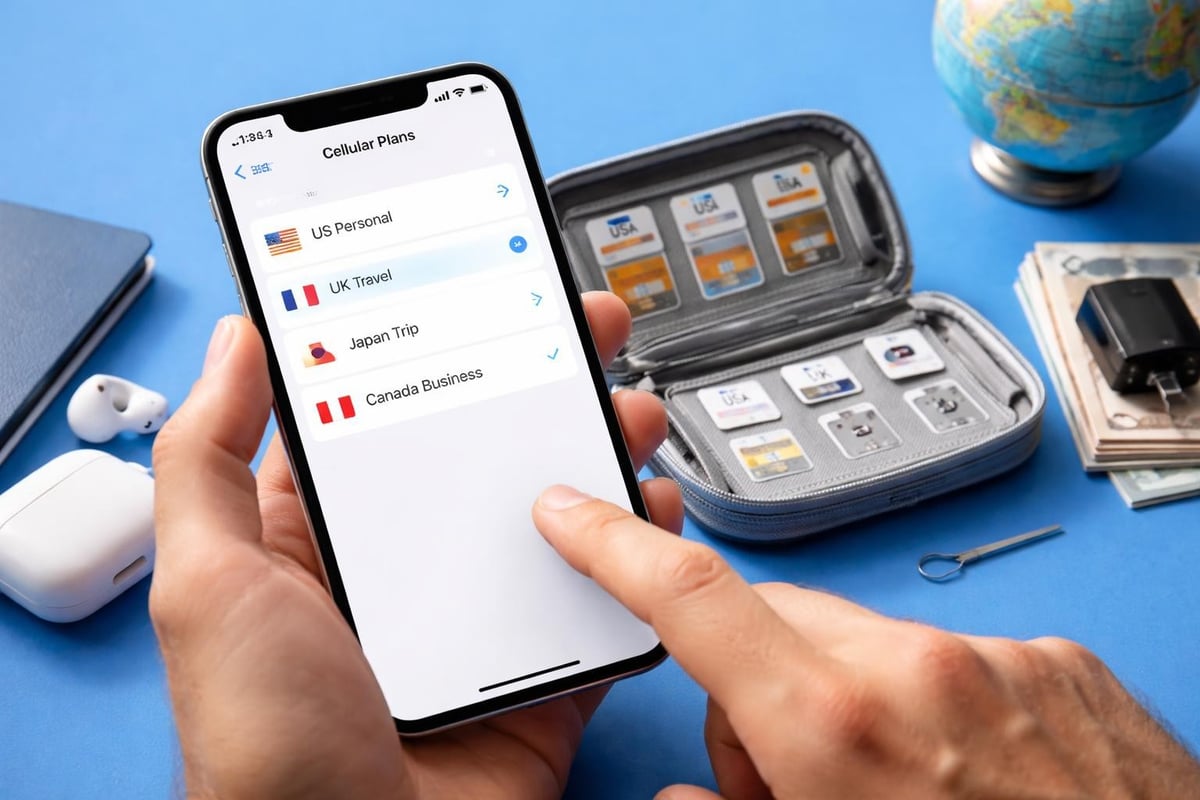
Your iPhone 13 can store multiple eSIM profiles simultaneously, though only one eSIM (plus one physical SIM) can be active at any time. This storage capacity proves invaluable for frequent travellers who regularly visit the same destinations.
Think of stored eSIM profiles as a library of connectivity options. You might maintain profiles for countries you visit regularly, switching between them as needed without re-activation.
Switching Between Profiles
Changing your active eSIM takes mere seconds. Go to Settings > Mobile Data, tap the plan you wish to activate, and toggle "Turn On This Line". Your previous eSIM becomes inactive but remains stored on your device.
This functionality eliminates repetitive setup processes. If you travel quarterly to Japan, for example, you can reactivate your stored Japanese eSIM each visit without scanning new QR codes or entering details manually. For comprehensive guidance on this process, visit the installation guide for visual walkthroughs.
Profile management best practices:
- Label each profile clearly (e.g., "France Travel May 2026")
- Remove expired or unused profiles to avoid confusion
- Keep active profiles under five for easier management
- Document which plans have remaining data or validity
Security Advantages of eSIM Technology
Beyond convenience, the iPhone 13 eSIM offers enhanced security compared to physical SIM cards. Traditional SIM cards are vulnerable to theft and SIM-swapping attacks, where criminals transfer your number to another device.
eSIM technology significantly reduces these risks. Since the SIM exists as software within your device, someone cannot simply remove it and insert it into another phone. Accessing your eSIM requires both physical possession of your iPhone and your device passcode.
The authentication process for eSIM activation includes multiple verification steps. Carriers typically require identity confirmation before issuing eSIM credentials, adding another security layer that physical SIMs often lack.
Protecting Your eSIM
Enable two-factor authentication on your carrier account to prevent unauthorised eSIM transfers. This ensures that even if someone obtains your account credentials, they cannot activate your number on another device without the secondary verification code.
Regularly review active eSIM profiles on your device. If you notice unfamiliar profiles, remove them immediately and contact your carrier. You can view all stored and active profiles through Settings > Mobile Data > eSIM Management.
Cost Considerations and Plan Selection
Choosing the right eSIM plan for your iPhone 13 requires balancing coverage, data allowances, and budget. The eSIM market has matured significantly since 2021, with competitive pricing across providers.
For occasional travellers, pay-as-you-go eSIM plans offer flexibility without commitment. These plans typically provide data-only connectivity, perfect for maintaining internet access whilst using your primary SIM for calls.
Frequent travellers benefit from multi-country or global plans. Though often pricier per gigabyte, these plans eliminate the hassle of purchasing separate eSIMs for each destination. Calculate your typical data usage before selecting plan sizes.
Comparing Plan Types
| Plan Type | Best For | Typical Cost | Coverage |
|---|---|---|---|
| Single Country | One destination | £5-15/GB | Specific country |
| Regional | Visiting multiple nearby countries | £8-20/GB | Continental regions |
| Global | Frequent worldwide travel | £12-25/GB | 100+ countries |
Consider validity periods carefully. Some eSIM plans expire after 30 days regardless of data consumption, whilst others remain valid until you exhaust the data allowance. For extended trips, plans with longer validity offer better value.
Many providers now offer unlimited data plans for specific durations (7 days, 14 days, 30 days). These suit heavy data users who stream content, participate in video calls, or rely on cloud services extensively. Browse available eSIM plans to compare current offerings across destinations.
Business Applications for iPhone 13 eSIM
Professional users find particular value in iPhone 13 eSIM capabilities. The ability to maintain separate business and personal lines on one device eliminates the need to carry multiple phones.
Corporate IT departments appreciate the remote provisioning capabilities. Administrators can deploy eSIM profiles to employee devices without physical SIM distribution, streamlining onboarding processes for remote workers.
Sales professionals and consultants who travel frequently leverage eSIM technology to maintain consistent connectivity without accumulating international roaming charges. This approach significantly reduces communication expenses whilst ensuring reliable contact with clients and colleagues.
Enterprise Deployment Strategies
Organisations implementing eSIM solutions should establish clear policies regarding expense management and data usage. Mobile device management (MDM) platforms now support eSIM profile deployment and monitoring, providing IT teams with visibility into usage patterns.
Consider standardising on eSIM providers offering corporate billing and bulk pricing. Many providers extend discounts for organisations purchasing multiple eSIM plans, reducing per-employee costs.
Future-Proofing Your Connectivity
The mobile industry continues evolving towards eSIM-only devices. Understanding and adopting this technology now positions you advantageously for future developments. Some iPhone models sold in certain regions already ship without physical SIM trays, indicating the direction of the industry.
As 5G networks expand globally, eSIM technology becomes increasingly important. The flexibility to quickly switch carriers allows users to access the best 5G coverage in any location without lengthy contract commitments or physical SIM changes.
The iPhone 13 eSIM remains fully compatible with emerging technologies and network standards. Your investment in understanding this system pays dividends as more services and features leverage eSIM capabilities.
Staying Informed
Keep your iPhone updated with the latest iOS versions to access new eSIM features and security improvements. Apple regularly enhances eSIM functionality through software updates, adding capabilities without requiring hardware changes.
Follow industry developments regarding eSIM adoption in your regions of interest. As more carriers support eSIM technology, options expand and prices typically become more competitive. Check the FAQ section for updates on carrier compatibility and activation procedures.
Monitor your eSIM provider's coverage expansion. Providers frequently add new countries and improve network partnerships, potentially enhancing service quality in destinations you visit regularly. Understanding these changes ensures you always access the best available connectivity options.
The iPhone 13 eSIM transforms mobile connectivity, offering unprecedented flexibility for managing multiple lines and international travel. Whether you're maintaining separate personal and business numbers, exploring new countries, or simply seeking more control over your mobile experience, eSIM technology delivers practical solutions. Ready to experience seamless global connectivity? gosimless.app provides instant eSIM activation across 200+ countries with no roaming fees, secure payments, and multi-device support-making international connectivity as simple as scanning a QR code.
gosimless Team
The gosimless editorial desk — testing eSIMs, carriers and travel connectivity so you don't have to. Updated continuously from the road.