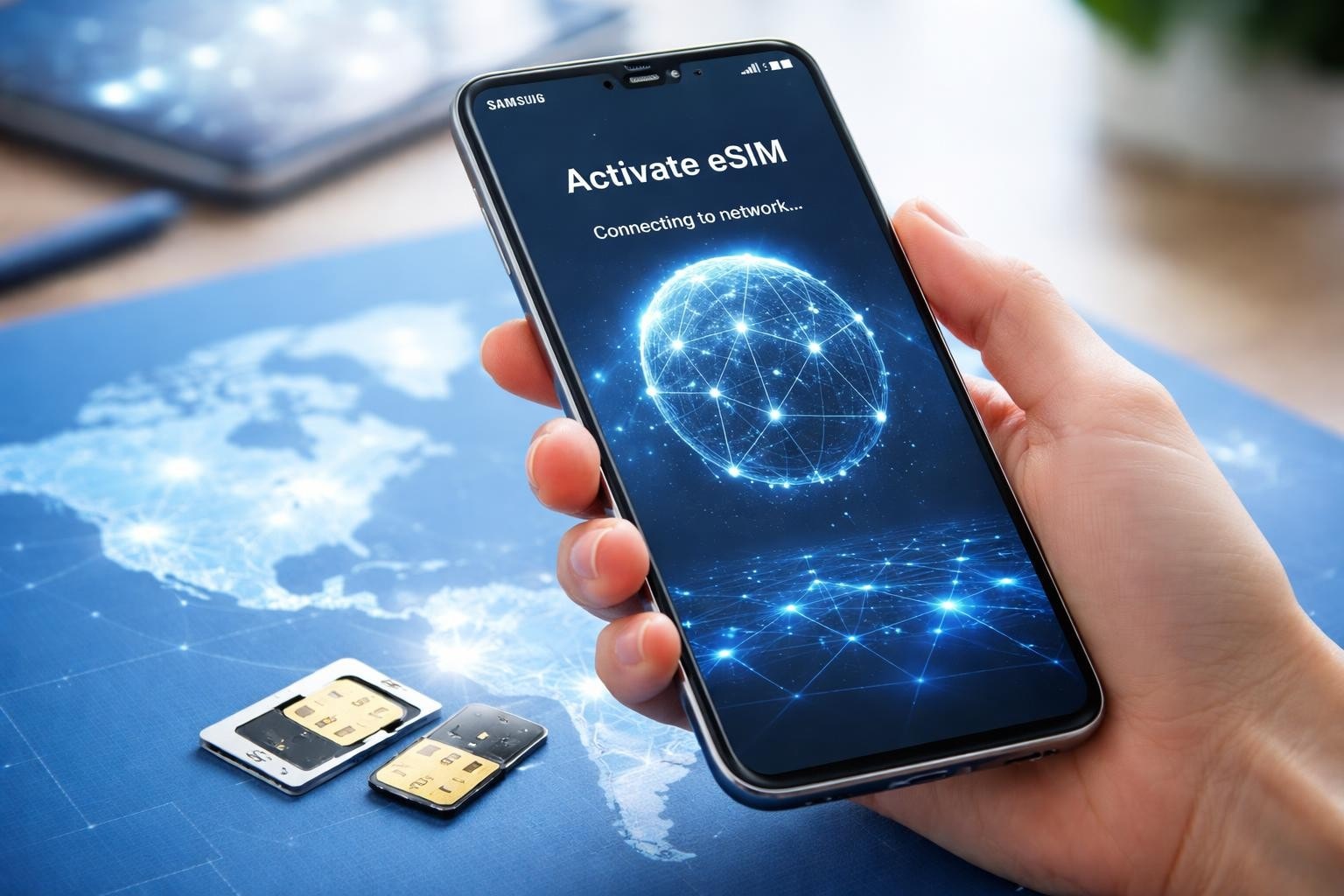
Samsung has revolutionised mobile connectivity by embracing eSIM technology across its flagship and mid-range devices. If you're wondering whether your Samsung phone supports eSIM or how to activate it, you've arrived at the right place. This comprehensive guide explores everything you need to know about esim samsung compatibility, activation procedures, and the incredible benefits this technology brings to modern mobile users.
Understanding eSIM Technology on Samsung Devices
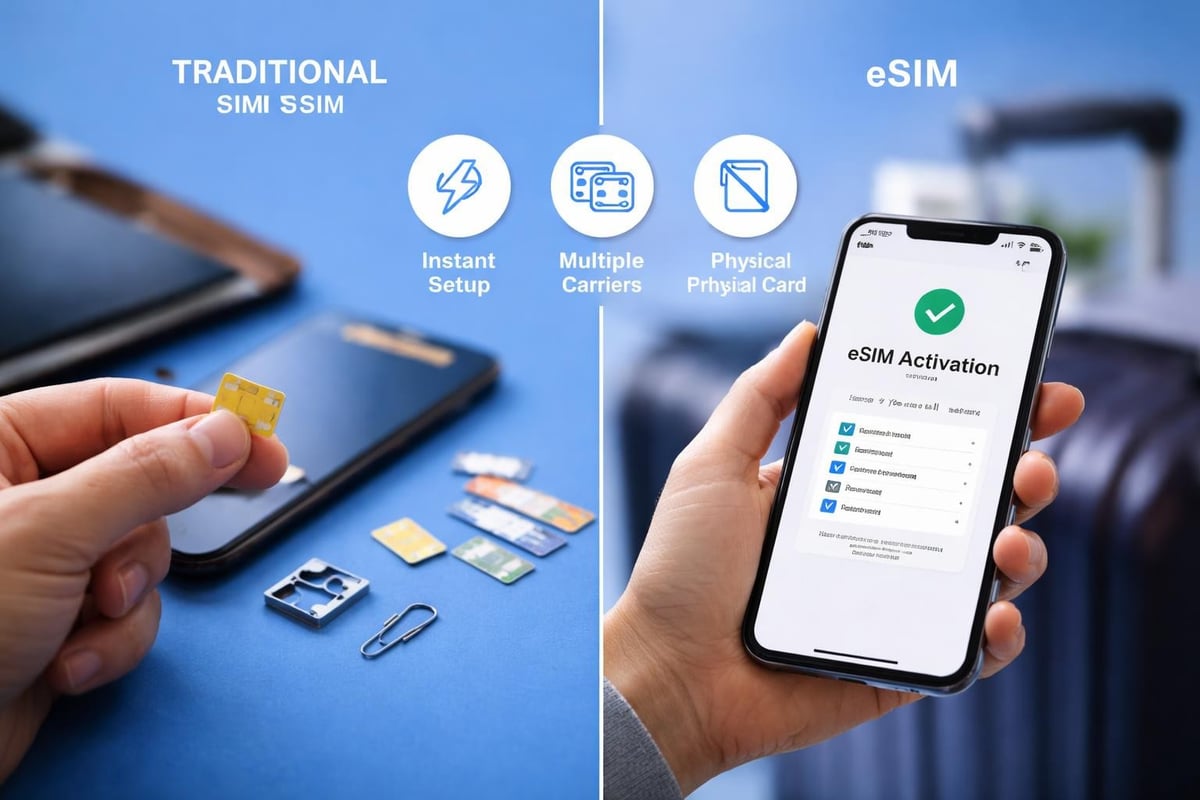
eSIM technology represents a significant leap forward in mobile connectivity. Unlike traditional physical SIM cards that you insert into your phone, an eSIM is embedded directly into your device's hardware. This digital approach eliminates the need for physical swapping when changing carriers or travelling internationally.
Samsung began integrating eSIM capability into select devices from 2018 onwards, starting with the Galaxy Watch series. The technology gradually expanded to smartphones, with the Galaxy S20 series marking a major milestone. Today, most Samsung flagships support this innovative feature.
Key advantages of eSIM include:
- Instant activation without visiting a shop
- Multiple profiles on a single device
- Seamless international roaming
- Enhanced device security
- More internal space for better battery capacity
The functionality of eSIM technology transforms how we think about mobile connectivity, particularly for frequent travellers and business professionals.
Samsung Models Compatible with eSIM
Not every Samsung device supports esim samsung functionality. Compatibility varies by model, region, and carrier restrictions. Understanding which devices work with eSIM helps you make informed purchasing decisions.
Flagship Samsung Phones with eSIM Support
| Model Series | Year Released | eSIM Status | Regional Variations |
|---|---|---|---|
| Galaxy S23 Series | 2023 | Full support | Available globally |
| Galaxy S24 Series | 2024 | Full support | Available globally |
| Galaxy S25 Series | 2025 | Full support | Available globally |
| Galaxy Z Fold 5 | 2023 | Full support | Most regions |
| Galaxy Z Flip 5 | 2023 | Full support | Most regions |
| Galaxy S22 Series | 2022 | Full support | Selected regions |
| Galaxy S21 Series | 2021 | Full support | Selected regions |
| Galaxy S20 Series | 2020 | Full support | Selected regions |
The Galaxy S24 series introduced unique eSIM features that simplified the activation process even further. These improvements make esim samsung devices particularly appealing for international use.
Mid-Range and Budget Models
Samsung has extended eSIM support beyond flagship devices. The Galaxy A54 and A34 models, released in 2023, brought this technology to more affordable price points. However, availability depends significantly on your geographic location and carrier partnerships.
Checking your compatible devices ensures you understand whether your specific Samsung model supports eSIM before purchasing a data plan.
Step-by-Step eSIM Activation on Samsung
Activating eSIM on your Samsung device is remarkably straightforward once you understand the process. The method varies slightly depending on whether you're adding your first eSIM or managing multiple profiles.
Initial Setup Process
Before beginning activation, ensure your device runs the latest software version. Navigate to Settings > Software update to verify you have current security patches and carrier updates installed.
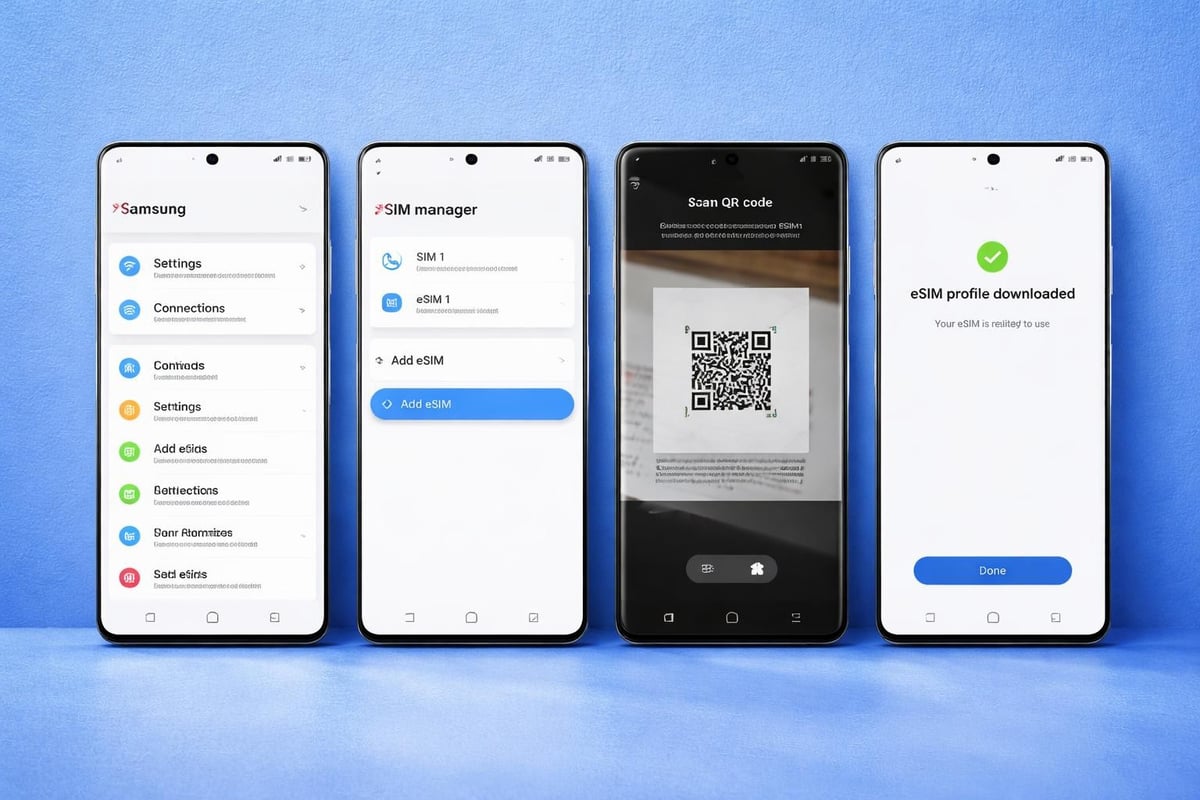
- Access Settings: Open your Samsung Settings app
- Navigate to Connections: Tap "Connections" from the main settings menu
- Select SIM Manager: Choose "SIM card manager" or "SIM manager"
- Add Mobile Plan: Tap "Add mobile plan" or "Add eSIM"
- Scan QR Code: Use your camera to scan the QR code provided by your carrier
- Confirm Activation: Follow on-screen prompts to complete setup
The complete setup guide provides visual demonstrations of each step, making the process accessible even for first-time users.
Alternative Activation Methods
Not everyone receives a QR code. Some carriers provide activation codes or apps for esim samsung setup. Samsung's Smart Switch app can transfer eSIM profiles from your old device to new Samsung phones, though this feature requires both devices to support the functionality.
Manual entry method:
- Select "Enter activation code manually"
- Input the SM-DP+ address provided by your carrier
- Enter the activation code
- Confirm and download the profile
This approach works perfectly when QR codes aren't available or if you're setting up multiple profiles simultaneously.
Managing Multiple eSIM Profiles
One compelling advantage of esim samsung technology is the ability to maintain multiple carrier profiles simultaneously. This feature proves invaluable for separating work and personal lines or switching between local and international plans.
Switching Between Active Profiles
Samsung devices typically support storing multiple eSIM profiles whilst allowing one or two to remain active simultaneously (depending on dual-SIM configuration). You can switch between profiles without re-downloading them.
Navigate to Settings > Connections > SIM manager to view all installed profiles. Toggle between them by selecting your preferred profile and tapping "Turn on". The inactive profile remains stored on your device for future use.
| Feature | Single eSIM | Dual SIM (Physical + eSIM) | Dual eSIM |
|---|---|---|---|
| Simultaneous active lines | 1 | 2 | 2 |
| Stored profiles | Multiple | Multiple | Multiple |
| Switching speed | Instant | Instant | Instant |
| Physical SIM slot | Available | Occupied | Available |
Many travellers maintain a home country profile alongside international data plans, switching based on location. Services offering instant eSIM activation make this approach particularly convenient.
Deleting and Adding Profiles
Removing unwanted profiles frees storage space and declutters your SIM manager. Select the profile you wish to remove, tap the three-dot menu, and choose "Delete eSIM profile". This action is irreversible-you'll need a new QR code to reinstall that carrier's profile.
Travel Benefits of eSIM Samsung Devices
International travel presents unique connectivity challenges. Traditional approaches involved purchasing local SIM cards at airports, swapping them manually, and potentially losing your home country number temporarily. eSIM technology eliminates these hassles.
Travellers can purchase and activate data plans before departure, ensuring connectivity upon arrival. Unlike physical SIM cards requiring physical presence at a shop, eSIM plans activate within minutes through digital delivery.
Regional Coverage Advantages
Smart travellers leverage eSIM for affordable international connectivity. Whether you're heading to Tokyo, Sydney, or Barcelona, purchasing region-specific data plans ensures optimal coverage without astronomical roaming fees.
For instance, travellers visiting multiple European countries benefit from regional eSIM plans covering the entire continent. Similarly, Asia-focused plans provide seamless connectivity across diverse markets. Researching the best eSIM options for Asia helps identify quality providers suited to your destination.
Popular travel destinations with excellent eSIM support:
- Japan for technology enthusiasts
- Thailand for digital nomads
- USA for business travellers
- Australia for remote work locations
- European Union countries for multi-country trips
The USA eSIM plans offered by providers like gosimless.app deliver instant activation without roaming fees, making American travel particularly cost-effective.
Troubleshooting Common eSIM Issues
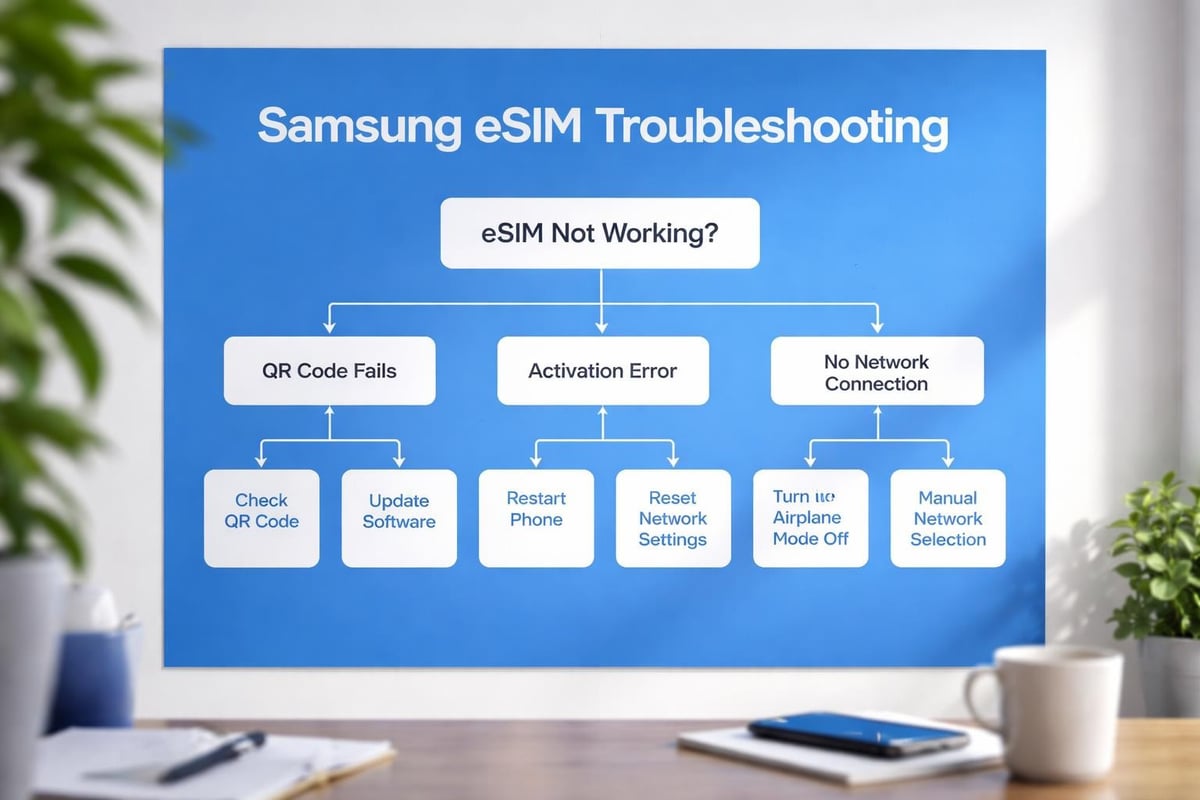
Despite the streamlined nature of esim samsung activation, occasional challenges arise. Understanding common problems and their solutions saves frustration and ensures continuous connectivity.
QR Code Scanning Problems
If your camera struggles to recognise the QR code, ensure adequate lighting and hold your device steady. Some carriers provide downloadable QR codes that display better on computer screens. Alternatively, use the manual entry method with activation codes.
Check that your camera app has necessary permissions enabled. Navigate to Settings > Apps > Camera > Permissions and verify camera access is granted.
Activation Failures
Failed activation typically stems from connectivity issues or incorrect carrier information. Verify you're connected to stable Wi-Fi during setup-cellular data isn't always sufficient for profile downloads.
Common resolution steps:
- Restart your Samsung device
- Verify the QR code hasn't expired
- Confirm your device isn't carrier-locked
- Check network settings for correct APN configuration
- Contact your eSIM provider for replacement codes
The installation guide offers detailed troubleshooting advice for persistent activation challenges.
Network Connectivity Issues
Successfully activated eSIM profiles occasionally experience connectivity problems. Enable and disable Airplane mode to force network re-registration. Navigate to Settings > Connections > Mobile networks and ensure data roaming is enabled if you're travelling internationally.
Security Considerations for eSIM Samsung Users
Digital technology introduces new security dimensions. eSIM profiles are significantly more secure than physical SIM cards because they cannot be physically removed from stolen devices. However, proper security practices remain essential.
Enable Samsung's biometric security features to protect SIM manager access. Configure fingerprint or facial recognition requirements before allowing eSIM changes. This prevents unauthorised profile additions or deletions.
Protecting Against SIM Swapping
Traditional SIM swapping attacks involve criminals convincing carriers to transfer your number to their physical SIM card. eSIM technology doesn't eliminate this threat entirely, but it adds complexity for attackers.
Contact your carrier to implement additional verification steps for profile transfers. Many providers now require in-person verification or complex authentication before issuing new eSIM QR codes.
Security best practices:
- Never share eSIM QR codes or activation codes
- Enable two-factor authentication on carrier accounts
- Monitor account activity for suspicious profile additions
- Keep Samsung device software updated
- Use strong PIN codes for SIM management
Cost Comparison: eSIM vs Traditional Roaming
Understanding financial implications helps you make informed connectivity decisions. Traditional carrier roaming often involves premium charges that quickly accumulate during international trips.
| Connectivity Option | Daily Cost (Europe) | Weekly Cost | Flexibility | Setup Time |
|---|---|---|---|---|
| Traditional Roaming | £8-15 | £56-105 | Limited | Instant |
| Local Physical SIM | £10-20 | £10-20 | Moderate | 30-60 min |
| eSIM Data Plan | £5-12 | £15-35 | High | 2-5 min |
| Multi-Country eSIM | £20-40 | £20-40 | Very High | 2-5 min |
eSIM solutions consistently deliver superior value, particularly for multi-country journeys. Purchasing plans through platforms like gosimless.app provides transparent pricing without hidden fees or surprise charges.
Future Developments in Samsung eSIM Technology
The trajectory of esim samsung technology points toward even greater integration and functionality. Samsung continues investing heavily in this space, with patents suggesting future innovations.
Industry analysts predict that by 2027, most Samsung devices-including budget models-will ship with eSIM capability as standard. Physical SIM slots may become optional or eliminated entirely on premium devices, following trends established by other manufacturers.
5G and eSIM Integration
Fifth-generation networks paired with eSIM technology create powerful connectivity opportunities. Samsung's latest devices leverage this combination for enhanced speeds and reliability across global networks.
The synergy between 5G infrastructure and eSIM flexibility enables seamless transitions between carriers, automatic network selection, and optimised performance based on location and signal strength.
Choosing the Right eSIM Provider
With numerous eSIM providers entering the market, selecting the optimal service requires careful consideration. Evaluate coverage areas, data allowances, validity periods, and customer support quality.
Research provider reviews and compare available plans across multiple services. Look for transparent pricing structures without activation fees or hidden charges. Quality providers offer instant delivery, multiple payment options, and responsive customer support.
Key Selection Criteria
Coverage and network quality top the priority list. Verify your destination country appears in the provider's coverage map with details about partner networks. Premium networks generally deliver better speeds and reliability than budget alternatives.
Data allowances and validity periods must align with your travel duration and usage patterns. Some travellers prefer unlimited daily plans, whilst others optimise costs with fixed data allowances over extended periods.
Consider providers offering multi-device support if you carry tablets, smartwatches, or secondary phones. The flexibility to share data across devices maximises value and convenience.
Reading the frequently asked questions section helps clarify activation procedures, refund policies, and technical requirements before purchasing.
Mastering esim samsung technology empowers you with unprecedented connectivity flexibility, whether you're travelling internationally or managing multiple phone numbers domestically. The combination of instant activation, cost savings, and simplified management makes eSIM the superior choice for modern mobile users. If you're ready to experience hassle-free global connectivity on your Samsung device, gosimless.app delivers instant eSIM activation with affordable coverage across 200+ countries, secure payments, and dedicated support to keep you connected wherever your journey takes you.
gosimless Team
The gosimless editorial desk — testing eSIMs, carriers and travel connectivity so you don't have to. Updated continuously from the road.