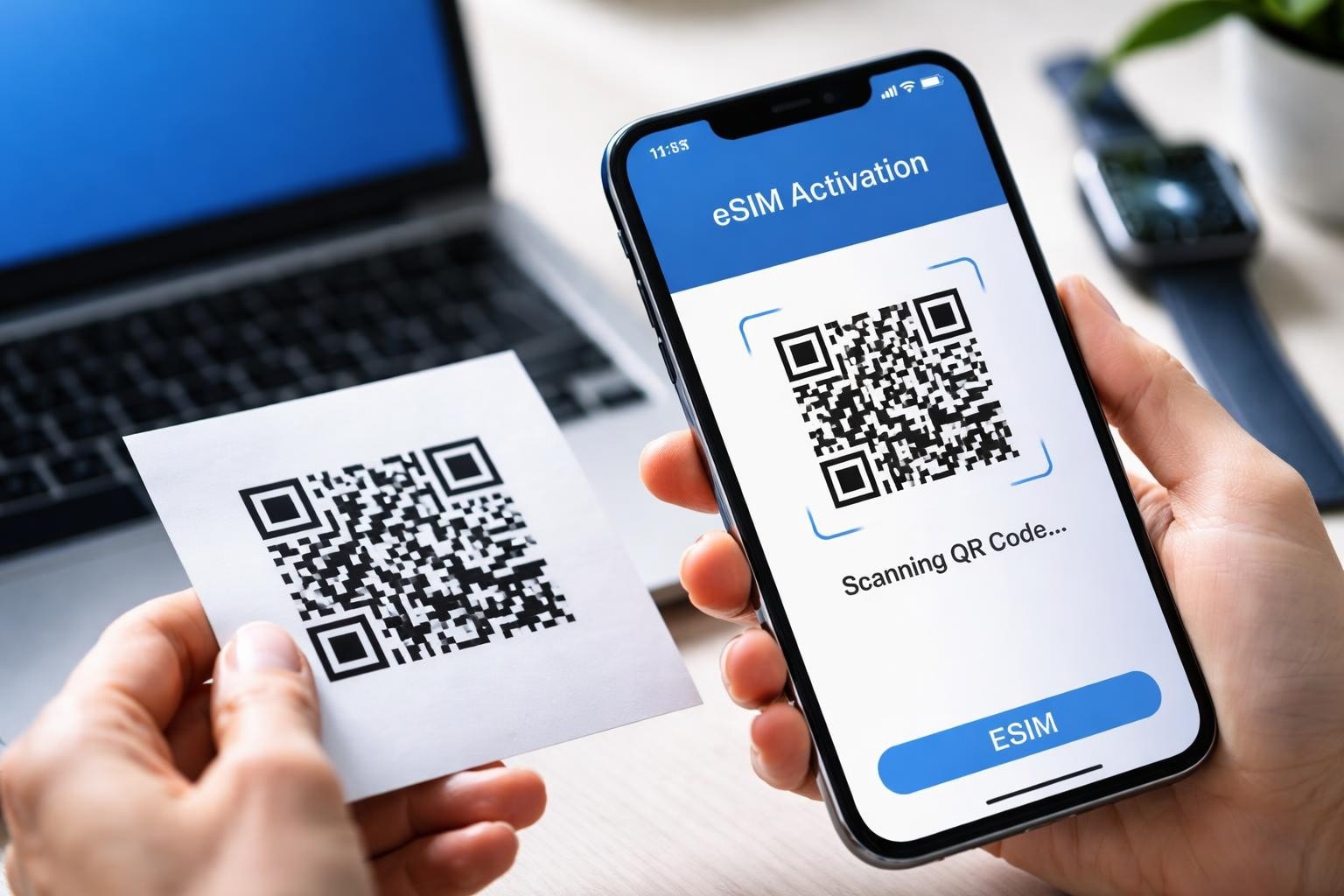
The shift from physical SIM cards to digital profiles has revolutionised how we connect our mobile devices to carrier networks. At the heart of this transformation lies the esim qr code, a small yet powerful tool that enables instant activation without the need for physical cards or lengthy provisioning processes. Understanding how these QR codes function, their security implications, and proper activation procedures is essential for anyone embracing modern mobile connectivity in 2026.
What Is an eSIM QR Code
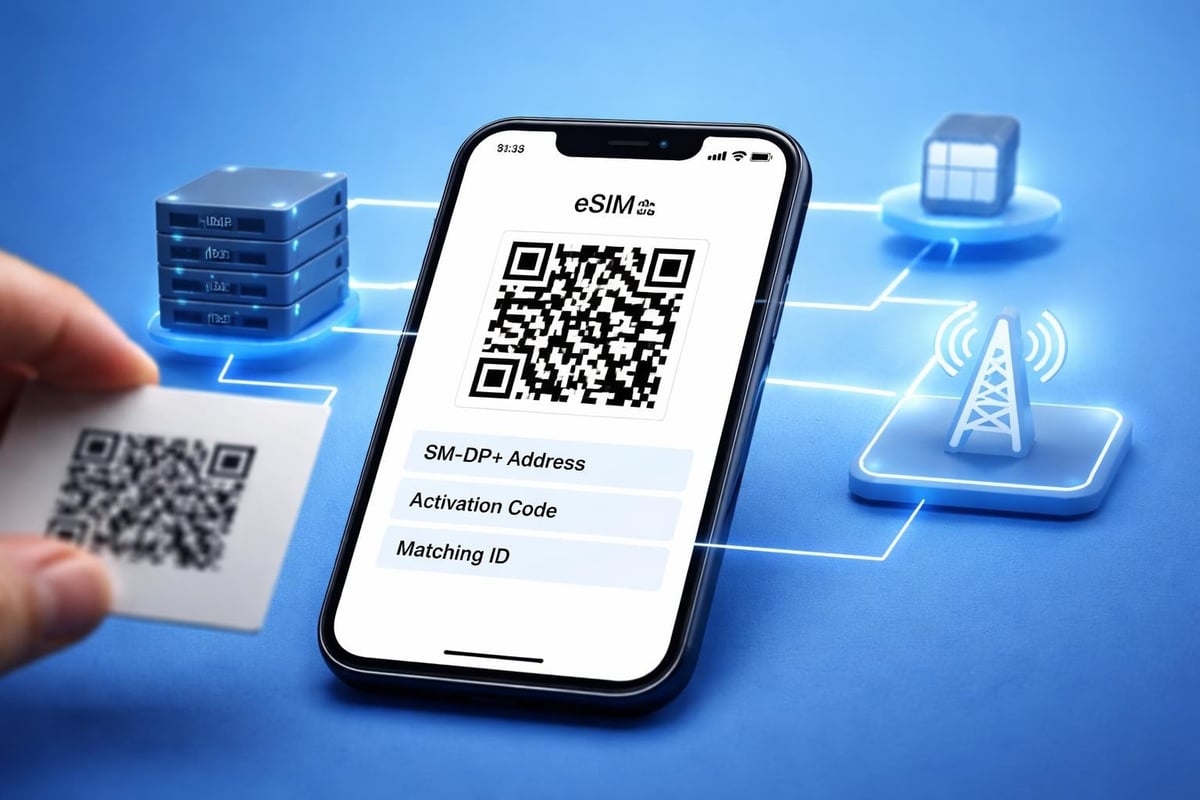
An esim qr code serves as a digital gateway that contains the activation details needed to download and install an eSIM profile onto your device. This two-dimensional barcode encodes critical information including the SM-DP+ (Subscription Manager Data Preparation) address and an activation code that uniquely identifies your mobile plan.
When scanned using your smartphone's camera, the QR code triggers an automatic process that connects your device to the carrier's server, downloads the encrypted profile, and configures your mobile settings. The entire procedure typically completes within minutes, eliminating the traditional wait times associated with physical SIM card delivery and manual insertion.
Technical Components Behind the Code
Each esim qr code contains several essential elements working together to facilitate activation:
SM-DP+ Address: The server location hosting your eSIM profile
Activation Code: A unique identifier linking you to your specific plan
Matching ID: Additional verification ensuring the profile reaches the correct device
Carrier Information: Network details for proper configuration
The encoded data within the QR code is designed to be machine-readable whilst remaining secure through encryption protocols. Unlike standard QR codes used for websites or payment systems, eSIM codes follow specifications set by the GSMA (Global System for Mobile Communications Association) to maintain industry-wide compatibility and security standards.
How to Activate Your eSIM Using a QR Code
Activating an eSIM profile through a QR code follows a straightforward process, though steps may vary slightly depending on your device manufacturer and operating system. Before beginning, ensure your device is compatible with eSIM technology and connected to Wi-Fi for the download process.
iPhone Activation Process
Apple devices have streamlined eSIM activation considerably since introducing the technology. Navigate to Settings, select Mobile Data (or Cellular), then choose Add eSIM. The iPhone camera activates automatically, allowing you to scan the esim qr code provided by your carrier.
For detailed step-by-step guidance specific to iOS devices, Apple's official instructions for setting up an eSIM on iPhone cover various activation scenarios including transferring eSIMs between devices.
Key steps for iPhone users:
Access Settings > Mobile Data > Add eSIM
Position the QR code within the camera frame
Wait for automatic recognition and profile download
Label your new plan (Business, Travel, etc.)
Configure which line to use for data, calls, and messages
Android Device Configuration
Android devices offer similar functionality, though menu locations differ between manufacturers. Samsung, Google Pixel, and other Android phones typically house eSIM settings under Connections or Network & Internet sections.
StepActionLocation1Open SettingsMain menu2Navigate to SIM ManagerConnections or Network3Select Add Mobile PlaneSIM options4Scan QR codeCamera activation5Complete setupFollow prompts
After scanning your esim qr code, Android devices will display a confirmation screen showing the carrier details and plan information. Review these carefully before confirming the installation, as some plans may have specific activation windows or usage restrictions.
Manual Entry Alternative for eSIM Activation
Situations occasionally arise where scanning a QR code proves impractical. Poor lighting conditions, damaged codes, or devices without functioning cameras necessitate an alternative approach. Fortunately, every esim qr code contains information that can be entered manually.
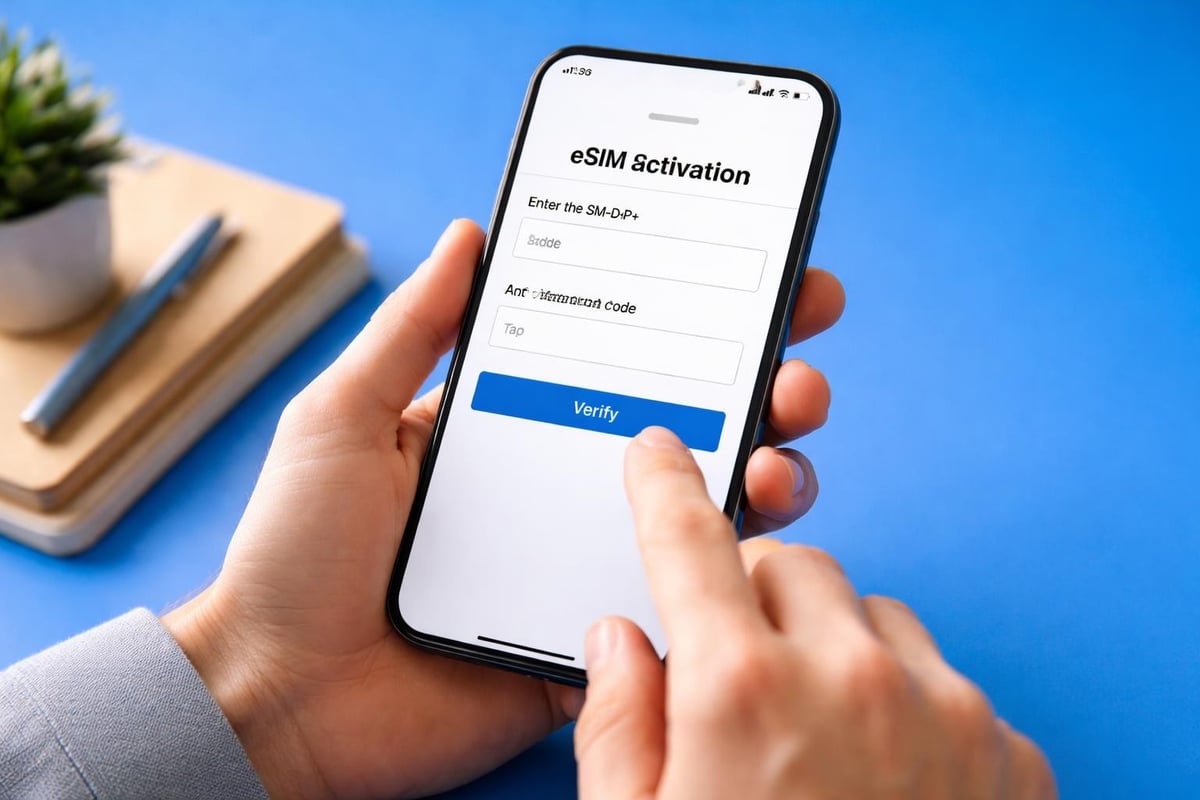
The manual entry method requires accessing the same eSIM settings menu but selecting the option to enter details manually instead of scanning. You'll need to input the SM-DP+ address and activation code exactly as provided. For comprehensive guidance on this process, consult instructions for manual eSIM activation which cover various device types.
When to Use Manual Entry
QR code image quality is degraded or unclear
Device camera malfunction prevents scanning
Receiving activation details via email or text message
Corporate environments with security restrictions on camera usage
Bulk activation scenarios requiring systematic input
Manual entry demands precision. A single incorrect character in the SM-DP+ address or activation code will prevent successful profile installation. Copy and paste functions can reduce errors when activation details are received digitally, though some devices restrict this functionality within eSIM settings for security purposes.
Security Considerations for eSIM QR Codes
The convenience of esim qr code activation comes with important security implications that users must understand. These codes contain sensitive information capable of activating mobile services on any compatible device, making them targets for various fraudulent schemes.
Encryption and Unique Identifiers
Modern eSIM QR codes incorporate robust security features designed to protect against unauthorised access. Each code is generated as a single-use credential, meaning once activated on a device, it cannot be reused. This fundamental security measure prevents simple duplication attacks where someone might photograph your QR code and attempt activation on their own device.
The profile download process employs end-to-end encryption between your device and the carrier's SM-DP+ server. This encryption ensures that even if network traffic is intercepted, the eSIM profile data remains protected. For a detailed examination of these security mechanisms, eSIM QR code security features provides technical insights into encryption protocols and authentication methods.
Common Threats and Scams
Despite built-in security features, users face several threats when handling eSIM QR codes:
QR Code Scams: Fraudulent actors may distribute fake QR codes through phishing emails or counterfeit websites claiming to offer mobile plans. Scanning these codes could redirect users to malicious sites or attempt to install unauthorised profiles.
Physical Tampering: In public spaces or retail environments, criminals occasionally place fraudulent QR code stickers over legitimate ones, redirecting unsuspecting customers to scam websites.
Social Engineering: Attackers may contact users pretending to represent legitimate carriers, requesting they scan a "verification" QR code that actually activates an unauthorised eSIM profile.
Research into how eSIMs can be compromised reveals that most successful attacks exploit user behaviour rather than technical vulnerabilities in the eSIM system itself.
Best Practices for Safe Activation
Protecting yourself during eSIM activation requires vigilance and adherence to security protocols:
Only obtain QR codes from official carrier sources or verified providers
Verify the sender's authenticity before scanning any QR code received via email
Examine QR codes in physical locations for signs of tampering or overlay stickers
Avoid scanning QR codes from unknown or suspicious sources
Store your QR code images securely and delete them after successful activation
Enable additional device security features like biometric authentication
For comprehensive guidance on identifying and avoiding threats, common eSIM QR code scams outlines various fraudulent tactics and protective measures travellers should implement.
Managing Multiple eSIM Profiles
Modern smartphones support storing multiple eSIM profiles simultaneously, though only one or two can typically be active concurrently depending on your device model. This capability transforms how frequent travellers manage connectivity across different regions and carriers.
The esim qr code for each profile represents a distinct mobile plan. Travellers heading to Europe might activate one eSIM for regional coverage whilst maintaining their home country profile for important calls. This dual-SIM functionality eliminates the need to physically swap cards or rely on expensive roaming charges.
Profile Switching and Organisation
Switching between profiles:
Access your device's mobile data settings
Select the eSIM profile you wish to activate
Toggle the profile on whilst deactivating others if necessary
Adjust data preferences and default line settings
Organisational strategies:
Label each eSIM with descriptive names (Home, Travel, Business)
Assign specific purposes to each line (data-only, calls, messages)
Set spending limits or data caps for individual profiles
Configure automatic switching rules based on location or time
Understanding your device's specific capabilities is crucial. Consult the installation guide for detailed information about managing multiple profiles on different device types.
Troubleshooting eSIM QR Code Activation Issues
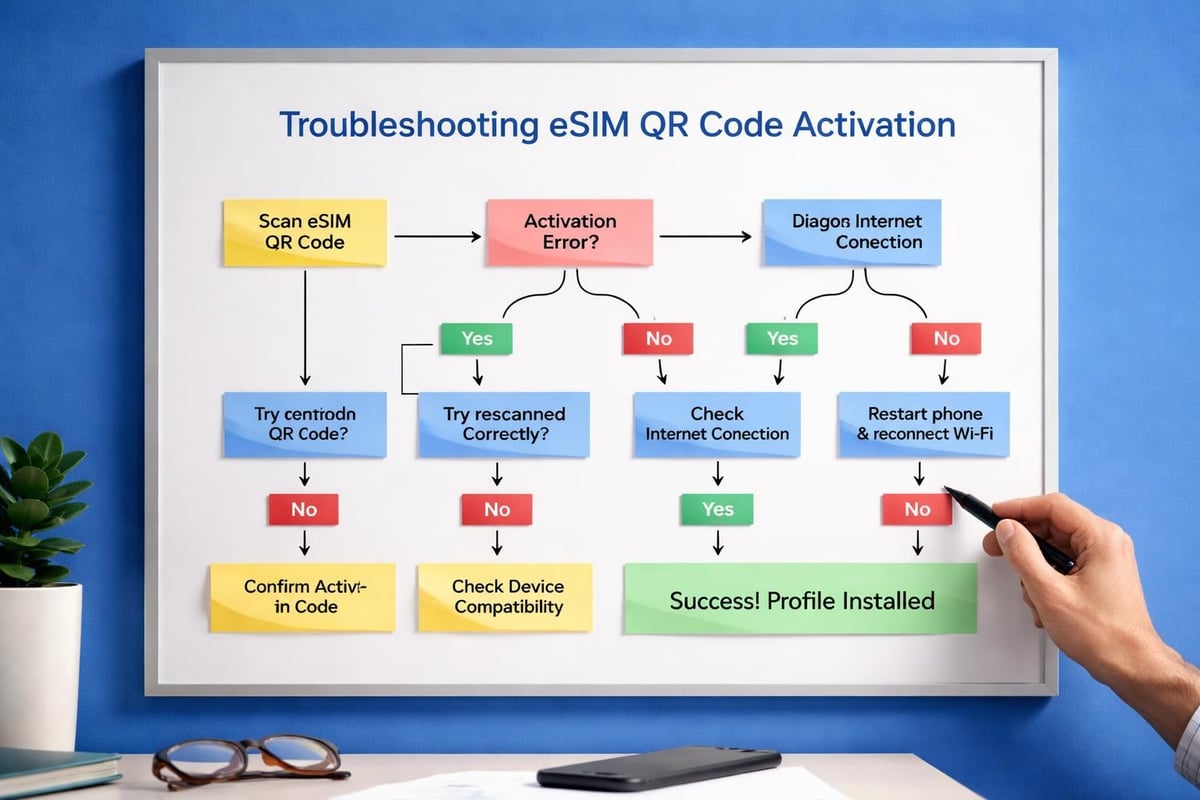
Despite the streamlined nature of esim qr code activation, users occasionally encounter obstacles preventing successful profile installation. Recognising common issues and their solutions minimises frustration and downtime.
Common Activation Errors
Error TypePossible CauseResolutionQR Code Not RecognisedPoor lighting, damaged codeAdjust lighting, request new codeInvalid Activation CodeExpired or already usedContact provider for fresh codeNetwork Connection FailedWeak Wi-Fi signalMove closer to router, restart deviceProfile Installation ErrorDevice compatibility issueVerify device supports eSIMCarrier RejectionAccount or payment issueContact carrier support
Network connectivity represents the most frequent obstacle. eSIM profile downloads require stable internet access, preferably through Wi-Fi rather than mobile data. If activation stalls during the download phase, verify your connection strength and consider switching to a different network.
Device compatibility issues arise when attempting to activate eSIM profiles on older models or devices with carrier locks. Before purchasing an eSIM plan, confirm your specific device model supports the technology through manufacturer specifications or the compatible devices list.
Advanced Troubleshooting Steps
When standard solutions prove ineffective, more advanced troubleshooting may be necessary:
Reset Network Settings: This action clears cached network configurations that might interfere with eSIM activation, though it also removes saved Wi-Fi passwords
Update Device Software: Manufacturers regularly release updates addressing eSIM compatibility and activation bugs
Remove Existing Profiles: If you've reached your device's eSIM storage limit, delete unused profiles before adding new ones
Factory Reset: As a last resort for persistent issues, though this erases all device data
eSIM QR Codes for Business and Enterprise
Corporate environments increasingly adopt eSIM technology for employee devices, leveraging bulk activation capabilities and centralised management. The esim qr code system facilitates large-scale deployments whilst maintaining individual device security.
Bulk Activation Procedures
Enterprises deploying eSIMs across multiple devices benefit from streamlined processes that traditional SIM cards cannot match. IT departments can generate multiple QR codes through carrier portals, distribute them to employees via secure channels, and track activation status through management dashboards.
Detailed guidance for business eSIM activation explains how organisations can manage device provisioning efficiently whilst maintaining security protocols.
Business advantages include:
Remote device provisioning without physical SIM distribution
Rapid deployment for new employees or device replacements
Centralised policy management across all corporate devices
Enhanced security through encrypted profile delivery
Simplified international deployment for global teams
Mobile Device Management Integration
Modern MDM (Mobile Device Management) platforms integrate eSIM provisioning into their workflows. Administrators can push esim qr codes to devices remotely, monitor activation status, and revoke access when employees leave the organisation or devices are reported lost.
This integration ensures compliance with corporate security policies whilst reducing the administrative burden associated with traditional SIM card management. Employees benefit from immediate connectivity upon device receipt without requiring physical SIM cards or manual configuration.
Future Developments in eSIM Activation
The evolution of eSIM technology continues accelerating, with new activation methods emerging beyond traditional QR codes. Understanding these developments helps users prepare for the next generation of mobile connectivity.
Contactless and Automated Activation
Several manufacturers are exploring NFC-based eSIM transfer, allowing profile sharing between devices through simple proximity rather than QR code scanning. This method promises even faster setup whilst maintaining security through encrypted wireless communication.
Carrier apps increasingly offer in-app activation without requiring QR codes at all. Users simply log into their account, select a plan, and the app handles the entire profile download and installation process automatically. This approach eliminates potential QR code handling errors whilst streamlining the user experience.
Enhanced Security Protocols
The industry continues developing stronger authentication methods for eSIM activation. Biometric verification coupled with esim qr code scanning adds an additional security layer, ensuring that even if someone gains access to your QR code, they cannot activate it without proper biometric credentials.
Multi-factor authentication during activation is becoming standard practice among security-conscious carriers. This might involve confirming activation through email, SMS, or authenticator apps before the profile download completes, protecting against unauthorised activation attempts.
For insights into emerging security threats and protective measures, understanding eSIM security vulnerabilities helps users stay informed about best practices as technology evolves.
Practical Tips for International Travellers
Frequent international travellers represent a primary beneficiary of eSIM technology, and understanding esim qr code activation nuances can significantly enhance the travel experience. The ability to purchase and activate local or regional data plans before departure eliminates arrival stress and connectivity gaps.
Pre-travel preparation:
Research eSIM providers offering coverage in your destination countries
Purchase and receive your QR code before departure
Activate the profile whilst still connected to Wi-Fi at home
Configure the new eSIM as your data line but keep your home number active
During travel:
Switch to your travel eSIM for data to avoid roaming charges
Keep your primary line active for receiving important calls and messages
Monitor data usage through your device settings or provider app
Top up data allowances if needed through the provider's platform
Post-travel management:
Deactivate the travel eSIM to prevent automatic renewals
Store QR codes for reusable plans if returning to the same destination
Delete single-use profiles that have expired or been fully consumed
Review charges and usage to inform future travel planning
Travellers visiting popular destinations can find region-specific eSIM solutions through platforms offering comprehensive country coverage, ensuring connectivity wherever their journeys take them. Whether exploring temples in Thailand, conducting business in Japan, or vacationing across Australia, instant eSIM activation transforms international connectivity.
Storage and Backup of eSIM QR Codes
Proper handling of your esim qr code images requires balancing accessibility with security. These digital credentials need protection from unauthorised access whilst remaining available when needed for activation or device transfers.
Secure Storage Methods
Digital storage options:
Password-protected documents or encrypted folders
Secure note-taking apps with biometric access
Cloud storage with two-factor authentication enabled
Encrypted email drafts in secure email providers
What to avoid:
Unencrypted cloud storage accessible through simple passwords
Shared folders or drives with multiple user access
Public cloud services without additional security layers
Unsecured email inboxes vulnerable to breaches
After successfully activating your eSIM profile, consider deleting the QR code image if the profile is non-transferable and single-use. This eliminates the risk of someone accessing the code and attempting fraudulent activation, though the code's single-use nature typically prevents this.
Transferring eSIMs Between Devices
Modern devices offer eSIM transfer capabilities that don't require the original esim qr code. When upgrading to a new smartphone, built-in transfer functions can migrate your active eSIM directly from the old device to the new one through Bluetooth or Wi-Fi Direct connections.
For comprehensive device-specific instructions covering iPhone, Android, iPad, and smartwatch activation, the eSIM installation guide provides visual walkthroughs for various scenarios including transfers and fresh activations.
However, keeping a backup of your original QR code proves valuable for situations where direct transfer fails or you need to reinstall the profile after a factory reset. Store these backups securely using the methods outlined above, treating them with the same care as you would passwords or financial credentials.
Understanding how esim qr code technology works, implementing proper security practices, and following correct activation procedures ensures a smooth transition to digital mobile connectivity. The convenience of instant activation, combined with the flexibility of managing multiple profiles, makes eSIM technology invaluable for modern mobile users. Whether you're preparing for international travel or simply seeking more flexible mobile connectivity, gosimless.app delivers instant eSIM activation with secure QR code delivery, affordable data plans across 200+ countries, and straightforward setup that gets you connected in minutes without roaming fees or complicated procedures.
gosimless Team
The gosimless editorial desk — testing eSIMs, carriers and travel connectivity so you don't have to. Updated continuously from the road.