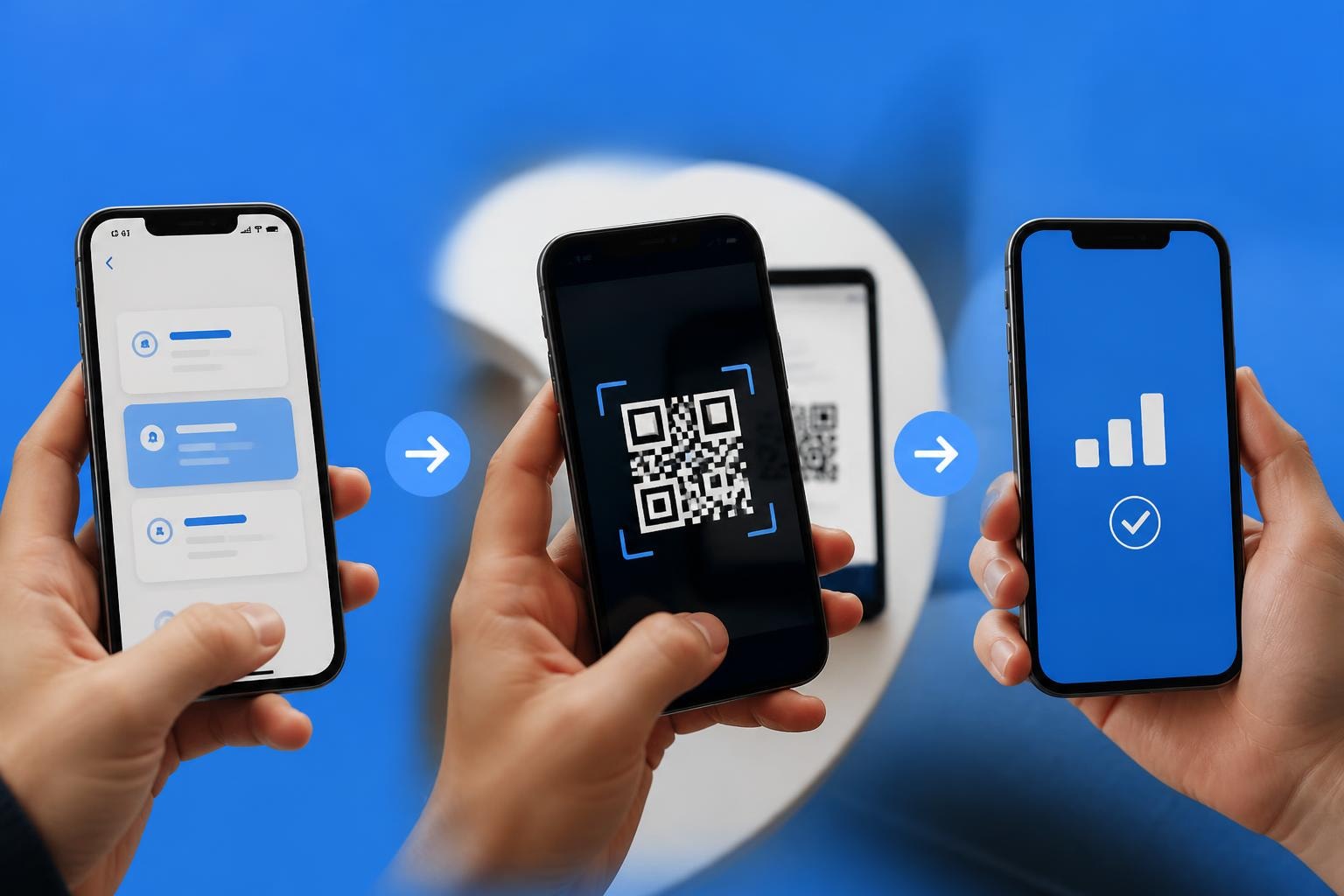
You've probably heard about eSIM technology revolutionising how we stay connected, but if you're an iPhone user, you might be wondering what all the fuss is about. The truth is, your iPhone has likely supported eSIM functionality for years now, and you might not even know it. Whether you're a frequent traveller tired of swapping SIM cards at every airport or simply curious about ditching that tiny piece of plastic altogether, understanding how eSIM works on your iPhone could transform your mobile experience. Let's dive into everything you need to know about using eSIM on your iPhone in 2026.
What Exactly Is eSIM on iPhone
Think of eSIM as the digital evolution of that physical SIM card you've been fumbling with for years. Instead of inserting a removable chip into your phone, an eSIM (embedded SIM) is built directly into your iPhone's hardware.
The technology isn't exactly new. Apple introduced eSIM support way back with the iPhone XS, XS Max, and XR in 2018. What's changed dramatically since then is how carriers and providers have embraced the technology, making it far more accessible and practical for everyday users.
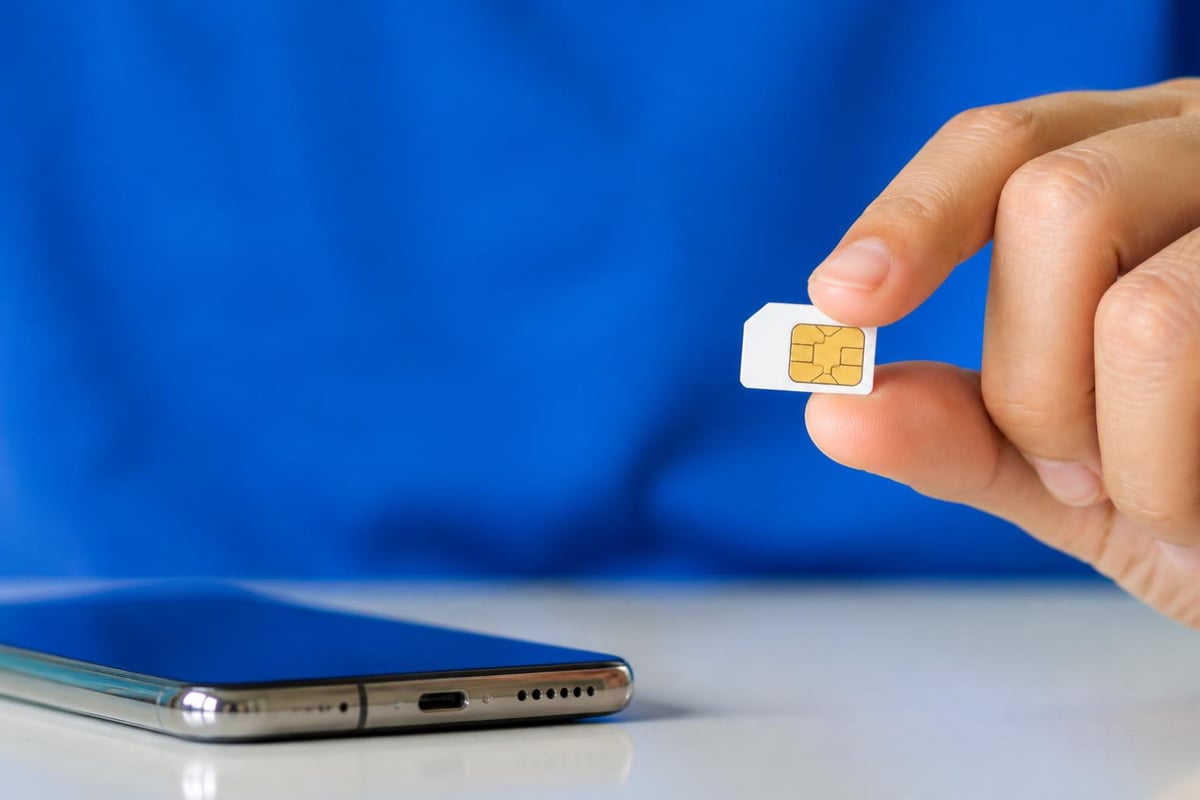
Here's what makes eSIM special: you can activate a cellular plan without ever visiting a shop or waiting for a SIM card to arrive in the post. Everything happens digitally, often in just minutes. You scan a QR code, download a carrier profile, and boom – you're connected.
Key Benefits for iPhone Users
Why should you care about eSIM? Let me give you some compelling reasons:
- Instant activation – No waiting for physical cards or shop visits
- Multiple profiles – Store several carrier plans simultaneously
- Travel flexibility – Switch between local and home networks seamlessly
- Enhanced security – Can't be physically removed if your phone is stolen
- Environmental impact – Eliminates plastic waste from SIM cards
But perhaps the biggest advantage is convenience. I remember being in Barcelona last summer, desperately needing data but facing a two-hour queue at a mobile shop. With eSIM, I could have been connected before leaving the airport.
Which iPhone Models Support eSIM
Not every iPhone can use eSIM technology, so let's clear up exactly which models are compatible. This matters because you don't want to purchase an eSIM plan only to discover your device doesn't support it.
Complete Compatibility List
| iPhone Model | eSIM Support | Dual eSIM | Notes |
|---|---|---|---|
| iPhone XS, XS Max, XR | Yes | No | First models with eSIM |
| iPhone 11 series | Yes | No | Physical SIM + eSIM |
| iPhone 12 series | Yes | Yes | Can use two eSIMs simultaneously |
| iPhone 13 series | Yes | Yes | Improved dual eSIM functionality |
| iPhone 14 series (US) | Yes (eSIM only) | Yes | No physical SIM tray |
| iPhone 14 series (International) | Yes | Yes | Physical SIM + eSIM |
| iPhone 15 series | Yes | Yes | Enhanced eSIM management |
Worth noting: if you purchased an iPhone 14 or later in the United States, your device doesn't have a physical SIM card slot at all. Apple went fully eSIM-only for the American market, though international versions still include the traditional SIM tray.
You can verify your compatible device status easily through your iPhone settings, and most eSIM providers maintain updated compatibility lists to help you confirm before purchasing.
Carrier Lock Considerations
Here's something that catches people out: carrier locks. Even if your iPhone model supports eSIM, if it's locked to a specific carrier, you might face restrictions. Always check whether your device is unlocked before attempting to activate an eSIM from a different provider.
To check if your iPhone is unlocked:
- Go to Settings > General > About
- Scroll down to Carrier Lock
- If it says "No SIM restrictions", you're good to go
How to Activate eSIM on Your iPhone
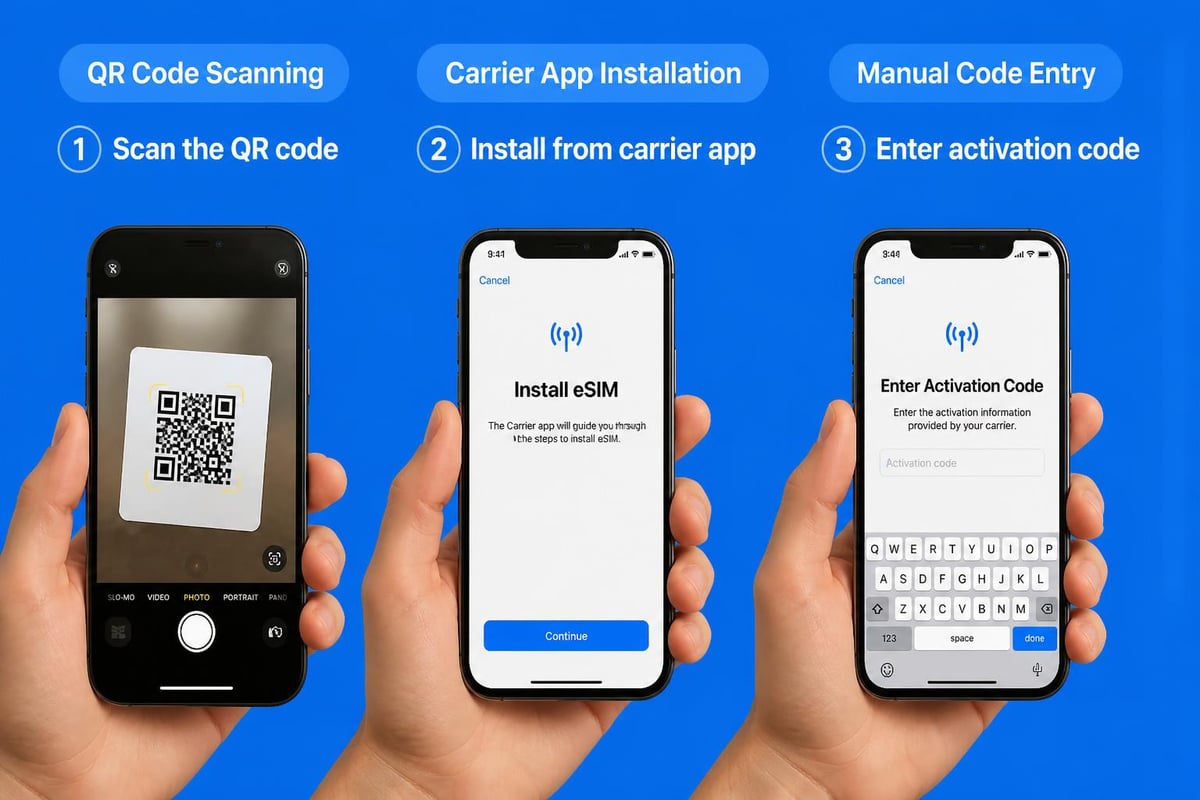
Right, let's get practical. Activating an eSIM on your iPhone is straightforward once you understand the process. There are actually several methods available, and which one you'll use depends on your carrier or eSIM provider.
The QR Code Method
This is by far the most common activation method. Your eSIM provider sends you a QR code, either via email or displayed in their app, and you scan it with your iPhone.
Step-by-step process:
- Make sure you're connected to Wi-Fi
- Navigate to Settings > Cellular (or Mobile Data)
- Tap Add eSIM or Add Cellular Plan
- Select Use QR Code
- Position your iPhone camera to scan the code
- Follow the on-screen prompts to activate
The entire process typically takes less than five minutes. Apple provides detailed setup instructions if you need additional guidance through each step.
Carrier App Activation
Many providers now offer in-app activation, which is even simpler. You download their app, purchase or select your plan, and tap a button to install the eSIM profile directly. No QR code scanning needed.
This method has become increasingly popular because it eliminates the possibility of scanning errors and streamlines the entire experience. When travelling internationally, for instance, you can purchase and activate a Europe eSIM entirely from within the provider's application before you even board your flight.
Manual Entry Method
Sometimes you might receive activation details as a code rather than a QR code. In this case:
- Go to Settings > Cellular > Add eSIM
- Choose Enter Details Manually
- Input the SM-DP+ address and activation code provided
- Confirm the installation
This method is less common but useful when QR codes aren't accessible or you're having camera issues.
Managing Multiple eSIMs on iPhone
Here's where things get really interesting. Modern iPhones can store multiple eSIM profiles simultaneously, though you can only have two active at once. This capability opens up incredible flexibility for how you manage your connectivity.
Using Dual eSIM Functionality
Since the iPhone 13, you can actually run two eSIMs at the same time without any physical SIM card. Why would you want this? Consider these scenarios:
- Keep your home number active whilst using a local data plan abroad
- Separate work and personal numbers on one device
- Maintain coverage across different networks for reliability
- Take advantage of different plans for calls versus data
Tom's Guide offers an excellent walkthrough for activating eSIM that covers dual SIM scenarios in detail.
Switching Between eSIM Profiles
You can customise which eSIM is used for different functions:
| Function | Options | Typical Use |
|---|---|---|
| Default Line | Choose primary eSIM | Most-used number for calls/texts |
| Cellular Data | Select data source | Cheapest or fastest data plan |
| iMessage/FaceTime | Assign to specific eSIM | Keep consistent contact method |
To switch your active plans, simply go to Settings > Cellular and toggle between your installed eSIMs. The interface clearly shows which plan is active for what purpose, and you can change this instantly without reactivating anything.
Macworld has published a helpful guide on using two eSIMs simultaneously that explores advanced configurations for power users.
eSIM iPhone for International Travel
This is where eSIM technology truly shines. If you travel internationally with any regularity, eSIM capability on your iPhone is genuinely game-changing. Gone are the days of hunting for SIM card vendors at airports or paying extortionate roaming charges.
Why Travellers Love eSIM
When you land in a new country, you can have local data connectivity before you've even collected your luggage. Here's the typical workflow:
- Before departure: Purchase an eSIM plan for your destination
- During flight: Install the eSIM profile (doesn't require internet)
- Upon landing: Activate the plan and you're immediately online
- Return home: Switch back to your primary eSIM without removing anything
The cost savings can be substantial. Traditional roaming charges from UK carriers can easily hit £5-10 per day, whilst eSIM data plans for popular destinations often cost a fraction of that for the entire trip.
Popular Destinations and eSIM Options
Different regions have varying levels of eSIM infrastructure, though coverage has expanded dramatically. In 2026, you'll find robust eSIM support across most developed and developing nations.
Coverage examples:
- Europe: Excellent coverage across EU countries with regional plans
- Asia: Strong availability in Japan, Thailand, Singapore, South Korea
- Americas: Widespread support in USA, Canada, Mexico, and major cities throughout South America
- Oceania: Full support in Australia and New Zealand
- Middle East: Growing availability in UAE, Saudi Arabia, and tourist hubs
For frequent European travellers, regional plans covering multiple countries offer exceptional value compared to activating local plans in each nation. Similarly, planning a Southeast Asian adventure becomes infinitely simpler when you can manage connectivity for Thailand, Vietnam, and Singapore from a single interface.
The installation guide provided by most eSIM services walks you through destination-specific activation, which can vary slightly based on local network requirements.
Troubleshooting Common eSIM iPhone Issues
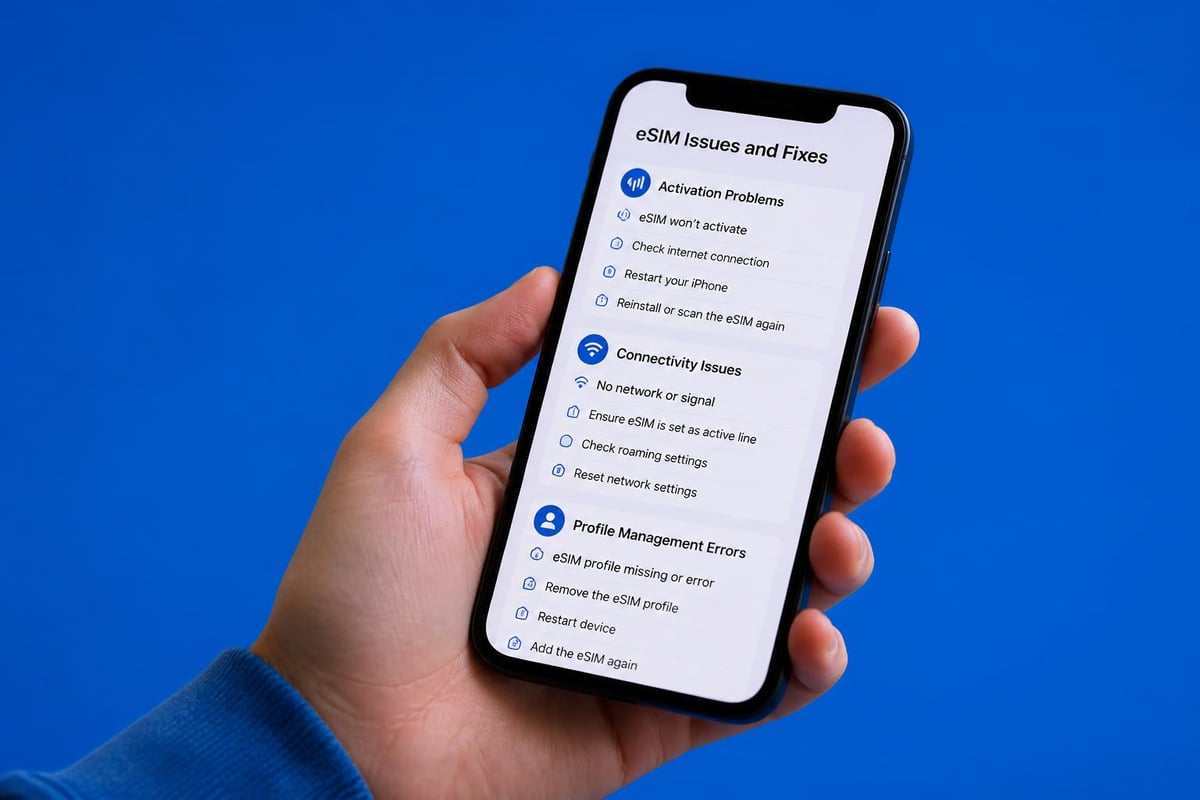
Even with Apple's typically smooth user experience, you might occasionally encounter hiccups when working with eSIM on your iPhone. Let's address the most common problems and their solutions.
eSIM Won't Activate
If your eSIM profile won't activate after scanning the QR code, try these steps:
- Check your internet connection: eSIM activation requires Wi-Fi or cellular data
- Verify the QR code: Ensure it hasn't expired (some providers set time limits)
- Restart your iPhone: The classic fix that works more often than it should
- Remove and reinstall: Delete the failed profile and start fresh
- Check carrier lock status: Confirm your device isn't restricted
No Service After Activation
You've successfully installed the eSIM, but you're not getting any signal. Frustrating, right? Usually, this comes down to a few simple issues:
- Data roaming isn't enabled: Go to Settings > Cellular > select your eSIM > enable Data Roaming
- Wrong network selected: Your iPhone might be trying to connect to an incompatible network
- Profile needs time: Sometimes activation takes 15-30 minutes to complete
- APN settings: Occasionally, you need to manually configure these (your provider should supply details)
Cannot Add More eSIMs
iPhones have a limit on how many eSIM profiles they can store (typically 8-10, depending on model). If you've hit this limit:
- Remove old, unused eSIM profiles you no longer need
- Note that removing a profile deletes it entirely (you'll need to reinstall if needed again)
- Keep your most frequently used profiles installed and just toggle them active/inactive
Privacy and Security Considerations
Let's talk about something that doesn't get enough attention: the security implications of eSIM technology on your iPhone. Whilst there are definite advantages, you should understand both the protections and potential vulnerabilities.
Enhanced Security Benefits
eSIM offers several security improvements over physical SIM cards:
- Theft protection: Thieves can't simply pop out your SIM to use in another device
- Remote management: You can deactivate an eSIM remotely if your phone is stolen
- Encrypted profiles: eSIM data is stored securely in your device's hardware
- No SIM swapping attacks: The traditional SIM swap fraud becomes far more difficult
Research from academic security studies has examined how wireless chips in modern iPhones remain partially active even when powered off, which has implications for eSIM security architecture.
Privacy Considerations
However, there are privacy aspects worth considering:
Provider tracking: Your eSIM provider can potentially track your location and usage patterns more comprehensively than with physical SIMs. Choose reputable providers with clear privacy policies.
Digital footprint: Every eSIM activation creates digital records. Whilst convenient, this means there's always a paper trail of your connectivity history.
Profile management: Be cautious about which eSIM profiles you keep installed. Old, unused profiles could theoretically be reactivated without your immediate knowledge.
Cost Comparison: eSIM vs Traditional SIM
Right, let's talk money. Is eSIM actually cheaper than traditional SIM cards, or are you paying a premium for convenience? The answer depends entirely on how you use your phone.
Price Breakdown by Use Case
| Scenario | Traditional SIM | eSIM | Winner |
|---|---|---|---|
| Local monthly plan | £10-30/month | £10-30/month | Tie |
| International roaming (1 week) | £50-100+ | £10-25 | eSIM |
| Short-term tourist data | £20-40 | £5-15 | eSIM |
| Multiple countries (2+ weeks) | £100-200+ | £30-60 | eSIM |
| Emergency backup data | Not practical | £5-10 | eSIM |
The savings become particularly apparent for international use. Traditional carrier roaming charges are notoriously expensive, often adding £5-10 per day just for the privilege of using your phone abroad.
Hidden Costs to Consider
Before you assume eSIM is always cheaper, factor in:
- Initial setup: Some carriers charge for eSIM activation (though most don't in 2026)
- Top-up fees: Watch for expensive top-up rates if you exceed your data allowance
- Validity periods: Some eSIM plans expire after 30 days regardless of data usage
- Activation requirements: You might need a separate device or internet connection to activate initially
The Make Use Of guide explores the cost implications specific to newer iPhone models, which is particularly relevant for iPhone 15 users who have eSIM-only devices in certain markets.
Future of eSIM iPhone Technology
What's next for eSIM on iPhone? Apple has been steadily pushing towards an all-digital future, and the trends suggest we're only at the beginning of this transition.
What's Coming in Future iOS Updates
Based on current development patterns and industry movement, expect these developments:
- Expanded carrier support: More regional and international carriers adopting eSIM
- Simplified activation: One-tap installation becoming standard across providers
- Enhanced profile management: Better interfaces for juggling multiple eSIMs
- Integrated travel features: iOS potentially recommending eSIM plans based on your location
- Blockchain-based identity: Secure, portable digital identity tied to your eSIM profile
The academic research on eSIM integration with IoT architecture suggests we'll see eSIM technology extending beyond phones into watches, tablets, and other connected devices with seamless profile sharing.
Industry Trends Shaping eSIM
Several broader trends are accelerating eSIM adoption:
- Regulatory support: EU and other regions encouraging eSIM to increase competition
- 5G rollout: Next-gen networks work particularly well with eSIM technology
- Environmental pressure: Reducing plastic waste from SIM cards and packaging
- Consumer demand: Travellers and digital nomads driving adoption through usage
By 2027, analysts predict that over 60% of new smartphone connections in developed markets will be eSIM-based. Your iPhone is ahead of this curve, positioning you perfectly for this shift.
Getting Started with Your eSIM iPhone Today
So you're convinced that eSIM is worth exploring. Brilliant. Let's get you set up with a practical action plan that won't leave you frustrated or confused.
Your First eSIM Activation Checklist
Before you purchase your first eSIM plan, verify these basics:
- Confirm your iPhone model supports eSIM
- Check your device isn't carrier-locked
- Ensure you're running a recent iOS version
- Have Wi-Fi access for initial activation
- Know your intended usage (destination, duration, data needs)
Choosing Your First eSIM Provider
With hundreds of eSIM providers now operating, how do you choose? Focus on these criteria:
Essential factors:
- Coverage: Does the provider serve your target destination?
- Pricing: Competitive rates with transparent pricing (watch for hidden fees)
- Activation speed: How quickly can you get connected?
- Customer support: Access to help if something goes wrong
- User reviews: Real experiences from actual customers
Nice-to-have features:
- Multiple device support
- Flexible plan options
- Easy top-up process
- Referral or loyalty programs
You'll find comprehensive information about available eSIMs across different regions, helping you compare options for your specific travel plans.
Practical Tips for Success
Here's what I wish someone had told me before my first eSIM activation:
Install before you need it: Don't wait until you've landed to activate your travel eSIM. Install the profile whilst you're still at home with reliable Wi-Fi, then simply activate it when you arrive.
Keep your primary number: Don't deactivate your main SIM/eSIM entirely when travelling. Set it to calls and texts only to stay reachable without incurring data charges.
Test before depending on it: Activate your eSIM a day before travel to ensure everything works correctly. The last thing you want is troubleshooting connectivity issues when you're rushing to an important meeting.
Screenshot your QR codes: Take photos of your eSIM QR codes and store them securely. If you need to reinstall for any reason, you'll have them accessible.
The iDownloadBlog article on dual SIM setup provides additional configuration tips that remain relevant for current iPhone models.
eSIM iPhone for Business Users
If you're using your iPhone for work, eSIM technology offers some particularly compelling advantages that go beyond what leisure users experience. Let's explore the business-specific benefits.
Corporate Deployment Advantages
For organisations managing multiple iPhones, eSIM simplifies device management considerably:
- Remote provisioning: IT teams can activate connectivity without physical access to devices
- Standardised profiles: Deploy consistent cellular configurations across the organisation
- Cost control: Centralised billing and usage monitoring
- Quick employee onboarding: New staff can be connected immediately
- International assignment flexibility: Seamlessly provision local connectivity for travelling employees
Apple provides enterprise deployment guidance specifically for organisations implementing eSIM across their device fleets.
Expense Management Benefits
Business travellers particularly appreciate how eSIM simplifies expense tracking:
Traditional approach: Submit roaming bills, wait for approval, explain charges, process reimbursement
eSIM approach: Purchase specific data allocation upfront, use only what's needed, clear digital receipts
This transparency makes finance teams much happier and reduces the administrative burden on employees.
Understanding eSIM technology on your iPhone opens up a world of connectivity options that simply weren't practical with physical SIM cards. Whether you're exploring Japan, managing work communications across time zones, or simply wanting the flexibility to switch carriers without the hassle, eSIM delivers genuine value. If you're ready to experience the convenience of instant connectivity across 200+ countries without roaming fees or physical SIM swapping, gosimless.app offers straightforward eSIM activation with affordable plans, secure payments, and support for multiple devices.
gosimless Team
The gosimless editorial desk — testing eSIMs, carriers and travel connectivity so you don't have to. Updated continuously from the road.