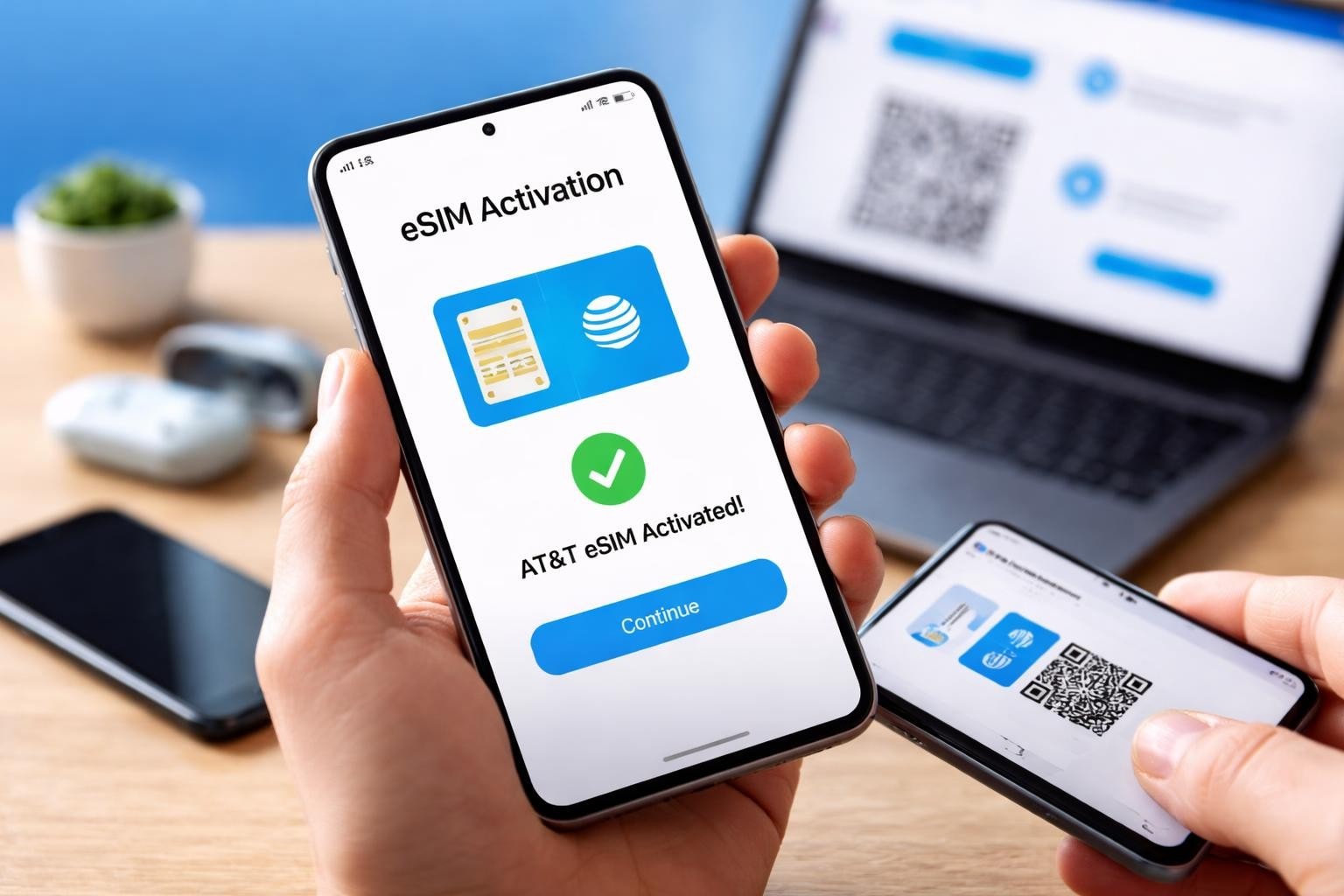
The telecommunications landscape has transformed dramatically over the past few years, and AT&T's eSIM technology sits at the forefront of this revolution. If you're considering making the switch to esim att or simply want to understand how this digital connectivity solution works, you've arrived at the right place. Whether you're a frequent traveller seeking flexible data options or someone looking to streamline your mobile experience, understanding how eSIM works with AT&T can save you time, money, and considerable hassle in 2026.
What Is eSIM AT&T and How Does It Work?
AT&T's eSIM represents a fundamental shift in how we think about mobile connectivity. Unlike traditional physical SIM cards that you insert into your device, an eSIM functions as embedded technology built directly into your smartphone or tablet.
The esim att solution allows you to activate a cellular plan without visiting a shop or waiting for a physical card to arrive in the post. This digital approach means your device receives carrier information electronically, eliminating the need for those tiny plastic cards we've grown accustomed to losing or damaging.
Key Benefits of Using eSIM AT&T
Convenience stands paramount when discussing the advantages of esim att technology. Gone are the days of fumbling with SIM ejector tools or worrying about misplacing your SIM card whilst travelling.
The benefits extend beyond mere convenience:
- Instant activation: Profile downloads happen in minutes rather than days
- Dual SIM capability: Many modern devices support both eSIM and physical SIM simultaneously
- Enhanced security: No physical component means nothing to steal or damage
- Environmental impact: Reduced plastic waste from traditional SIM cards
- Quick switching: Change carriers or plans without visiting a shop
For travellers specifically, the ability to maintain your primary number whilst adding temporary data plans proves invaluable. You can keep your home number active for important calls whilst using a local data plan to avoid extortionate roaming charges.
Device Compatibility and Requirements
Not every mobile device supports esim att technology, making compatibility checks essential before attempting activation. AT&T maintains a comprehensive list of eSIM-compatible devices that continues expanding as manufacturers embrace this standard.
Compatible Devices for AT&T eSIM
The latest iPhone models from the iPhone XS onwards support eSIM functionality. Similarly, recent Samsung Galaxy devices, Google Pixel phones, and selected Motorola handsets work seamlessly with AT&T's eSIM network.
| Device Category | Examples | eSIM Support |
|---|---|---|
| Apple iPhones | iPhone 14, 15, 16 series | Full support |
| Samsung Galaxy | S21, S22, S23, S24 series | Full support |
| Google Pixel | Pixel 5 onwards | Full support |
| iPads | iPad Pro, iPad Air (newer models) | Full support |
| Smartwatches | Apple Watch Series 4+ | Cellular models only |
Before proceeding with activation, verify your device appears on AT&T's official compatibility roster. You'll also need to ensure your device is unlocked if you purchased it through another carrier, as locked devices typically restrict eSIM usage to the original network provider.
Account requirements matter as well. You must have an active AT&T account or be establishing a new one, and your account must be in good standing without outstanding balances or restrictions.
How to Activate eSIM on AT&T
The activation process for esim att varies slightly depending on whether you're an existing customer adding an eSIM or a new customer establishing service. AT&T provides detailed activation instructions that walk through both scenarios.
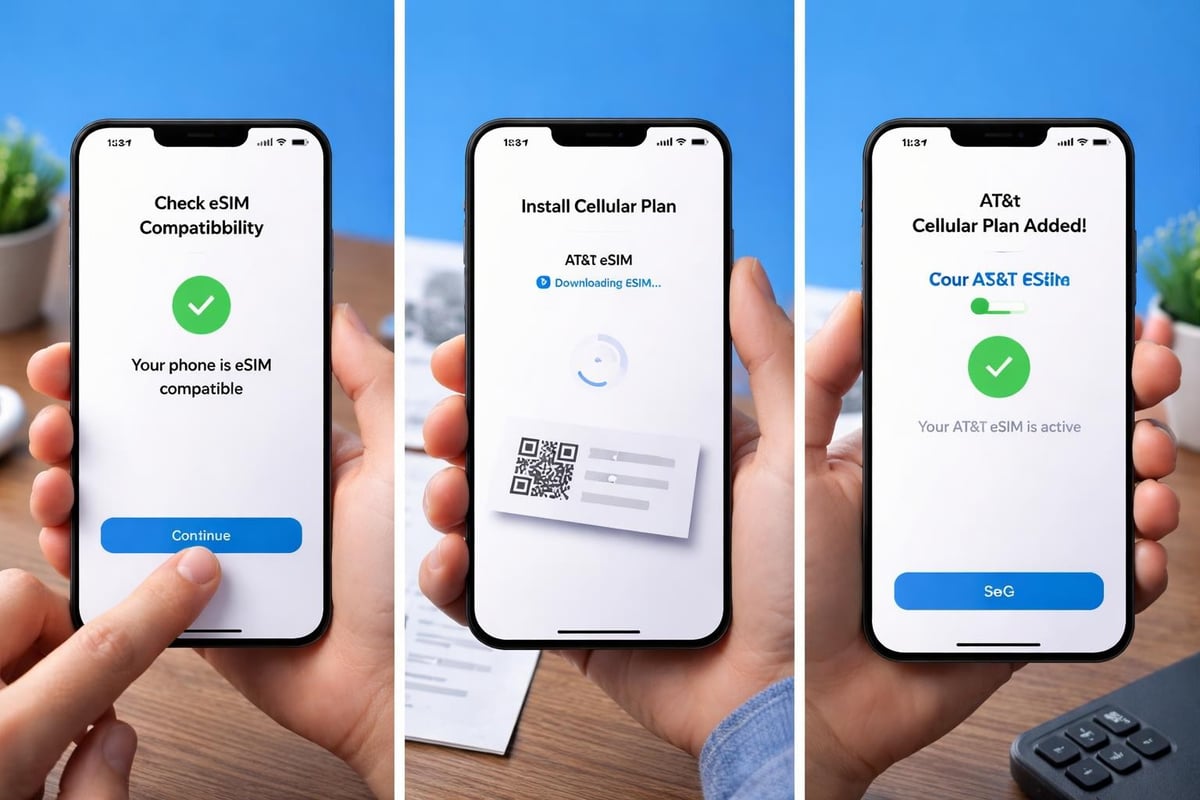
Step-by-Step Activation Process
- Verify device compatibility using AT&T's online checker or by reviewing your device specifications
- Contact AT&T through their app, website, or customer service to request eSIM activation
- Receive your QR code via email or through the AT&T app
- Navigate to settings on your device and select cellular or mobile data options
- Add cellular plan and scan the provided QR code using your device camera
- Label your plan with a descriptive name if using dual SIM functionality
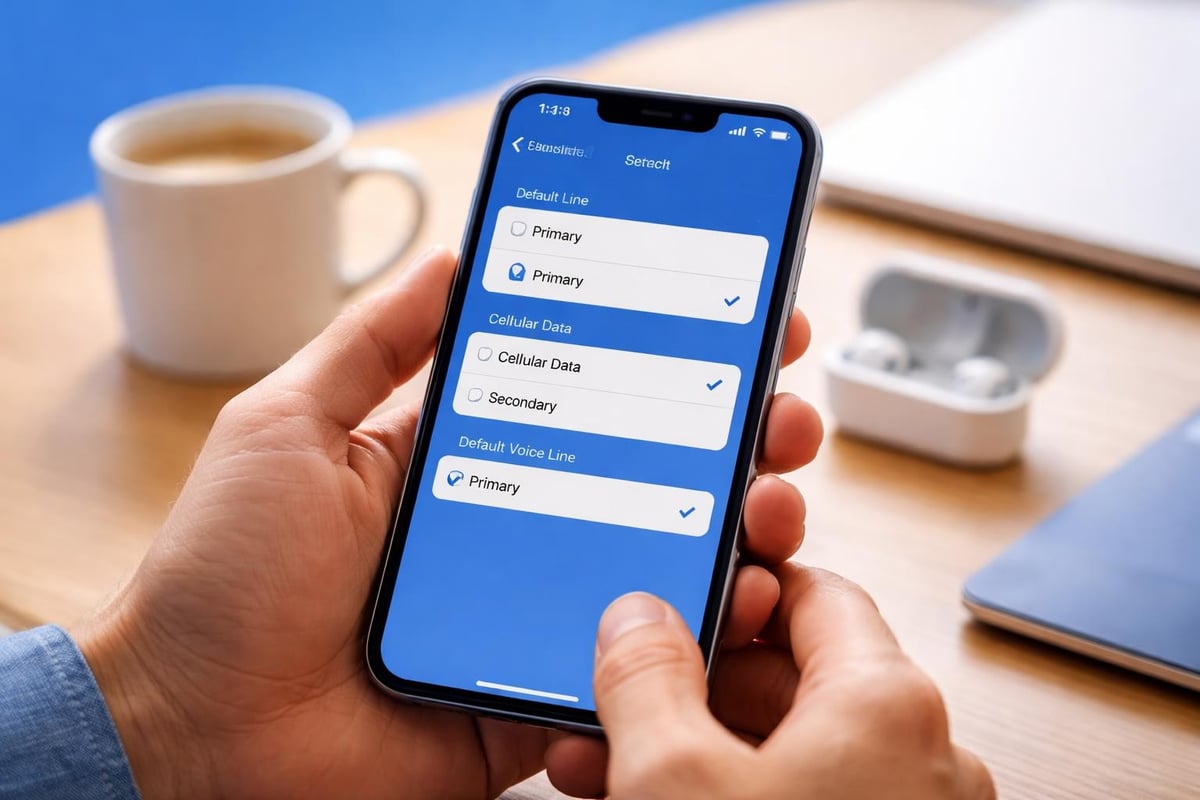
- Set preferences for which line handles calls, messages, and data
The entire process typically completes within 15-30 minutes, though network activation can occasionally take up to two hours during peak periods. Don't panic if your service doesn't appear instantly; patience often resolves initial connection delays.
Alternative Activation Without QR Codes
Modern esim att activation doesn't always require QR code scanning. Some users prefer manual entry methods that involve entering activation codes directly into their device settings.
For iPhone users specifically, AT&T offers streamlined setup processes that integrate with iOS features, making the experience even smoother. Android users have similar options through their respective device settings, though the exact menu locations vary by manufacturer.
Managing Your AT&T eSIM Profile
Once activated, managing your esim att profile becomes straightforward through your device settings. You can switch between multiple profiles, adjust which line handles specific functions, and even temporarily disable lines without deleting them entirely.
Dual SIM Functionality Explained
Many travellers and business professionals leverage dual SIM capabilities to maintain separate work and personal numbers or keep a home number active whilst using local data abroad. Your device allows you to designate which line handles:
- Default voice calls from unknown contacts
- iMessage and FaceTime registrations
- Cellular data consumption
- Specific contact preferences (route certain contacts through particular lines)
This flexibility transforms how you manage connectivity, particularly when travelling internationally. Imagine keeping your primary AT&T number active for essential calls whilst using a USA eSIM data plan to avoid roaming charges during an extended American business trip.
Line labels help you identify which SIM handles what function. Descriptive names like "Personal - AT&T" and "Travel Data" prevent confusion when making calls or checking data usage statistics.
AT&T eSIM vs Traditional Physical SIM
The debate between eSIM and physical SIM cards isn't about superiority but rather suitability for your specific needs. Both technologies accomplish the same fundamental task, yet they approach connectivity from different angles.
| Feature | AT&T eSIM | Physical SIM |
|---|---|---|
| Activation time | Minutes (digital) | Hours to days (shipping) |
| Device switching | Requires reactivation | Simple card transfer |
| Physical damage risk | None | Card can break/wear |
| Multi-device use | One eSIM per device | Transferable between devices |
| International flexibility | Easy to add plans | Requires SIM swapping |
| Emergency replacement | Remote reactivation possible | Requires new physical card |
Physical SIMs excel when you frequently switch devices, as you can simply move the card between phones. However, esim att technology wins for convenience, especially when adding supplementary lines or travelling internationally.
Security considerations favour eSIMs as well. Without a physical component, SIM swap fraud becomes significantly more difficult for bad actors to execute. The digital nature of eSIM profiles adds an extra authentication layer that protects your account.
Troubleshooting Common AT&T eSIM Issues
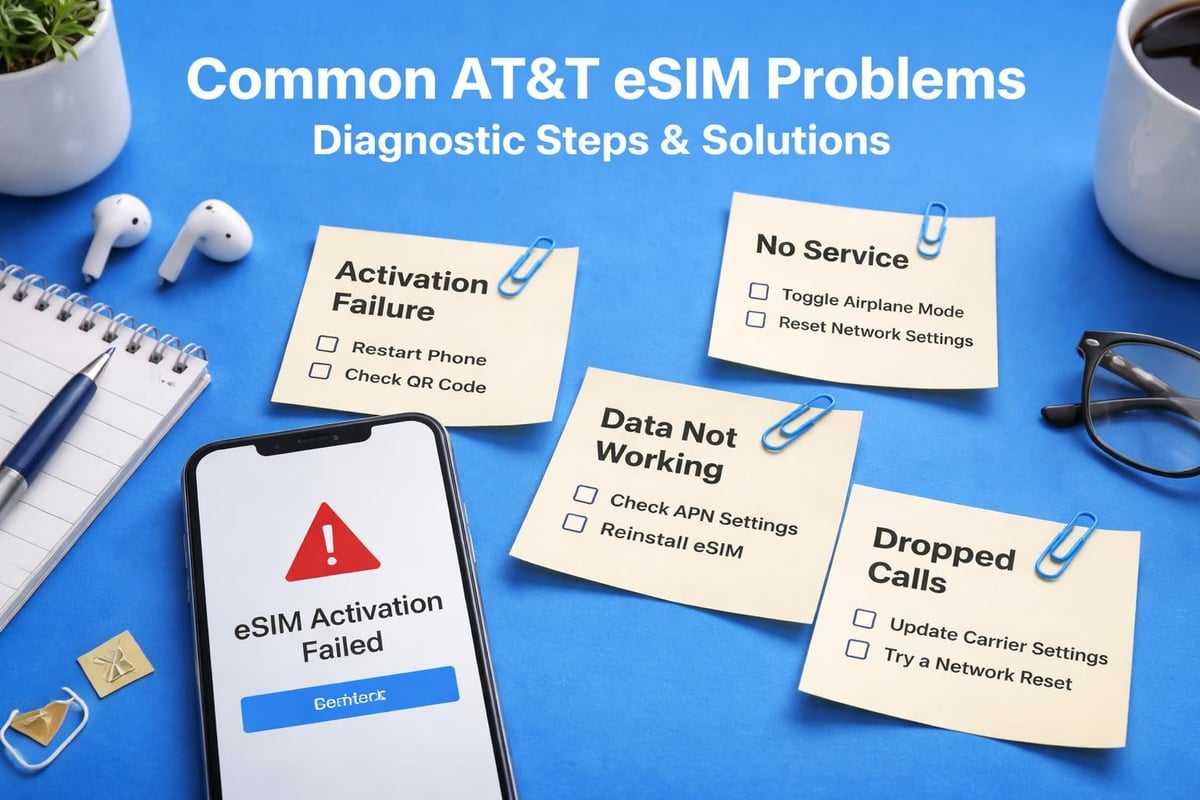
Even with streamlined processes, occasional hiccups occur during esim att activation or usage. Understanding common problems and their solutions saves frustration and reduces downtime.
Activation Failures and Solutions
QR code won't scan? Ensure adequate lighting, clean your camera lens, and verify you're holding steady. If scanning repeatedly fails, request a manual activation code from AT&T customer service instead.
Network connection issues often resolve through these steps:
- Toggle aeroplane mode on and off to force reconnection
- Restart your device completely
- Remove and re-add the eSIM profile if activation completed but service hasn't started
- Verify your account has no outstanding payments or restrictions
- Check AT&T's network status for outages in your area
Data not working despite successful activation? Navigate to your cellular settings and confirm data roaming is enabled if you're outside AT&T's primary coverage area. Also verify the correct line is designated for cellular data in dual SIM setups.
Profile Deletion and Reactivation
Sometimes starting fresh resolves persistent issues. You can delete an esim att profile through your device settings, then contact AT&T to initiate a new activation. This process doesn't affect your phone number or account standing; it simply provides a clean installation.
Important reminder: deleting an eSIM profile removes all associated data from your device. If you're troubleshooting, first attempt simpler solutions before taking this more drastic step.
AT&T eSIM for International Travel
International connectivity represents one area where esim att technology truly shines. Rather than purchasing physical SIM cards at airports or dealing with astronomical roaming charges, you can prepare your device before departure.
Roaming Options and Alternatives
AT&T offers international roaming packages that work with your esim att profile. These packages provide daily or monthly data allowances in specific countries, though costs can accumulate quickly during extended trips.
Alternative approaches often prove more economical for frequent travellers:
- Maintain your AT&T eSIM for calls and messages
- Add a secondary eSIM from international providers for data
- Switch between profiles based on which offers better rates in your current location
- Use Wi-Fi calling when available to reduce cellular usage
The beauty of modern devices supporting multiple eSIM profiles means you're not locked into a single provider. You can maintain your primary esim att connection whilst exploring more affordable data options through specialised travel eSIM providers. Before travelling, check if your device is listed among compatible devices for various eSIM services to maximise your options.
Comparing AT&T eSIM Plans and Pricing
AT&T structures its esim att offerings across several tiers, from prepaid options to unlimited premium plans. Understanding these distinctions helps you select appropriate coverage for your usage patterns.
Prepaid vs Postpaid eSIM Options
Prepaid AT&T eSIM plans offer flexibility without long-term commitments. You pay upfront for a specific data allowance and timeframe, making these ideal for temporary needs or budget-conscious users. Postpaid plans provide unlimited or high-cap data with monthly billing, suited for primary device usage.
Pricing considerations in 2026:
- Prepaid plans start around £30-40 monthly for moderate data
- Unlimited postpaid options range from £60-90 depending on features
- Family plans reduce per-line costs when multiple devices share an account
- International add-ons cost £10-15 daily for most countries
When evaluating esim att pricing, compare not just the monthly fee but also included features like hotspot data, streaming quality, and international benefits. Sometimes mid-tier plans offer better value than unlimited options if you're primarily connected to Wi-Fi.
Alternative eSIM Providers and Options
Whilst AT&T provides robust network coverage across the United States, exploring alternative eSIM providers often uncovers more flexible or economical solutions, particularly for specific use cases like travel or secondary devices.
When to Consider Alternative eSIM Services
Several providers offer competitive eSIM options that excel in different scenarios. Travel-focused eSIM services often provide better international rates than traditional carrier roaming packages, whilst some specialise in data-only plans perfect for tablets or secondary devices.
Choosing between esim att and alternatives depends on your priorities:
- Network coverage: AT&T excels in US rural areas where smaller providers may roam
- International flexibility: Specialised travel eSIMs often beat carrier roaming rates
- Customer support: Established carriers typically offer more robust support channels
- Activation speed: Digital-first providers often activate faster than traditional carriers
- Price competitiveness: Alternative providers frequently undercut major carriers on data costs
For those seeking straightforward eSIM activation processes with transparent pricing, exploring multiple options makes financial sense. You're not abandoning your primary carrier; you're supplementing with smart secondary options.
Business and Enterprise eSIM Solutions
AT&T recognises that business requirements differ substantially from consumer needs, offering enterprise-focused esim att solutions with centralised management, bulk activation, and enhanced security features.
Corporate Device Management
Businesses deploying multiple devices benefit from AT&T's fleet management tools that allow IT departments to activate, monitor, and control eSIM profiles across entire organisations. This centralised approach reduces administrative overhead whilst maintaining security compliance.
Key enterprise features include:
- Remote provisioning for new employees without physical distribution
- Centralised billing with detailed usage tracking per device
- Enhanced security protocols meeting corporate IT requirements
- Priority customer support with dedicated account representatives
- Flexible plan adjustments as business needs evolve
Small businesses might find esim att technology particularly valuable for field staff who require reliable connectivity without the logistics of distributing physical SIM cards. Remote activation means new hires can start immediately, regardless of location.
Future of eSIM Technology with AT&T
The telecommunications industry continues evolving, with eSIM adoption accelerating as manufacturers phase out physical SIM card slots entirely. AT&T's esim att infrastructure positions the carrier well for this transition, though challenges remain in consumer education and legacy device support.
What's Coming in 2026 and Beyond
Industry analysts predict several developments:
- Full eSIM-only devices becoming standard across flagship models
- Enhanced security features leveraging eSIM's digital architecture
- Simplified plan switching with near-instant carrier changes
- Integrated IoT applications connecting everything from vehicles to wearables
- Improved international standards making cross-border connectivity seamless
AT&T has committed to expanding its esim att capabilities, investing in network infrastructure that supports the increased flexibility these digital profiles demand. This commitment suggests continued improvements in activation speed, profile management, and international partnerships.
Consumer adoption remains the primary barrier. Many users remain unfamiliar with eSIM technology or harbour concerns about the transition from physical cards. Educational initiatives and simplified activation processes will determine how quickly this technology achieves universal acceptance.
Security and Privacy Considerations
Digital technology inevitably raises security questions, and esim att profiles are no exception. Understanding both the protections and potential vulnerabilities helps you make informed decisions about your connectivity.
How eSIM Technology Protects Your Data
The embedded nature of eSIM profiles actually enhances security compared to physical SIM cards in several ways. Without a removable component, opportunistic thieves can't simply extract your SIM to access your number or intercept messages.
Security advantages include:
- SIM swap attack resistance: Remote profile changes require multiple authentication steps
- Device-bound profiles: eSIM data is encrypted and tied to specific hardware
- Remote management: Lost devices can have profiles deactivated instantly
- Authentication requirements: Adding profiles requires carrier verification
- Encrypted profile delivery: QR codes and manual codes use secure transmission
However, securing your AT&T account credentials remains crucial. If someone gains access to your account, they might request eSIM profile changes. Strong passwords, two-factor authentication, and monitoring for suspicious activity protect against these scenarios.
Getting Support for AT&T eSIM Issues
When problems arise with your esim att service, knowing where to find help expedites resolution. AT&T provides multiple support channels, each suited to different problem types and urgency levels.
Support Channels and Resources
AT&T's comprehensive support documentation covers most common scenarios, from initial setup through advanced troubleshooting. These self-service resources often resolve issues faster than waiting for customer service representatives.
For interactive assistance, consider these options:
- AT&T mobile app: Chat support with specialists familiar with eSIM technology
- Phone support: Direct conversation with technical representatives
- Retail locations: In-person assistance for complex device issues
- Online forums: Community knowledge from other users who've faced similar problems
- Social media: AT&T's social teams often provide quick responses for urgent issues
Video tutorials walk through common procedures, offering visual guidance that text instructions sometimes lack. These prove particularly valuable for first-time eSIM users navigating unfamiliar device settings.
Response times vary by channel. Chat and phone support typically connect within minutes, whilst email inquiries might take 24-48 hours for detailed responses. For urgent connectivity issues, real-time channels obviously serve better.
Making the Switch to AT&T eSIM
If you've decided esim att technology suits your needs, transitioning from a physical SIM involves straightforward steps that won't disrupt your service when executed properly. Planning ahead ensures a smooth migration without connectivity gaps.
Pre-Switch Preparation
Before initiating the switch, gather necessary information and verify readiness:
- Confirm your device appears on AT&T's compatibility list
- Ensure your device is running the latest software version
- Back up important data (though eSIM switching shouldn't affect stored information)
- Note your current plan details and any add-ons you wish to maintain
- Have your AT&T account credentials readily available
Contact AT&T customer service to express your interest in switching to eSIM. Representatives will verify your eligibility and either initiate the process immediately or schedule it for a convenient time. Some customers prefer switching during off-hours to minimise any potential disruption.
The actual switch typically involves receiving a new QR code whilst your physical SIM remains active. Once you activate the eSIM profile, AT&T deactivates your physical SIM within minutes. This overlap ensures continuous service throughout the transition.
Post-activation testing confirms everything works correctly. Make a test call, send a message, and verify data connectivity before discarding your old physical SIM card. Whilst unlikely, keeping the old card for a few days provides backup options if unexpected issues arise.
Making informed decisions about your mobile connectivity in 2026 requires understanding the full landscape of eSIM options, from traditional carriers like AT&T to flexible alternatives. Whilst esim att provides reliable coverage and established support infrastructure, evaluating your specific needs against available options ensures you're never paying more than necessary for connectivity. Whether you're staying local or travelling internationally, gosimless.app delivers instant eSIM activation with transparent pricing, multi-device support, and coverage across 200+ countries without the complexity or roaming fees that often accompany traditional carrier solutions.
gosimless Team
The gosimless editorial desk — testing eSIMs, carriers and travel connectivity so you don't have to. Updated continuously from the road.