Activating eSIM on your smartphone or tablet has become remarkably straightforward in 2026, yet many travellers and mobile users still feel uncertain about the process. Whether you're planning an international trip or simply want to switch to a more flexible mobile solution, understanding how eSIM activation works will save you time, money, and frustration. This guide walks you through everything you need to know about getting your eSIM up and running, from compatibility checks to troubleshooting common hiccups.
Understanding eSIM Technology Before Activation
Before diving into the activation process, it's worth understanding what makes eSIM different from traditional SIM cards. An eSIM is essentially a digital version of your physical SIM card, embedded directly into your device's hardware. This means you don't need to fiddle with tiny plastic cards or worry about losing them whilst travelling.
The beauty of eSIM technology lies in its flexibility. You can store multiple eSIM profiles on a single device, switching between them as needed. This is particularly useful if you're travelling between countries or want to maintain separate personal and business numbers without carrying two phones.
Why eSIM Activation Matters in 2026
The mobile landscape has shifted dramatically over the past few years. More than 200 countries now support eSIM technology, and major carriers have streamlined their activation processes. According to recent industry reports, eSIM adoption has grown by over 300% since 2023, with travellers leading the charge.
Key benefits of eSIM activation include:
- Instant connectivity without visiting physical shops
- No roaming fees when using international eSIM providers
- Multiple profiles on one device
- Enhanced security features compared to physical SIMs
- Environmentally friendly with no plastic waste
Checking Your Device Compatibility
Not all devices support eSIM technology, though the list grows longer each month. Before attempting to activate an eSIM, you'll need to verify your device is compatible. Most flagship smartphones released after 2020 include eSIM capability, but there are exceptions.
To check if your iPhone supports eSIM, navigate to Settings > General > About. If you see a section for "Digital SIM" or can access the "Add eSIM" option under Cellular settings, you're good to go. Apple provides detailed compatibility information for all their eSIM-enabled devices.
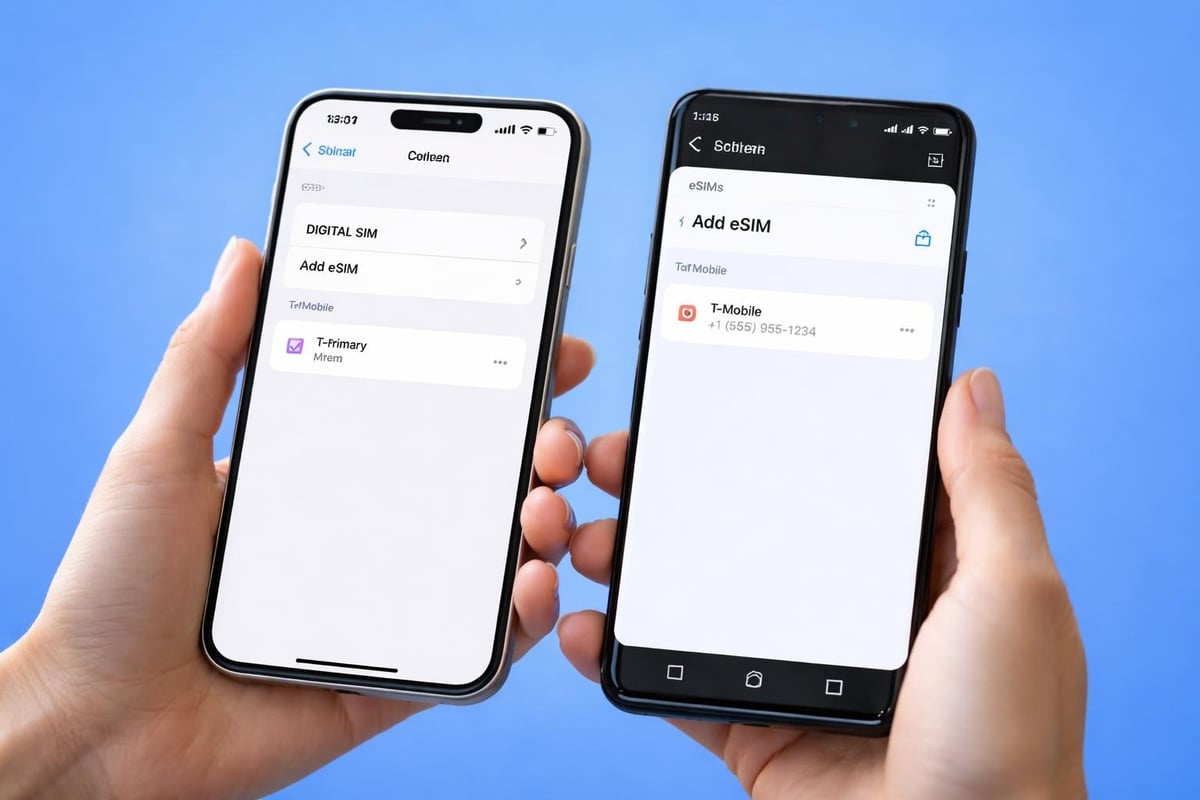
For Android users, the process varies slightly by manufacturer. Samsung, Google Pixel, and newer Android devices generally support eSIM. You can find comprehensive guidance on setting up eSIM on Android devices regardless of your phone's make or model.
| Device Type | eSIM Support | Key Models |
|---|---|---|
| iPhone | iPhone XS and newer | iPhone 15, 14, 13, 12, 11 series, XS, XR |
| Samsung Galaxy | S20 and newer | S24, S23, S22, S21, S20 series, Z Fold/Flip |
| Google Pixel | Pixel 3 and newer | Pixel 8, 7, 6, 5, 4, 3 series |
| Other Android | Select models | OnePlus, Oppo, Motorola (check manufacturer) |
Carrier Lock and eSIM Activation
Here's something that trips up many users: carrier locks. If your device is locked to a specific carrier, you might face restrictions when activating eSIM from other providers. Contact your current carrier to unlock your device before proceeding with eSIM activation from a third-party provider.
Most carriers have simplified their unlock processes in 2026, often completing requests within 24 hours. Once unlocked, your device can accept eSIM profiles from any compatible provider worldwide.
The Step-by-Step eSIM Activation Process
Activating eSIM typically involves one of three methods: QR code scanning, direct carrier app installation, or manual activation code entry. Let's explore each approach so you can choose what works best for your situation.
Method 1: QR Code Activation
This is the most popular and straightforward method for activating eSIM. After purchasing your eSIM plan, you'll receive a QR code via email or through your provider's app. The process takes just minutes.
Follow these steps for QR code activation:
- Connect to a stable Wi-Fi network before starting
- Open your device's settings and navigate to the cellular or mobile data section
- Select "Add Cellular Plan" or "Add eSIM"
- Position your device's camera to scan the QR code
- Follow the on-screen prompts to confirm and label your new plan
- Wait for the activation process to complete (usually 1-2 minutes)
- Restart your device if prompted
The QR code contains all the necessary information for your eSIM profile, including carrier details and your unique activation credentials. Keep this code secure and don't share it with others, as anyone with access could potentially activate your plan on their device.
Method 2: Carrier App Installation
Many eSIM providers now offer dedicated apps that handle the entire activation process automatically. This method is particularly convenient as it eliminates the need to scan QR codes or manually enter activation details.
Simply download your provider's app, log in with your account credentials, select your purchased plan, and tap "Install eSIM." The app communicates directly with your device's eSIM chip, configuring everything in the background. If you're looking for instant activation with minimal fuss, gosimless.app offers this streamlined approach across more than 200 countries.
Method 3: Manual Activation Code Entry
Sometimes QR codes don't work properly due to camera issues or damaged codes. That's where manual activation comes in handy. Your eSIM provider should supply an activation code (SM-DP+ address) and confirmation code alongside your QR code.
For detailed instructions on manually activating your eSIM using activation codes, including device-specific steps, you can find comprehensive guides that cover iPhone, Samsung, and Google Pixel devices.
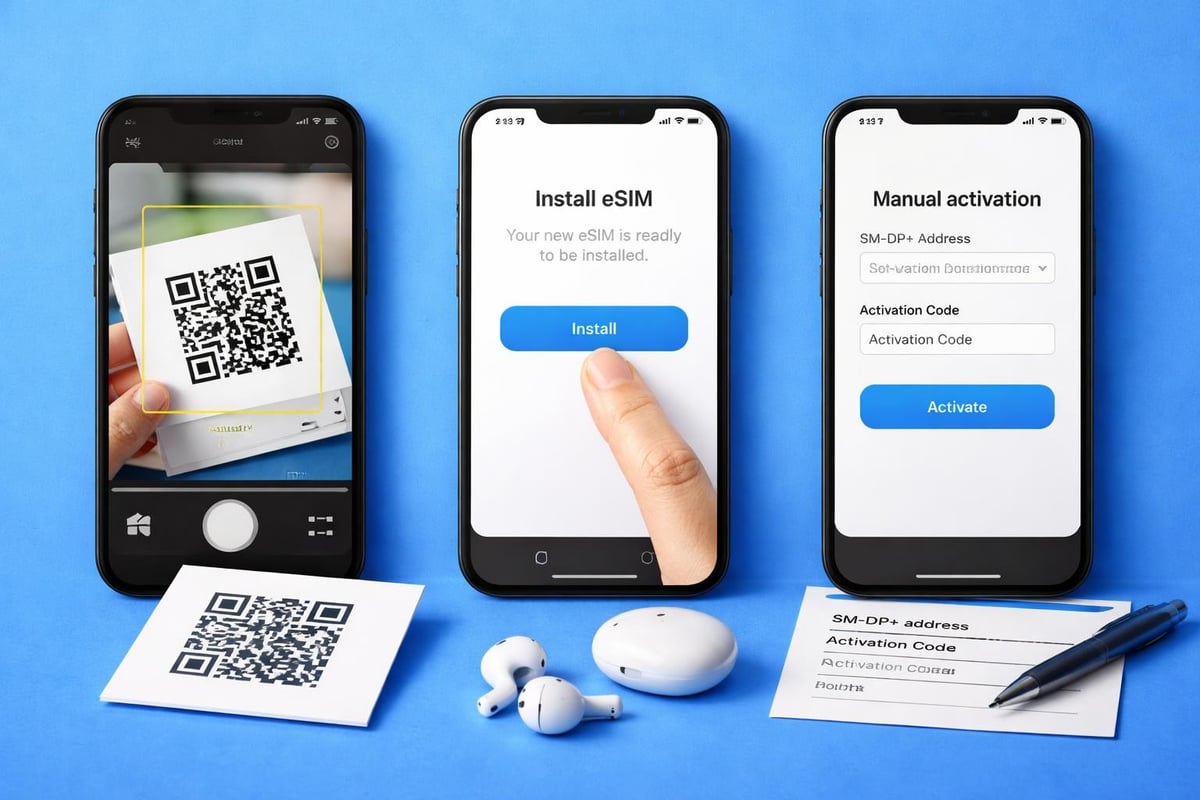
Navigate to your device's eSIM settings, choose "Enter Details Manually," then input the SM-DP+ address and confirmation code exactly as provided. Double-check for typos, as even a single incorrect character will prevent activation.
Troubleshooting Common Activation Issues
Even with straightforward processes, activating eSIM can sometimes hit snags. Don't worry though-most issues have simple solutions.
QR Code Won't Scan
If your device's camera refuses to recognize the QR code, try these fixes:
- Clean your camera lens thoroughly
- Adjust lighting conditions (avoid glare and shadows)
- Increase screen brightness if scanning from another device
- Move closer or further from the QR code
- Use the manual activation method instead
Sometimes the QR code image itself is corrupted or low resolution. Contact your eSIM provider for a fresh code if you've exhausted other options.
Activation Failed Error Messages
These cryptic error messages often stem from a few common causes. First, verify your device is actually unlocked and supports eSIM. Second, ensure you're connected to Wi-Fi, as cellular data won't work during initial eSIM setup. Third, check that you haven't already used the activation code on another device-most eSIM plans are single-use.
| Error Type | Likely Cause | Solution |
|---|---|---|
| "Plan Cannot Be Added" | Device locked or incompatible | Contact carrier to unlock device |
| "Activation Failed" | Poor internet connection | Switch to stronger Wi-Fi network |
| "Invalid Code" | Typo in manual entry | Double-check SM-DP+ address |
| "Already Used" | Code activated elsewhere | Contact provider for new code |
eSIM Installed But Not Connecting
You've successfully installed the eSIM profile, but data isn't working. This frustrating scenario usually relates to incorrect APN settings or the eSIM not being set as your default data line.
Navigate to your cellular settings and ensure your newly installed eSIM is selected for mobile data. Some devices require you to explicitly toggle "Turn On This Line" for the eSIM to become active. Additionally, verify that data roaming is enabled for your eSIM profile, especially when travelling internationally.
Security Considerations When Activating eSIM
As eSIM technology has grown more popular, security concerns have naturally emerged. The good news is that eSIMs are actually more secure than physical SIM cards in many ways, though understanding the risks helps you protect yourself.
Physical SIM cards can be stolen or cloned relatively easily. eSIMs, being embedded in your device's hardware, eliminate these physical vulnerabilities. However, this also means that securing your device becomes paramount. If someone gains access to your unlocked phone, they could potentially transfer your eSIM to their device.
Protecting Your eSIM Profile
Implement these security measures:
- Enable strong passcodes or biometric locks on your device
- Activate two-factor authentication for your eSIM provider account
- Never share QR codes or activation codes with anyone
- Keep your device's operating system updated with latest security patches
- Use reputable eSIM providers with proven security track records
Recent concerns about eSIM security vulnerabilities have been addressed by manufacturers and carriers through software updates. Apple has detailed documentation on eSIM security features, highlighting how their implementation prevents unauthorized access.
Understanding eSIM Transfer Security
When upgrading to a new device, you'll need to transfer your eSIM profiles. This process varies by operating system but generally requires authentication through your device manufacturer's account (Apple ID or Google Account). Never attempt to transfer eSIMs using third-party tools or services, as these could compromise your data.
Most modern devices support automatic eSIM transfer during setup. For instance, when setting up a new iPhone, you can transfer eSIMs from your old iPhone during the Quick Start process, provided both devices are running recent iOS versions.
Managing Multiple eSIM Profiles
One of activating eSIM's greatest advantages is the ability to run multiple profiles simultaneously. This capability transforms how you manage connectivity, whether you're a frequent traveller, digital nomad, or someone who likes to keep work and personal numbers separate.
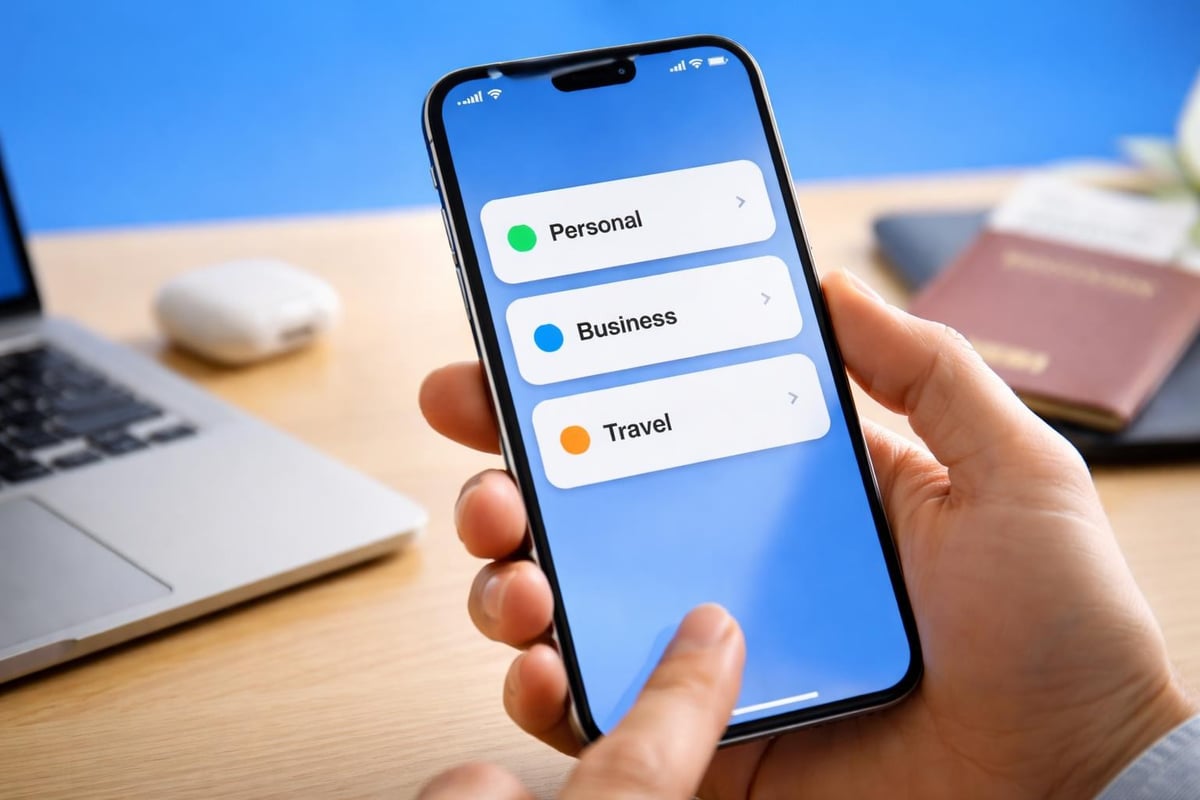
Most devices allow you to store between 5-10 eSIM profiles, though you can typically only have two active simultaneously. This means you might have profiles for your home country, favourite travel destinations, and backup options all ready to go.
Switching Between eSIM Profiles
Switching between installed eSIM profiles takes just seconds. Open your device settings, navigate to cellular or mobile data, and tap on the profile you want to activate. You can also designate which eSIM handles voice calls versus data, perfect for scenarios like using a local eSIM for cheap data whilst keeping your home number active for important calls.
Common multi-eSIM scenarios:
- Personal number on primary eSIM, business number on secondary
- Home carrier on physical SIM, travel eSIM for international trips
- Multiple regional eSIMs for frequent destinations
- Primary eSIM for voice, secondary for data-only plans
When you're travelling through multiple countries, you can prepare by installing eSIM profiles for each destination ahead of time. Then simply activate the relevant profile when you arrive. For the widest coverage options, check your provider's compatible devices list to ensure full functionality.
Activating eSIM for International Travel
International travel is where eSIM truly shines. Gone are the days of hunting for SIM card shops at airports or paying extortionate roaming fees. With eSIM, you can activate your international plan before even leaving home.
The process for activating eSIM for travel follows the same basic steps outlined earlier, but timing matters. Many travellers wonder: should I activate before departure or upon arrival? The answer depends on your provider's policies and your specific plan.
Some eSIM plans activate immediately upon installation, beginning your data allowance countdown. Others don't activate until you connect to a network in your destination country. Always check your provider's terms to avoid wasting precious data days.
Selecting the Right Travel eSIM
With dozens of providers competing for your business, choosing the right eSIM for your trip requires some research. Consider these factors when activating eSIM for international use:
- Geographic coverage (single country, regional, or global)
- Data allowances and validity periods
- Speed limitations and fair use policies
- Customer support availability across time zones
- Pricing compared to traditional roaming
For comprehensive comparisons of the best eSIMs for international travel, including coverage maps and pricing breakdowns, independent reviews can help narrow your options.
Regional eSIM Activation Tips
If you're touring multiple countries within a region, regional eSIM plans offer better value than individual country plans. Europe eSIM plans, for instance, typically cover 30+ countries under a single activation, eliminating the need to switch profiles as you cross borders.
When activating eSIM for regional coverage, verify which specific countries are included. Not all "European" plans cover the same territories-some exclude Switzerland, UK, or certain Eastern European nations.
Advanced eSIM Activation Features
As eSIM technology matures, providers have introduced increasingly sophisticated features that go beyond basic activation. Understanding these capabilities helps you maximize the value of your eSIM investment.
Automatic Network Selection
Modern eSIM profiles can automatically connect to the strongest available network in your location. This differs from traditional roaming, where you're typically locked to your home carrier's roaming partners. With eSIM, your device intelligently switches between multiple networks to maintain optimal connectivity.
Some advanced eSIM services even allow you to manually select preferred networks if automatic selection isn't delivering ideal performance. This granular control proves invaluable in areas with varying network quality.
Data Usage Monitoring and Top-Ups
Most eSIM providers now offer real-time data tracking through their apps, showing exactly how much of your allowance remains. When you're running low, many services allow instant top-ups without needing to activate a completely new eSIM profile.
This flexibility means you're never truly stuck without connectivity. Simply purchase additional data, and it's added to your existing eSIM profile within minutes.
eSIM Activation Costs and Considerations
The financial aspect of activating eSIM deserves careful attention. While eSIM technology itself doesn't cost extra-it's built into compatible devices-the data plans you activate vary widely in price.
Traditional carrier eSIM plans often match their physical SIM counterparts in pricing. However, dedicated eSIM providers typically offer more competitive rates, especially for international travel. You'll pay anywhere from £3 for basic regional plans to £50+ for extensive global coverage packages.
| Plan Type | Typical Cost Range | Best For |
|---|---|---|
| Short-term local | £3-£15 | Weekend trips, short visits |
| Regional (1-2 weeks) | £15-£30 | Multi-country tours |
| Global (monthly) | £30-£60 | Digital nomads, business travel |
| Unlimited data | £40-£100 | Heavy users, streaming needs |
When comparing costs, factor in the convenience value. Yes, local SIM cards might be £2 cheaper, but the time saved not hunting for shops, the elimination of language barriers, and the security of sorting connectivity before departure often justify a slight premium.
Hidden Costs to Watch For
Some eSIM providers advertise attractive base prices but hide additional charges. Watch out for activation fees, account setup costs, or mandatory minimum top-ups. Reputable providers display all costs upfront, with no surprises during checkout.
Also consider whether plans include VAT/taxes or charge these separately. A £20 plan that becomes £24 after taxes might not be the bargain it initially appeared.
eSIM vs Physical SIM: Making the Choice
Even after understanding the activation process, you might wonder whether eSIM is genuinely better than sticking with physical SIM cards. The answer isn't universal-it depends on your specific needs and usage patterns.
eSIM excels for travellers, multi-line users, and anyone who values convenience over tradition. Physical SIMs still make sense if you frequently switch between very old devices, require maximum compatibility with all global networks, or simply prefer having a tangible card you can move between phones.
For a detailed comparison of different eSIM providers and their activation processes, resources like gosimless.app's installation guide walk through various scenarios to help you make an informed decision.
The trend is unmistakable though. Major manufacturers are moving toward eSIM-only devices, with some flagship phones already eliminating physical SIM trays entirely. By 2027, industry analysts predict that over 60% of new smartphones will be eSIM-only.
Hybrid Approach: Best of Both Worlds
Many users find that combining a physical SIM with eSIM capability offers optimal flexibility. Keep your primary number on a physical SIM for maximum compatibility whilst using eSIM profiles for travel, temporary numbers, or data-only plans.
This hybrid approach means you're never completely dependent on eSIM functionality. If you encounter activation issues with an eSIM, you still have your physical SIM as backup connectivity.
Activating eSIM doesn't need to be complicated when you understand the process and prepare properly. Whether you're setting up your first eSIM or managing multiple profiles across devices, the key lies in choosing reliable providers and following device-specific instructions carefully. Ready to experience the freedom of instant global connectivity? gosimless.app delivers seamless eSIM activation across 200+ countries with affordable plans, secure setup, and multi-device support-all without roaming fees.
gosimless Team
The gosimless editorial desk — testing eSIMs, carriers and travel connectivity so you don't have to. Updated continuously from the road.